
Quick Start: Build Your First System Model
Time to complete: 5 minutes
A Model Template maps carbon emissions through your processes. Create one in 2 steps.
Method 1: Create Manually (3 minutes)
Step 1: Start Creating
- Go to the Models page
- Click Create
- Fill Basic Info: complete these 2 required fields:
Field | What to Enter | Example |
| System Name | Clear, descriptive name | "Widget Production Line A" |
| Description | Brief purpose | "Manufacturing process for System X widgets" |
Optional fields: Declaration, Allocation rules, Calculation Methodology, Cut-Off Rules, System run duration (add these later)
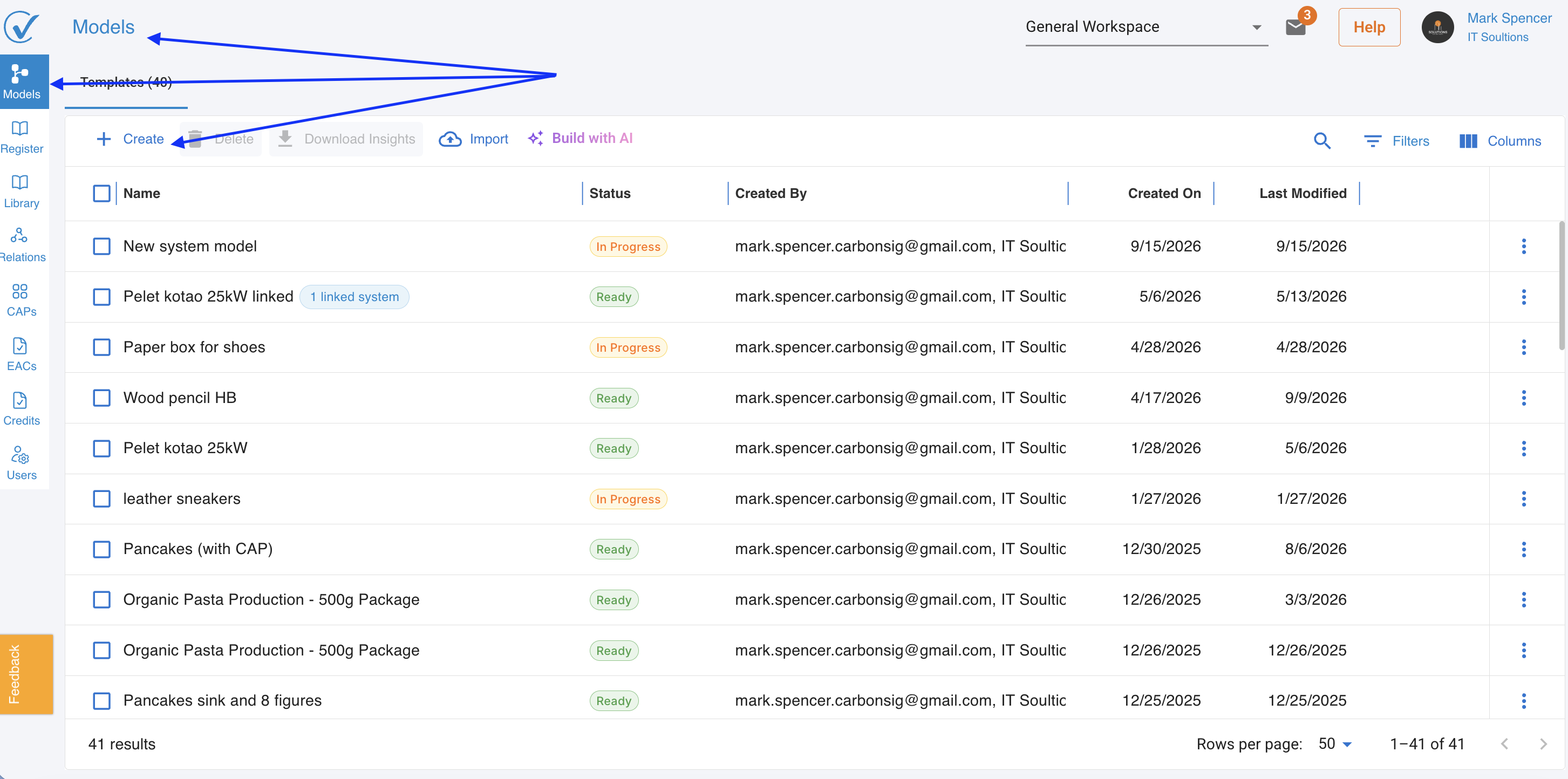
Step 2: Start Building
Click Create, populate required fields just to start → You're now in Builder Mode with a blank canvas
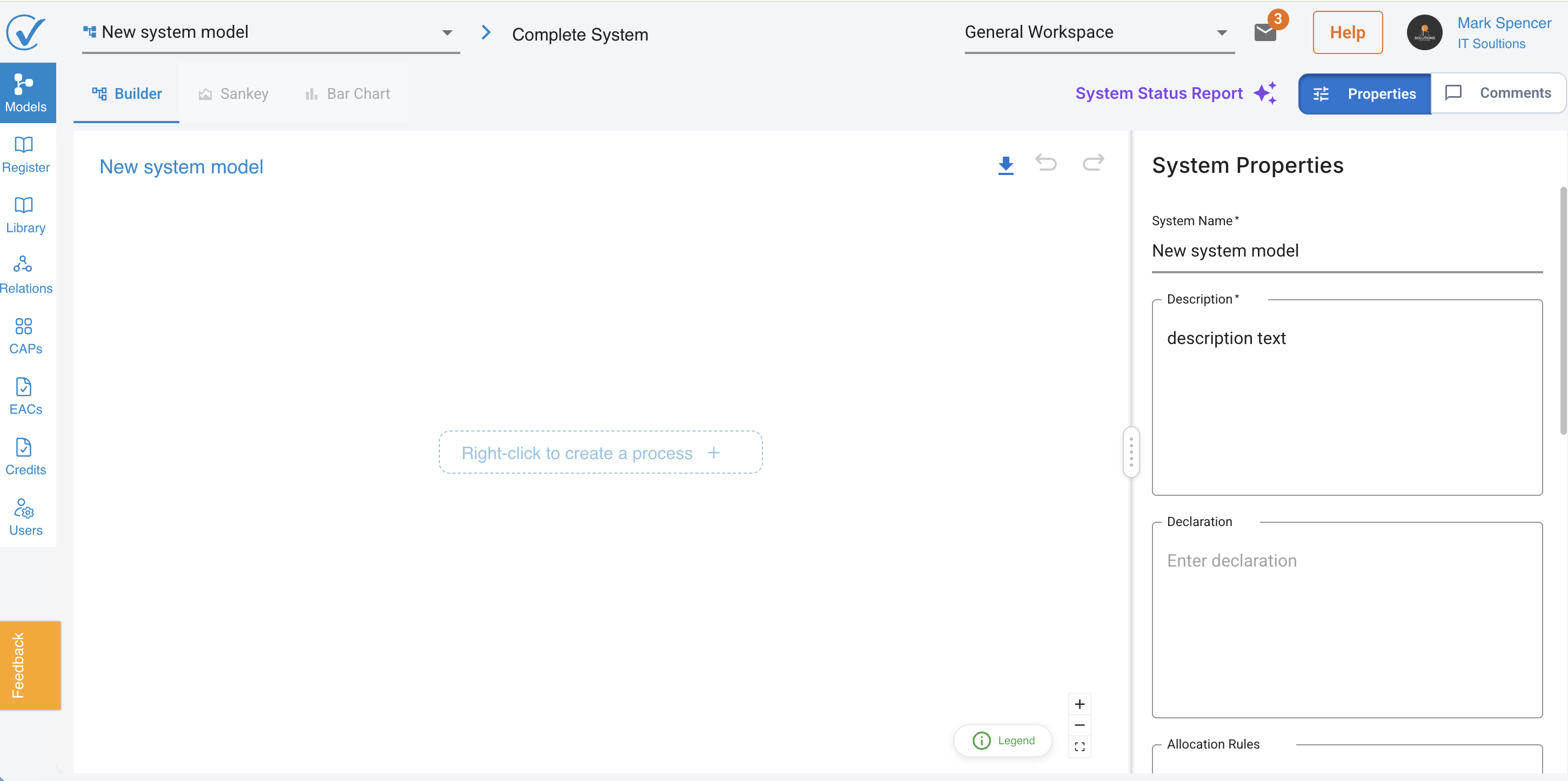
✅ What you see: Three tabs (Builder, Sankey, Bar Chart) and an empty workspace
Method 2: Build with AI (2 minutes) ⚡
Faster alternative using AI:
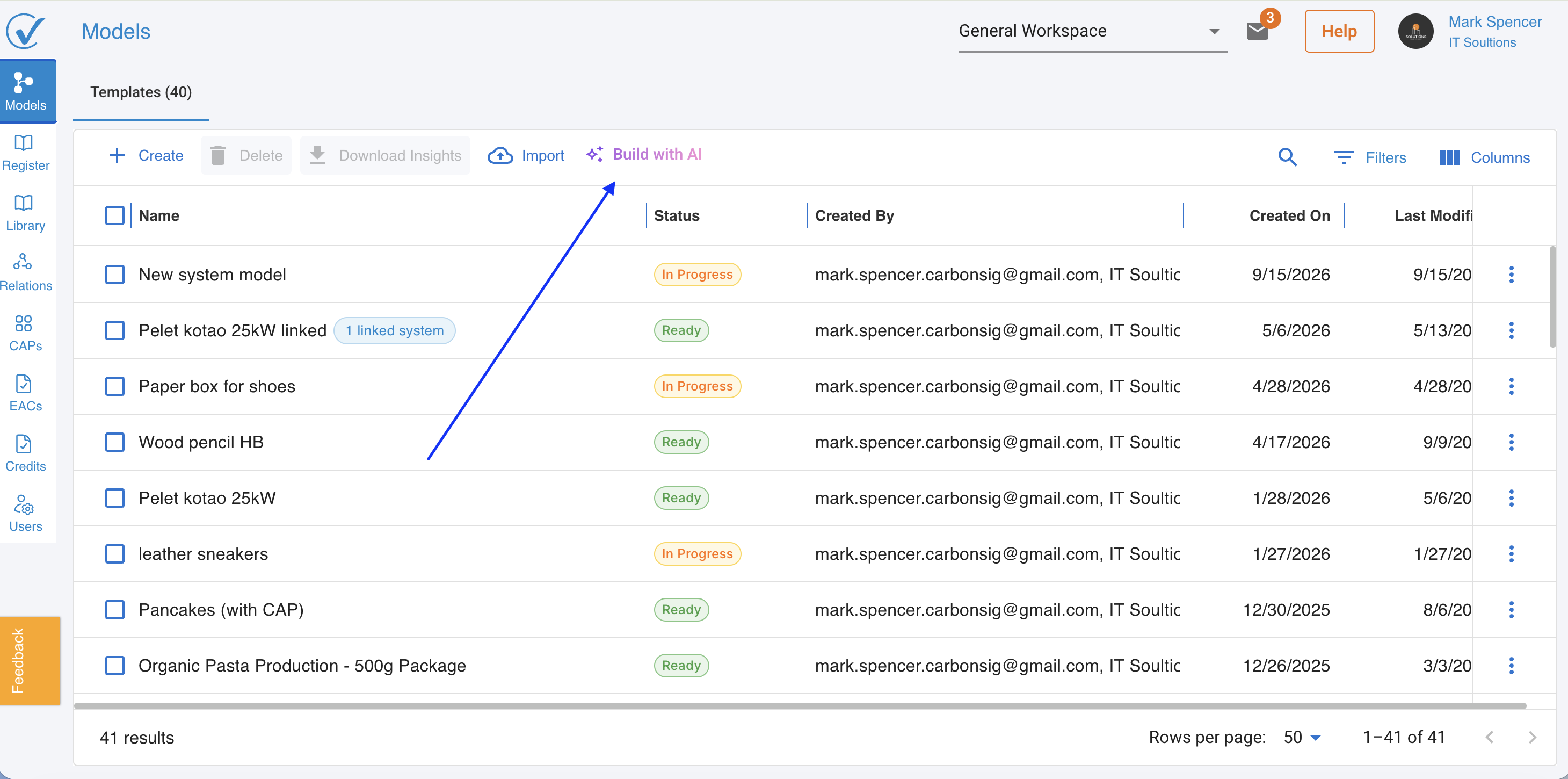
Step 1: Click "Build with AI"
From the Model page → Build with AI button
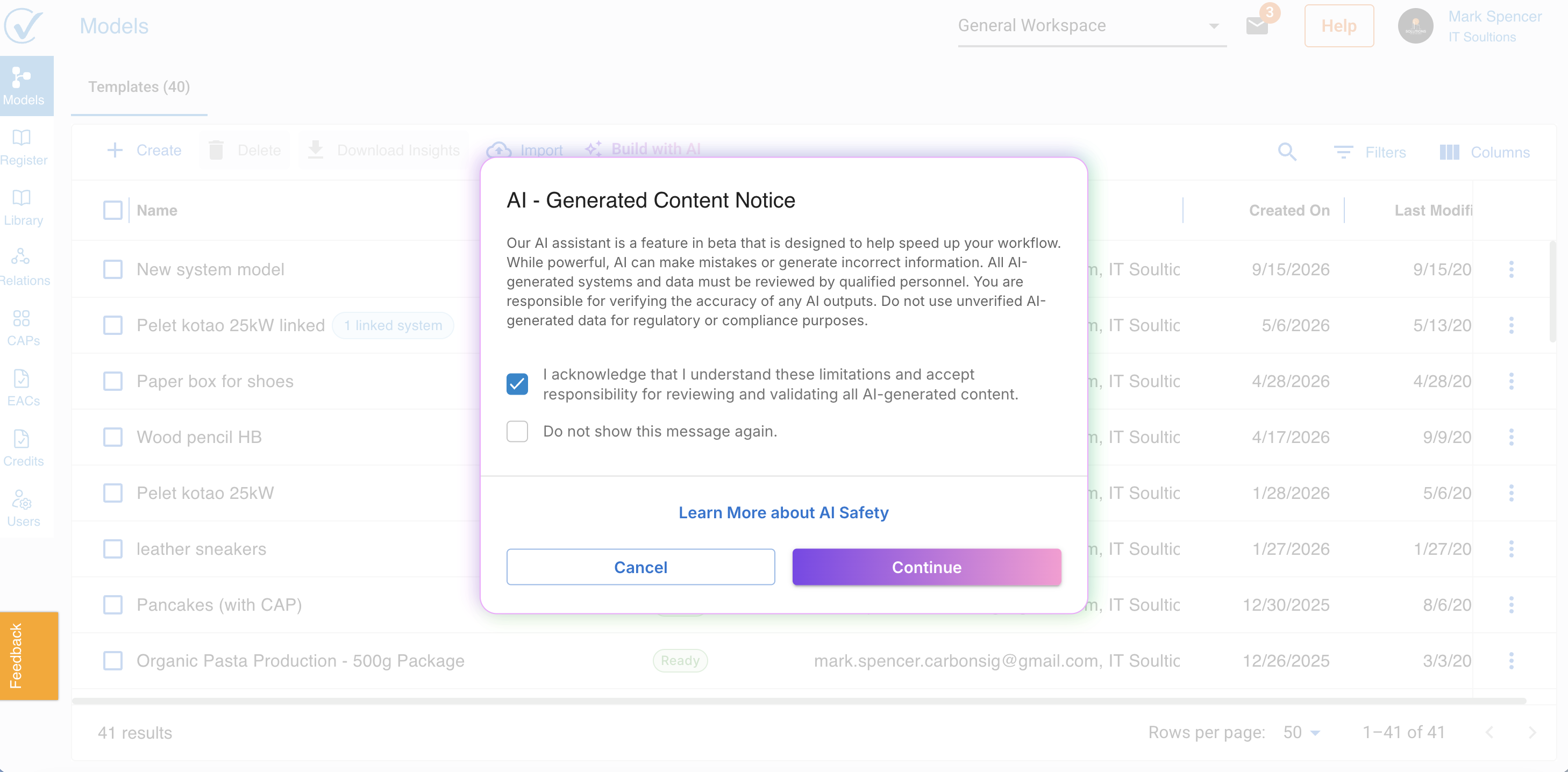
Step 2: Accept Terms
Read the AI notice → Check acknowledgment box
Step 3: Describe Your System
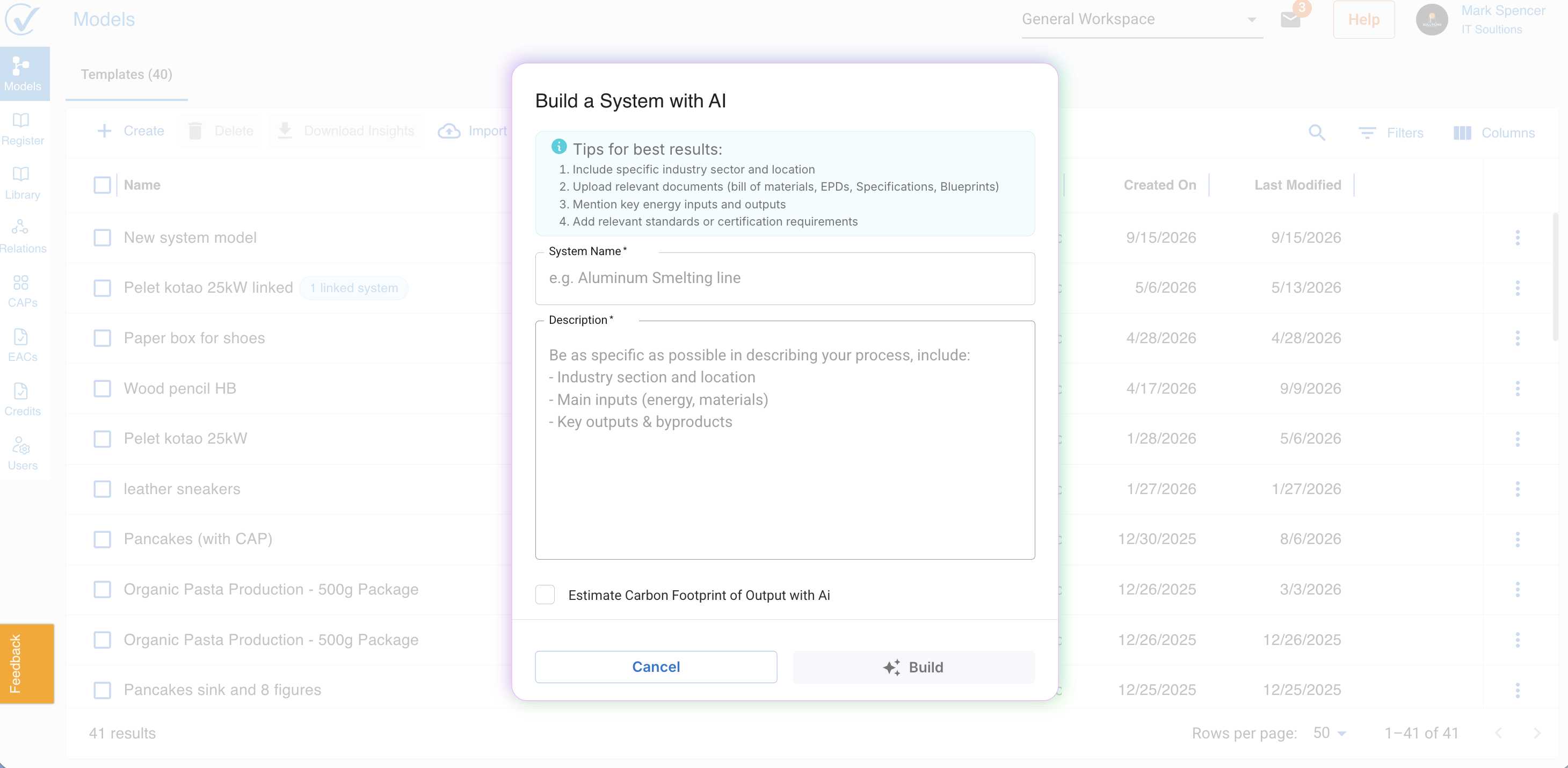
System Name: "Aluminum Window Frame Production"
Description: Be specific:
- Industry sector and location
- Main inputs (electricity, aluminum, glass)
- Key outputs and byproducts
- Energy sources
Optional: Upload documents (PDF, images, EPDs, specifications)
Step 4: Generate
Click Build → AI creates your system template automatically
✅ What you see: Complete system with processes, inputs, and outputs ready to customize
Read full article here: Build with AI: AI-Powered System Builder
What's Next?
Your model is created. Now you need to:
- Add processes, connections and enter emission data (if manual) → See Build Your System with Builder
Quick Reference: What is a System Model?
A system shows how carbon flows through your operations:
- Inputs = Where emissions come from (Scope 2 & 3)
- Electricity, materials, transportation, purchased goods
- Direct Emissions = Your activities that generate emissions (Scope 1)
- Manufacturing, fuel combustion, industrial processes
- Outputs = Final carbon footprint of your product/activity
- Processes = Scope 1, 2 and 3
Troubleshooting
Can't find the Create button?
- Check you're on the Models page (not CAPs or Library)
- Verify you have creation permissions (Admin or Editor role)
AI option not available?
- Refresh browser and clear cache
- Submit Feedback: Use the in-app feedback tool to report issues or suggest improvements
- Contact Support: Email support@carbonsig.com for technical assistance
Related: Design Your System | System Status Indicators | Copy & Share Systems
Last updated: September 2026