
Quick guide: How to submit Feedback
Accessing Feedback
- Click the orange "Feedback" button in the left sidebar (visible at any time)
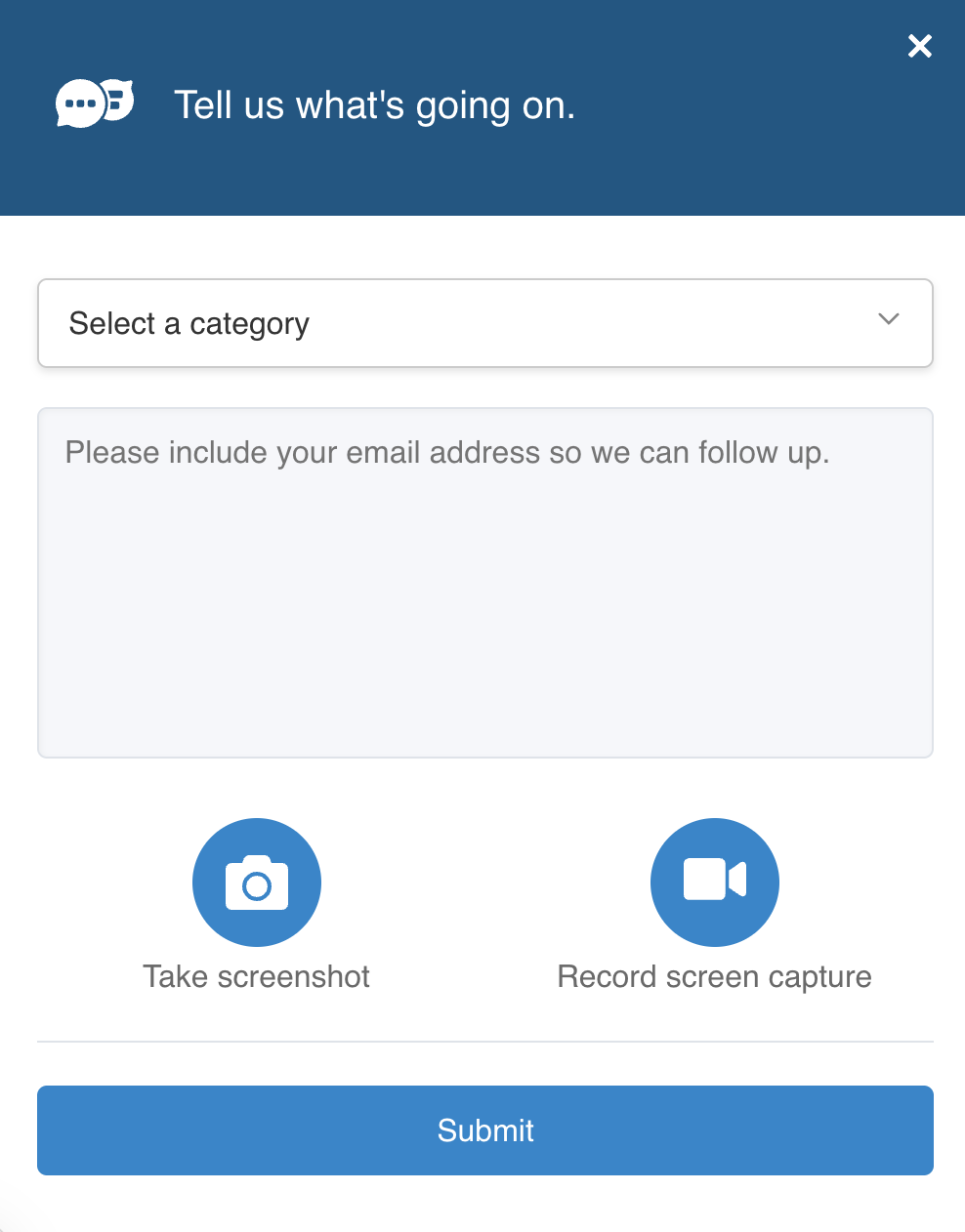
- A feedback modal will appear with the title "Tell us what's going on."

 |  |
Choosing Your Feedback Category
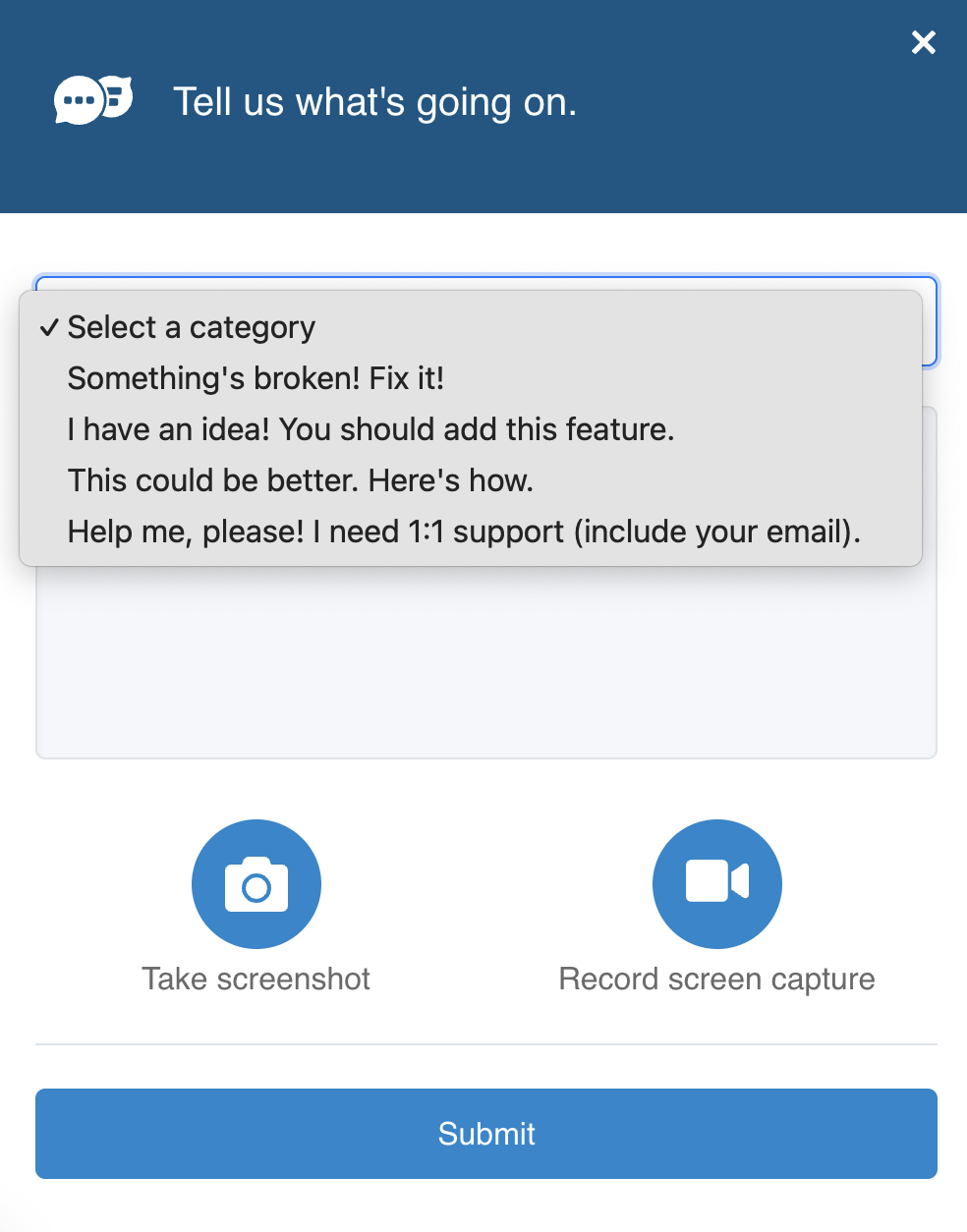
Select the category that best matches your situation:
- "Something's broken! Fix it!" - Use this for bug reports or technical issues you're experiencing
- "I have an idea! You should add this feature." - Share feature requests or enhancement suggestions
- "This could be better. Here's how." - Provide improvement suggestions for existing functionality
- "Help me, please! I need 1:1 support (include your email)." - Request direct support assistance
⚠️ IMPORTANT: Include Your Email Address
- Always include your email address in your feedback message
- We will send our response directly to your email
- Without your email, we won't be able to follow up with you about your feedback
- This applies to all feedback types - bug reports, feature requests, improvements, and support requests
Describing Your Feedback
- After selecting a category, a text box appears where you can describe your feedback in detail
- Start by including your email address (e.g., "Email: yourname@company.com")
- Be as specific as possible - include what you were trying to do, what happened, and what you expected to happen
Adding Visual Context (Optional)
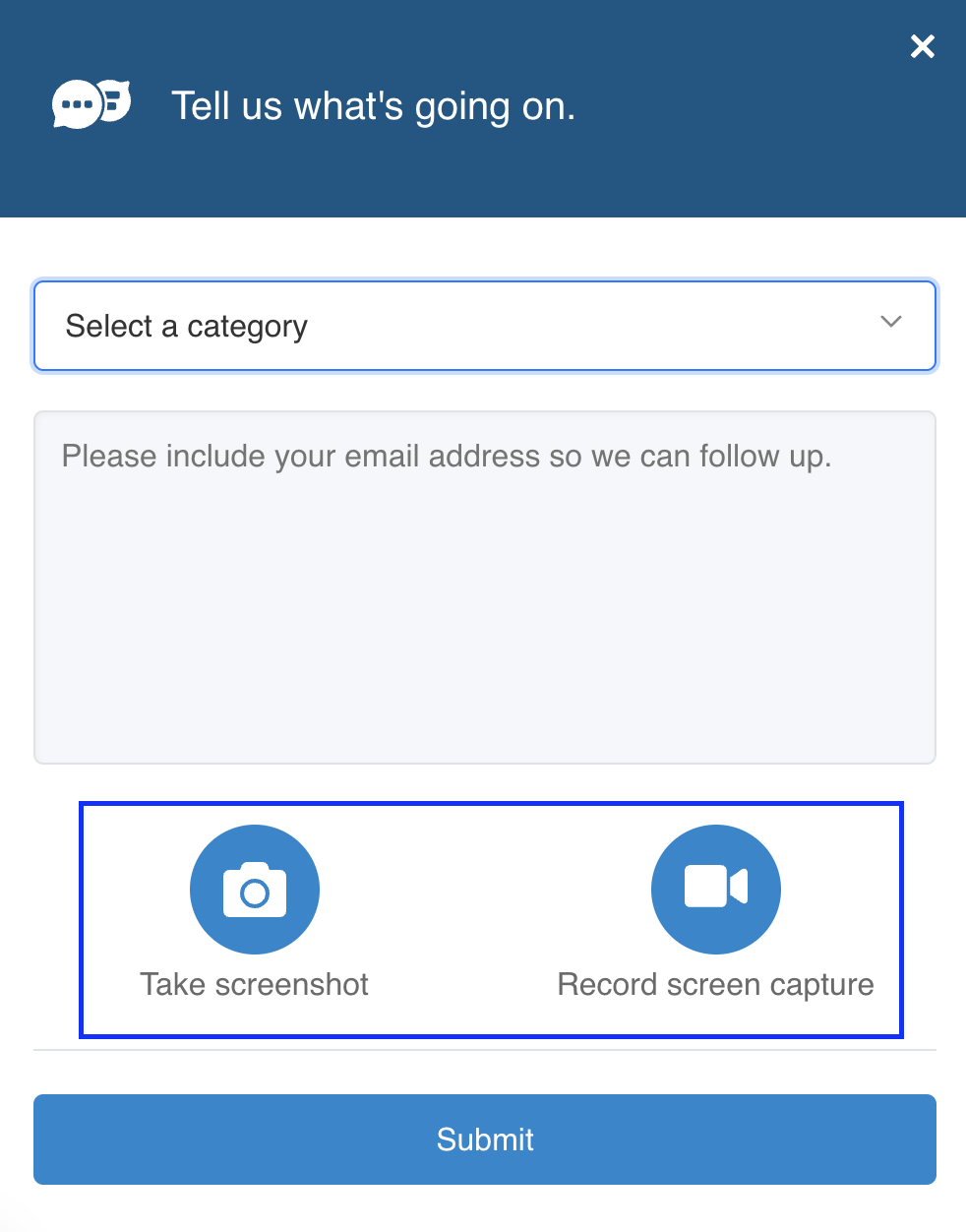
- Take screenshot - Capture a still image of your screen to show the issue or idea
- Record screen capture - Record a video of your screen to demonstrate a workflow or problem
Submitting
- Click the blue "Submit" button to send your feedback to the CarbonSig team
- You'll receive a response at the email address you provided
Tips for Effective Feedback
- Always include your email address - this is the most important step!
- For bugs: Include steps to reproduce the issue
- Use screenshots/recordings to make your feedback clearer
- Be specific about which part of the platform you're referring to
Thank you for helping us improve CarbonSig! Your feedback is invaluable to us. Whether you're reporting a bug, suggesting a new feature, or requesting support, we're here to help. Our team reviews every piece of feedback and will respond to you directly via email. We're committed to supporting you and making your experience with CarbonSig the best it can be.
Last updated: May 2026
Last updated: 5/14/26, 10:56 AM