
Latest update January '26 - Comment system for team collaboration
Drawer-based commenting system
Building carbon footprint systems is now a team effort. The new Comments feature lets you discuss data quality, methodology, and assumptions through a dedicated Comments tab in the right-hand drawer, keeping your canvas clean while enabling robust collaboration.
How it works
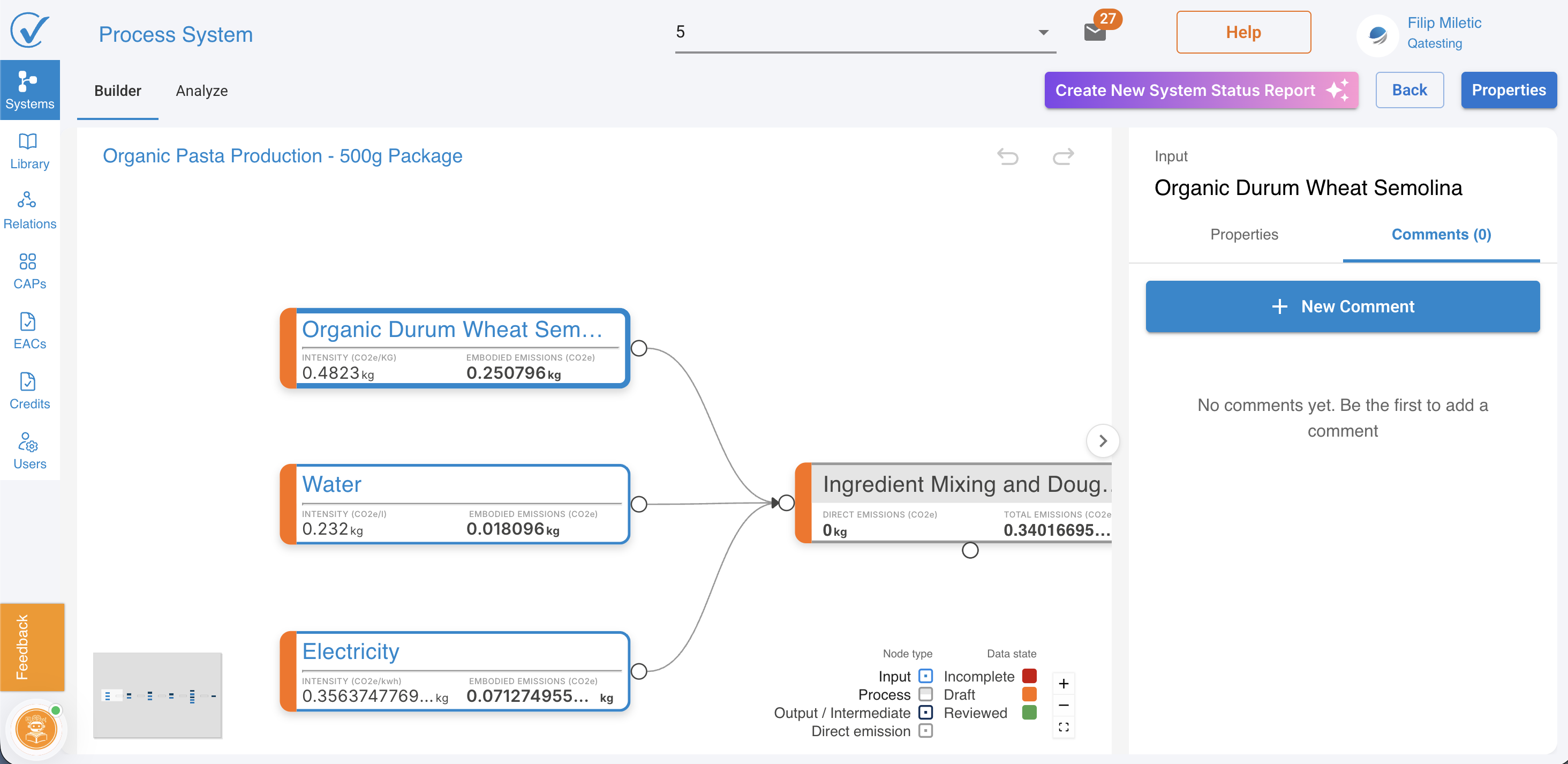
Comments appear in the right-hand drawer, accessible through two levels:
Node-level comments:
- Select any node in Builder mode
- Right-hand drawer opens showing node context
- Navigate to Comments tab
- View existing comments for that specific node
- Add new comment using text input at top of drawer
- Submit to create the comment
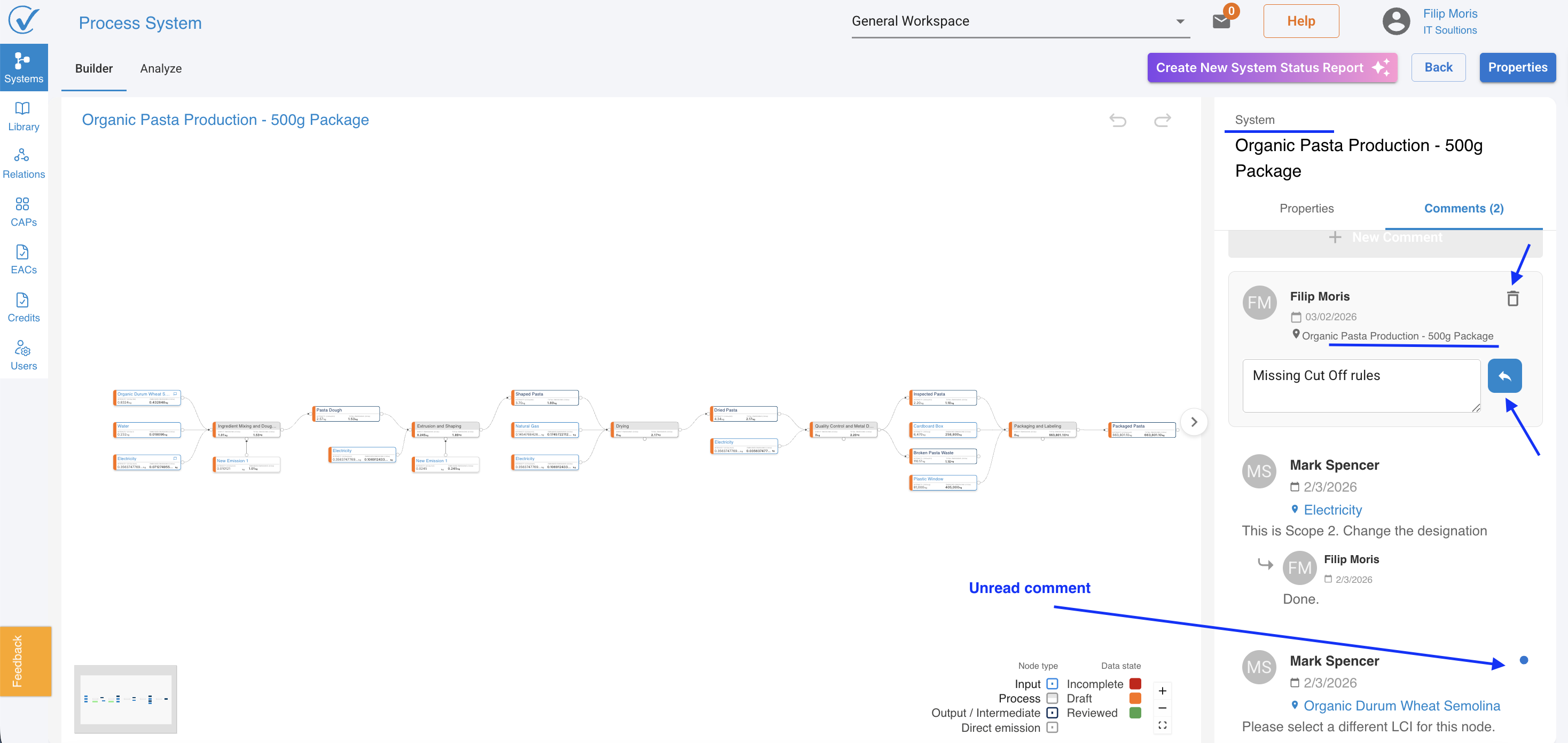
System-level comments:
- Deselect all nodes (or work without selecting any)
- Drawer shows system-level context
- Comments tab displays all system-wide comments
- Add comments that apply to the entire system
- Use for general questions, methodology discussions, or overall feedback
All comments save automatically and remain visible to team members with access to the system.
Key capabilities
Two-level commenting system
- Node-level comments attach to specific inputs, outputs, processes, or direct emissions
- System-level comments apply to the entire carbon footprint system
- Context switches automatically based on what you have selected
- All system comments visible when no node is selected (including all node-level comments)
Threaded discussions
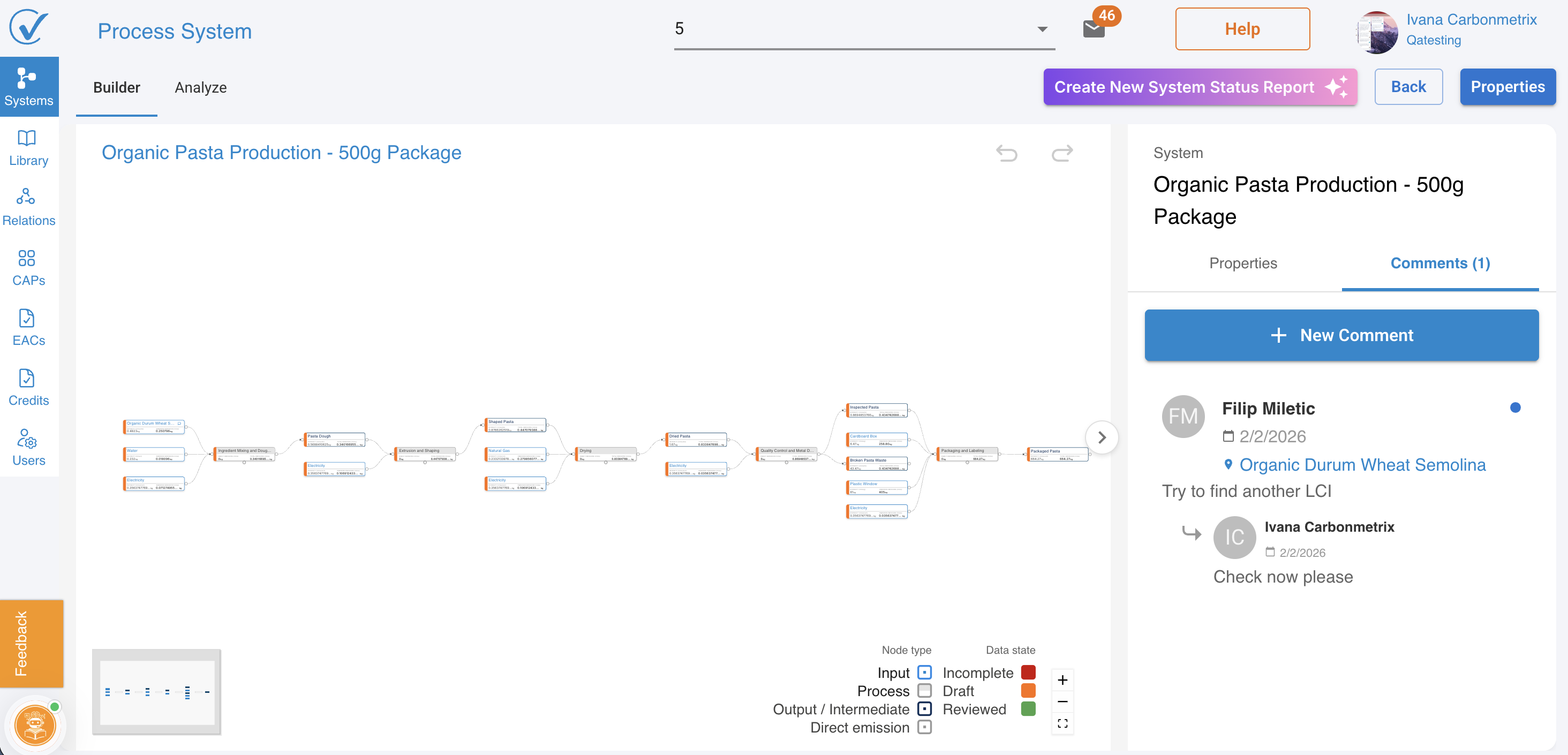
- Reply to any comment to create a conversation thread
- One level of threading supported (parent comment with replies)
- Replies appear immediately below the original comment
- Maintains clear conversational flow
Activity-based ordering
- Comments ordered by most recent activity, not creation date
- Active discussions surface to the top automatically
- Within each thread, messages appear in chronological order
- Easy to identify ongoing conversations
Visual indicators
- Small icon appears on nodes with comments
- At-a-glance visibility of which nodes have discussions
- Clean canvas with minimal clutter
Comment visibility and permissions
Who can use comments:
- All users across all roles can use the commenting section
- Admins, Editors, and Viewers all have full commenting capabilities
- Comments follow system access permissions
Who can see comments:
- All users with access to the system
- Comments follow workspace permissions
- External suppliers see comments on systems shared with them
- System-level comments visible to everyone with system access
Who can comment:
- All users can add new comments
- All users can reply to existing comments
- Equal commenting capabilities across all user roles
Comment management:
- Users can delete their own comments
Related articles
These articles have been updated to reflect the new unified System Builder workflow:
- Quick Start: Build Your First System
- Build your System in System Builder
- Build with AI: AI-Powered System Builder
Questions? Contact support@carbonsig.com or use the in-app Feedback tool.
Last updated: February 2025