
Latest update May '26 — Verifier hub
Request verification from within CarbonSig
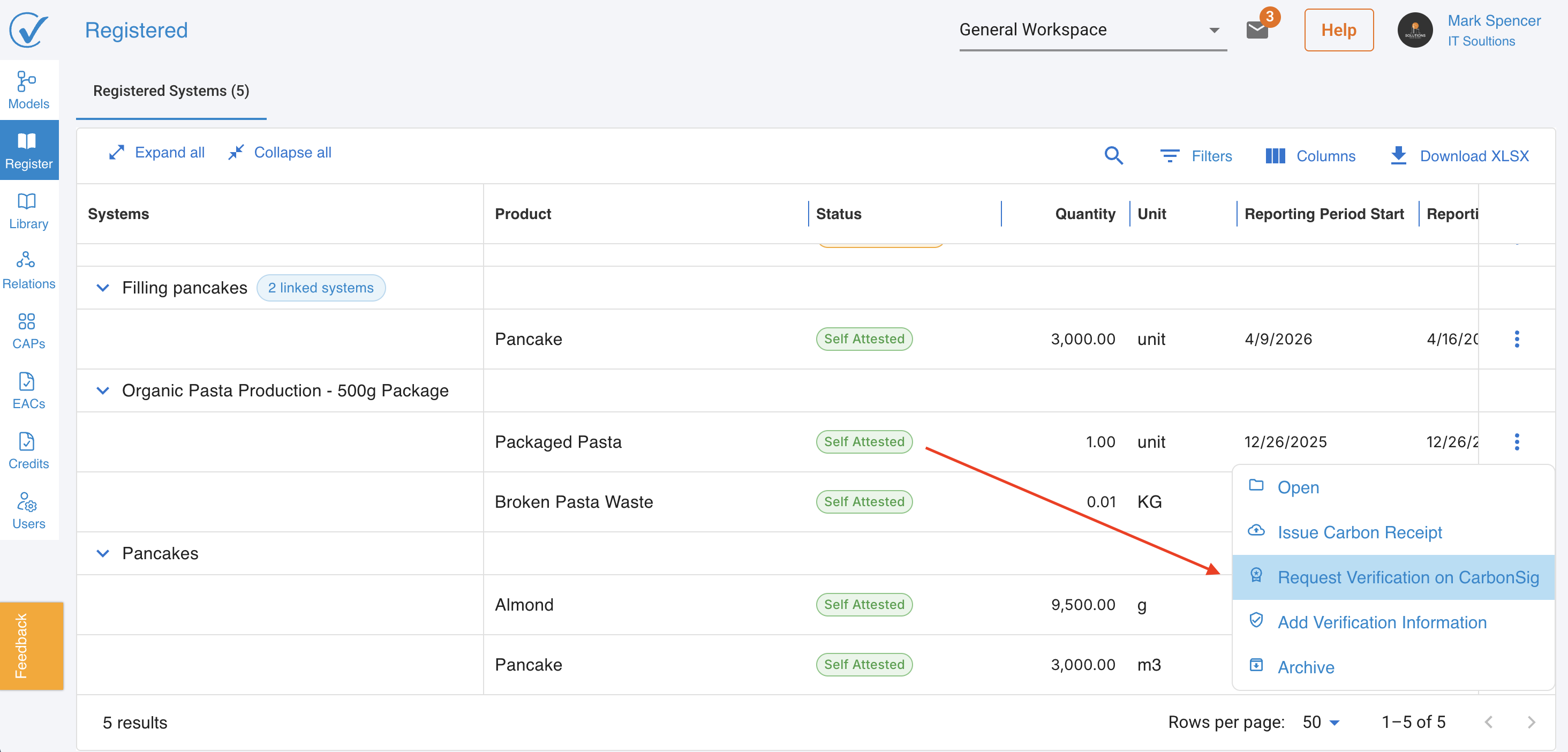
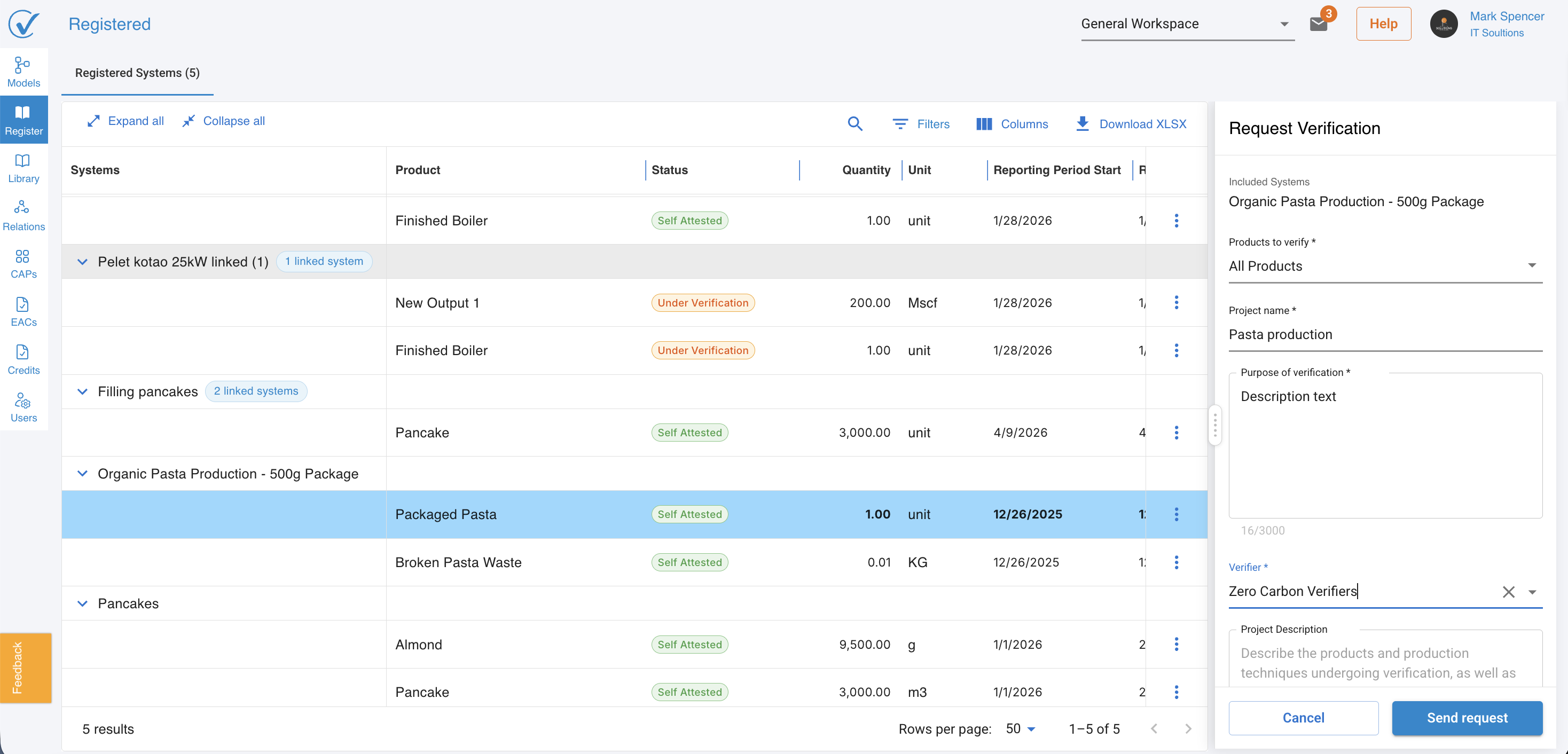
Clients can now send a verification request directly from the Register page, without leaving the platform. Selecting Request verification on CarbonSig from a registered model's menu opens a side panel where the scope and verifier can be confirmed before submission.
Once sent, all included products move to Pending verification status automatically.
Learn how to request third-party verification
Verifier accounts
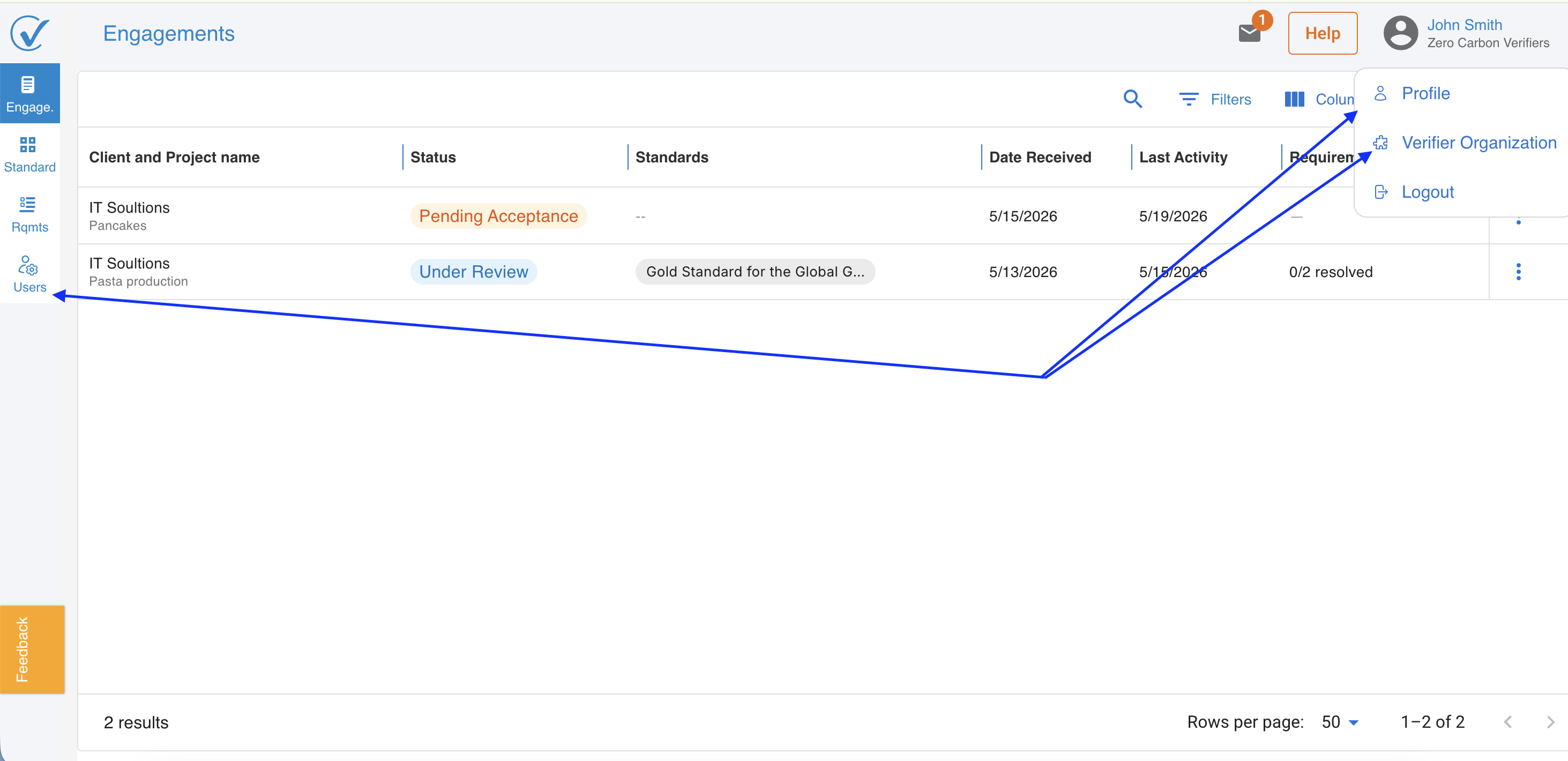
Verification organizations now have their own dedicated account type in CarbonSig. A verifier account includes:
- An account page for the organization's legal and contact information.
- A profile page for individual verifier users.
- User management to add and manage team members within the verifier organization.
Learn about the verifier account
Engagements page
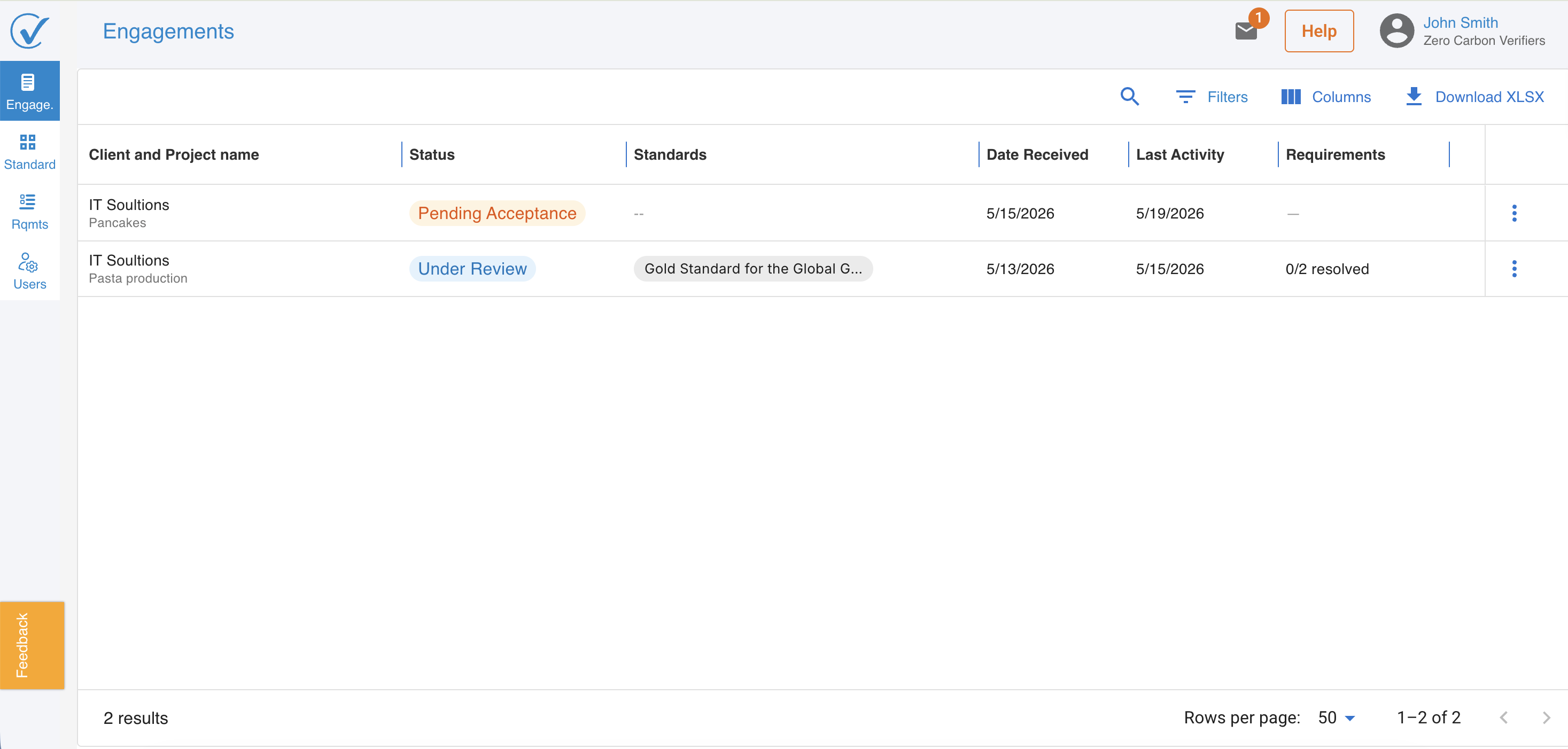
Verifiers manage all incoming and active verification work from the new Engagements page. From here, verifiers can:
- See every incoming request from clients, with scope, products, and timing.
- Accept or decline a request. Acceptance opens the Acceptance page; declining reverts the client's products to Self Attested.
- Track engagement status across the lifecycle — Pending Acceptance, Under Review, Verified — with each status mapped to clear next actions.
- Open the verification review tools directly from each engagement row.
Learn about the Engagements page
Acceptance page
When a verifier accepts an incoming request, they're taken to the Acceptance page — the formal entry point to the engagement. Here the verifier reviews the client's submitted scope, products, applicable schemes, and supporting documentation before confirming acceptance. The Acceptance page also captures the verifier's first observations on the engagement, giving the rest of the team a clear starting context for the review.
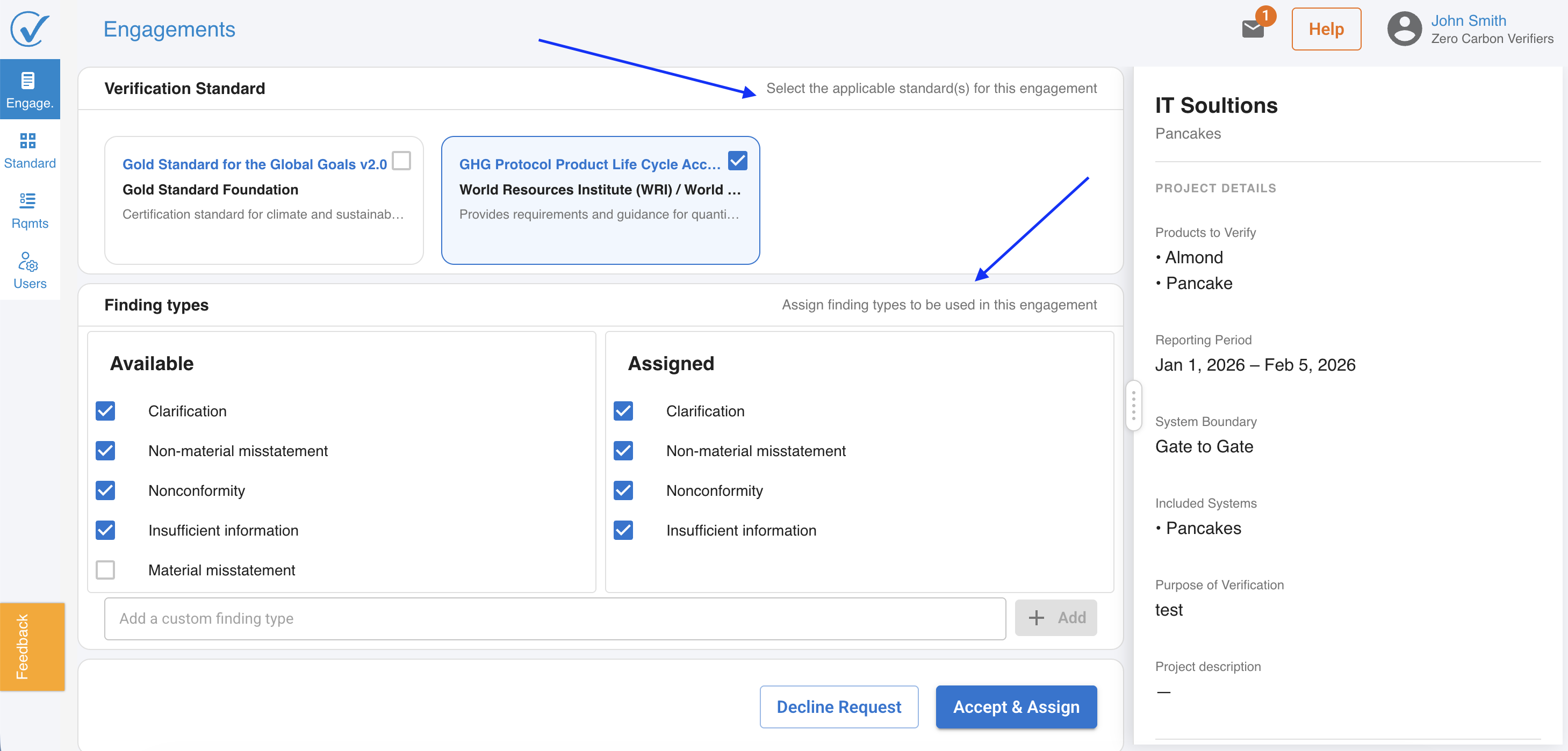
Standards and controls review
Each engagement includes a Standards page and a Controls page, giving verifiers a structured space to document the applicable frameworks and record their review findings before issuing an opinion.
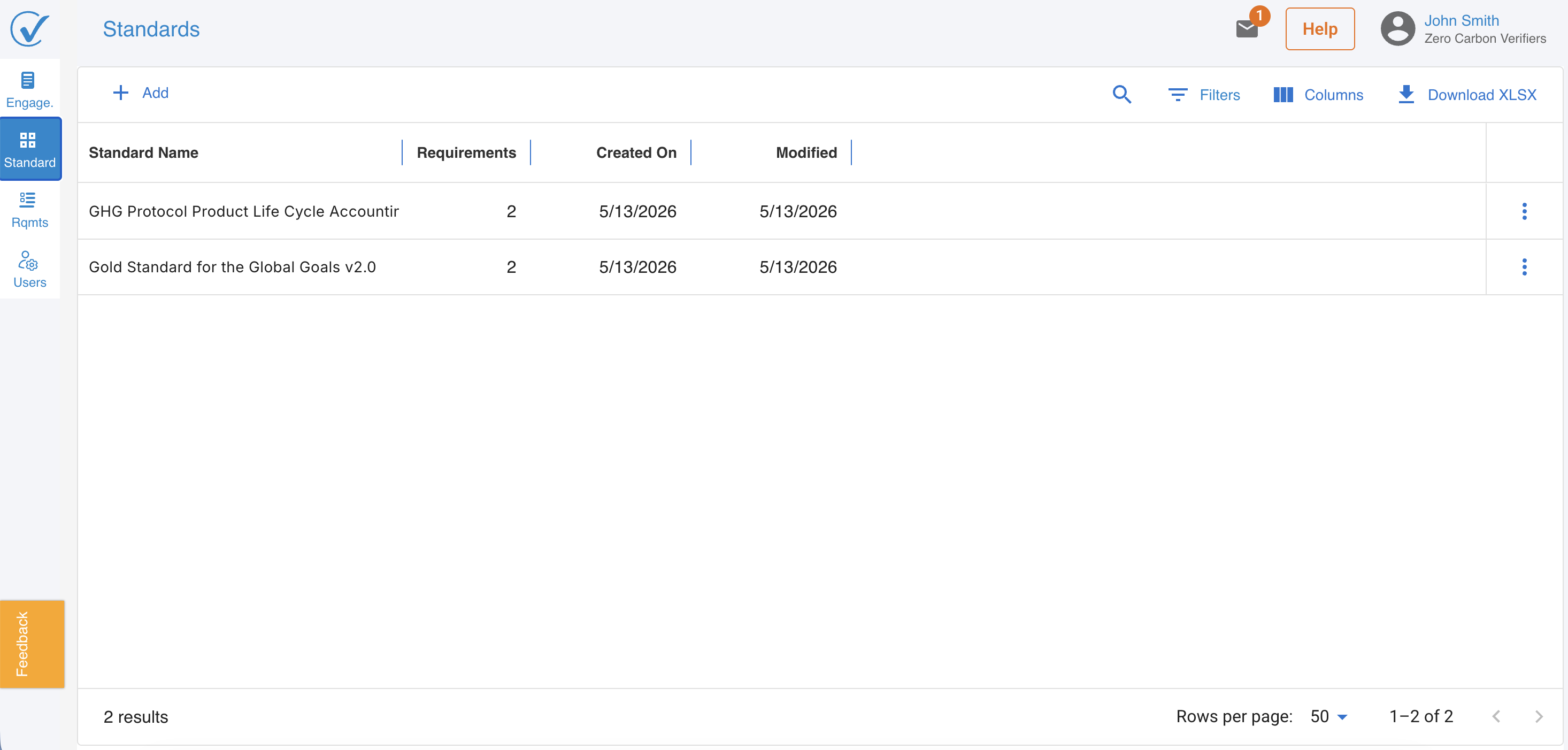
Reviewing standards | Reviewing controls
Requirements review
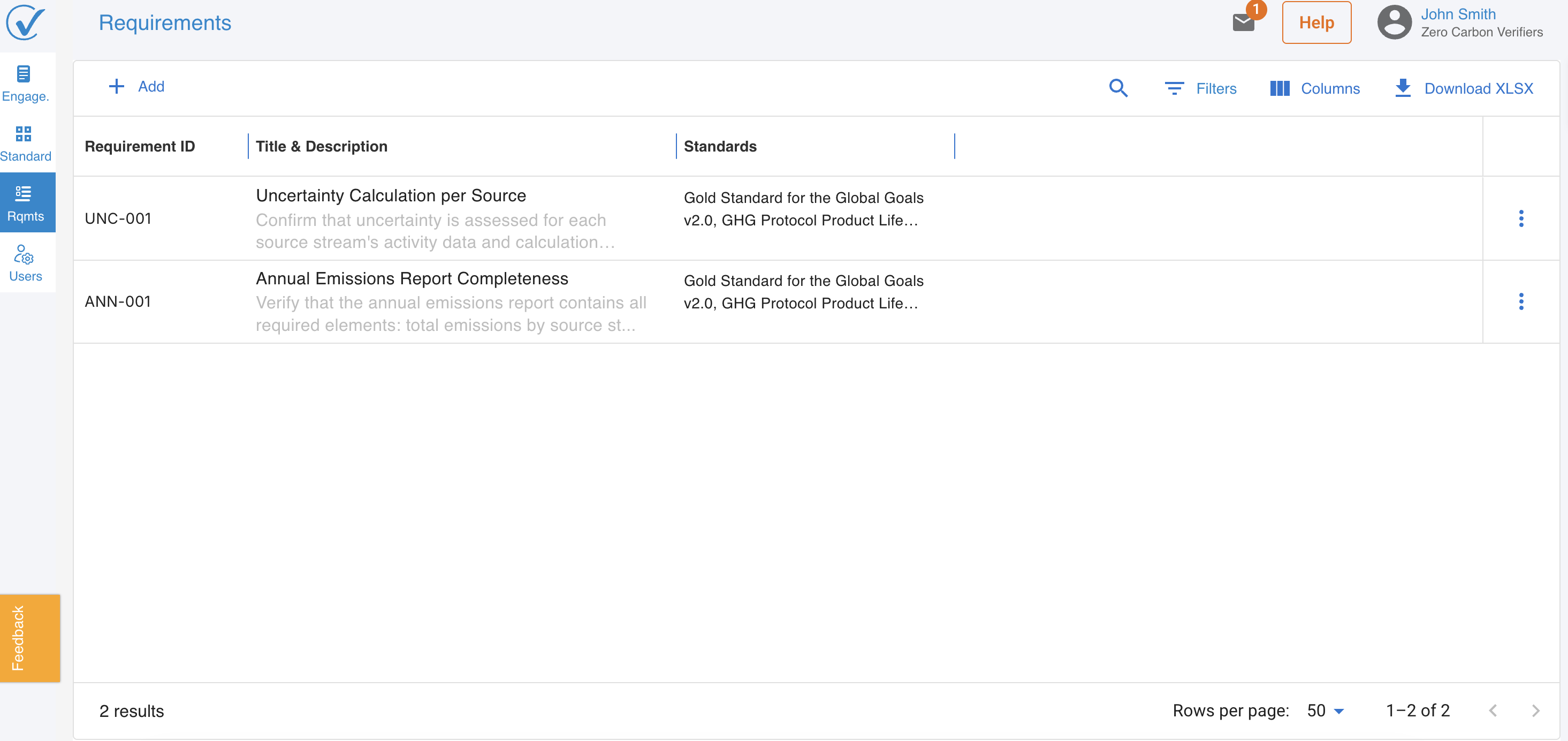
Each engagement now includes a Standards page and a Requirements page, giving verifiers a structured space to document the applicable frameworks (e.g. ISO 14064-3, ISO 14067, GHG Protocol, CBAM) and to record their review findings, requirement by requirement, before issuing an opinion.
What's new across both sprints:
- Requirements panel and View Requirement screen — each requirement can be opened in a dedicated detail view, with its description, the linked node in the client's model, the evidence provided, and the verifier's working notes side by side.
- Requirement detail pane — verifiers can drill into the underlying text of any requirement to confirm scope, applicability, and reference clauses.
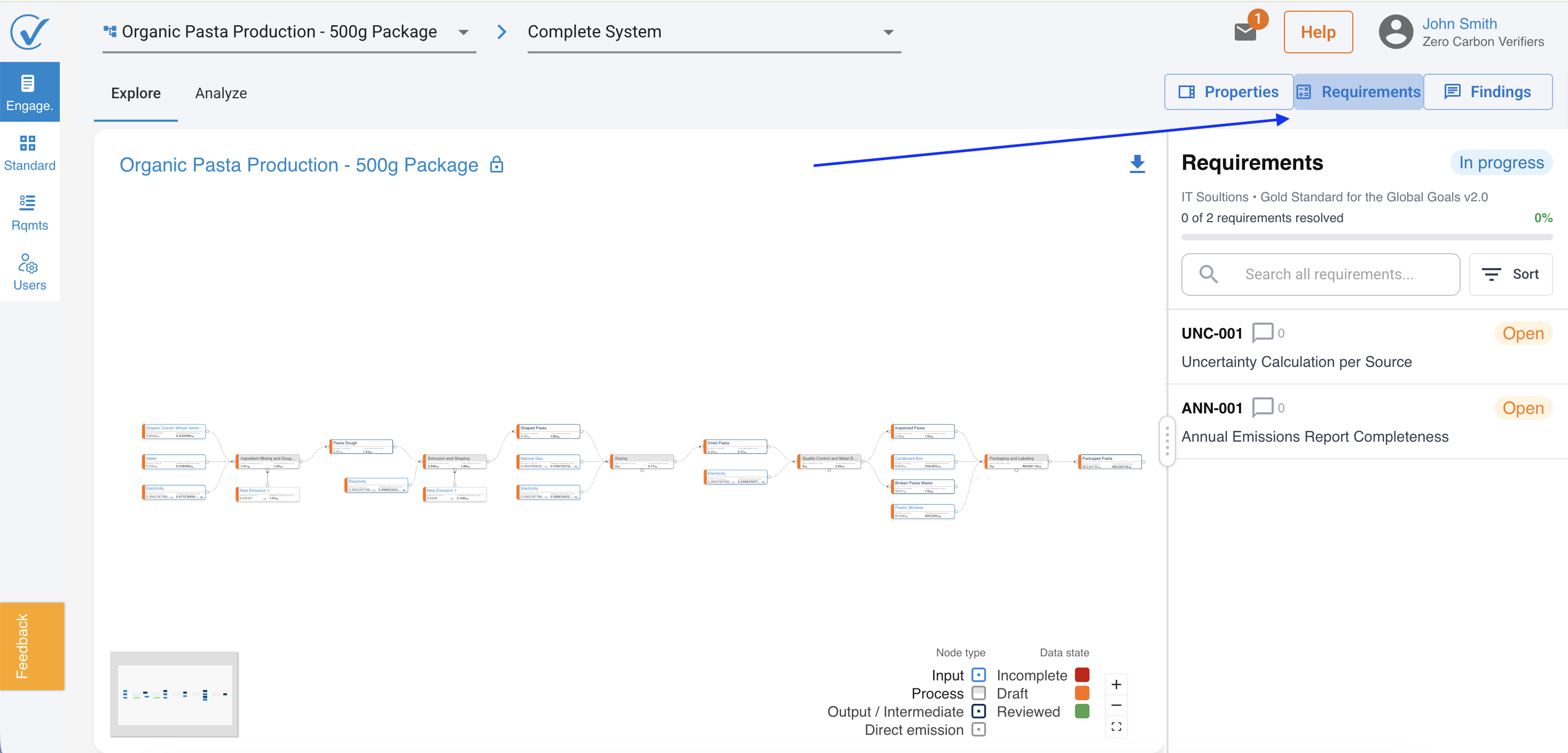
- Findings pane — findings recorded against a requirement are now organised into a structured Findings view, with comments, attachments, and resolution status visible at a glance. The terminology used throughout the verifier environment has been refined to Requirements and Findings to match the language verifiers use day to day.
- Add a finding — verifiers can raise a finding directly from any requirement, without leaving the review flow.
- Expanded file-type support — the upload component in the verifier environment now accepts a wider range of evidence file types, so verifiers can attach the documents they receive in the formats they receive them.
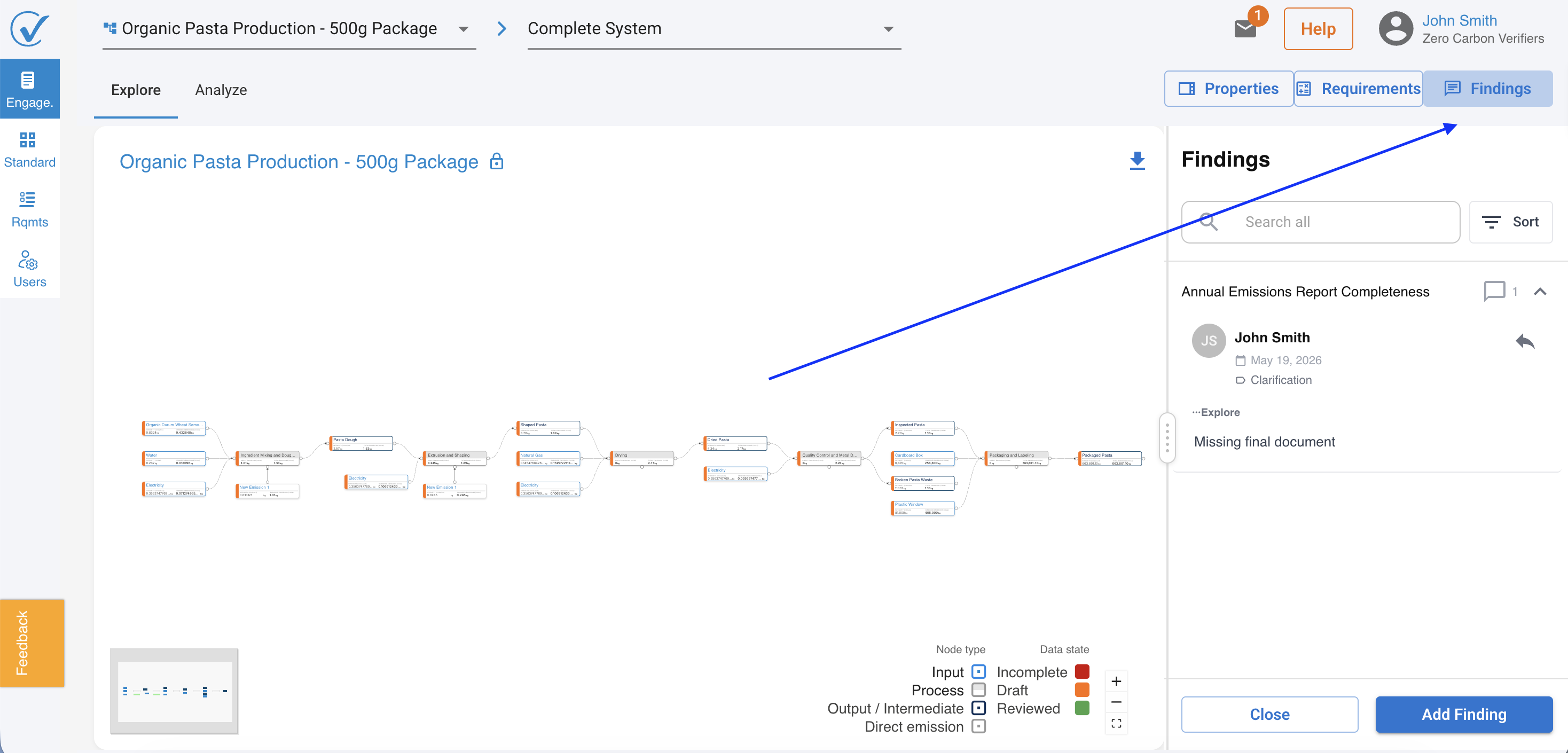
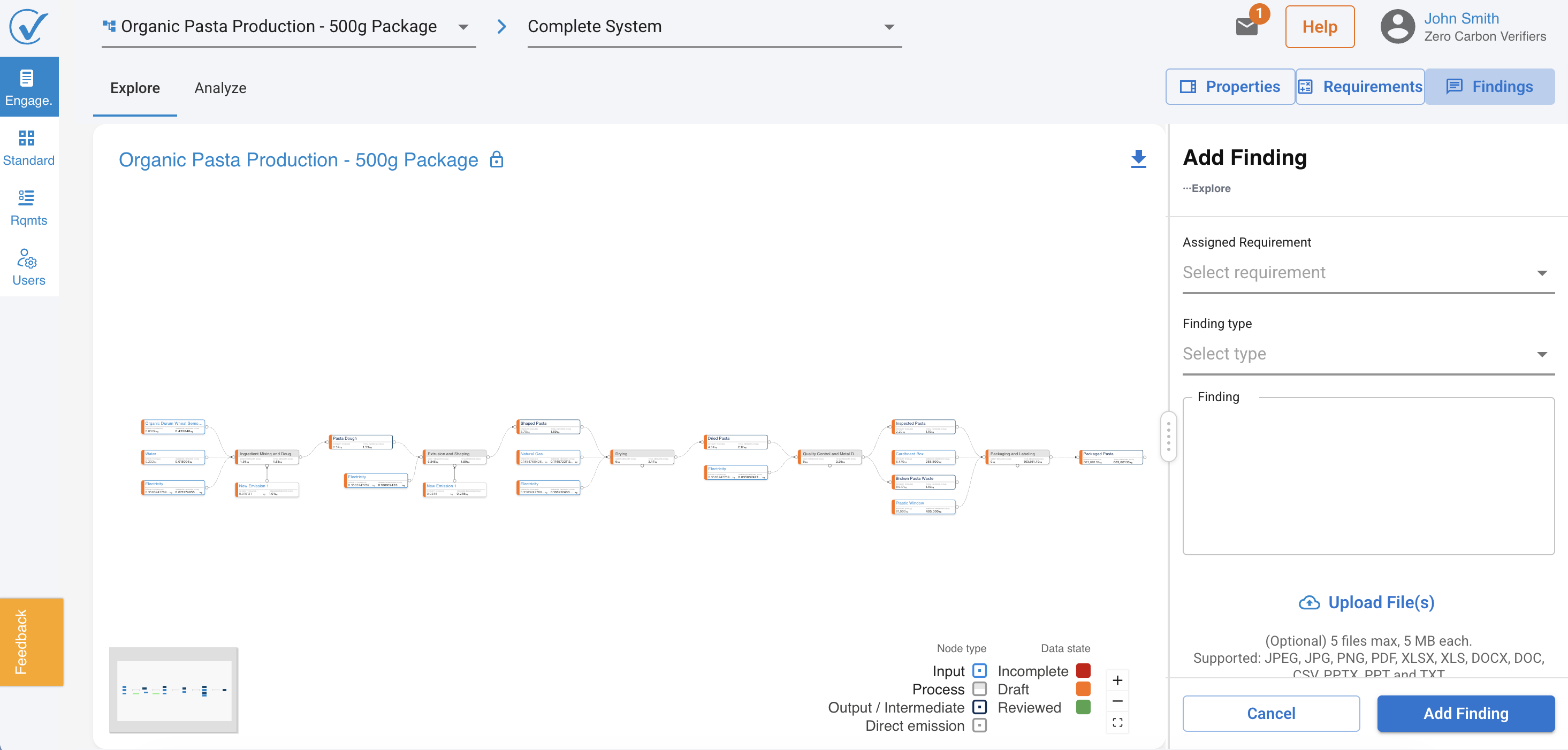
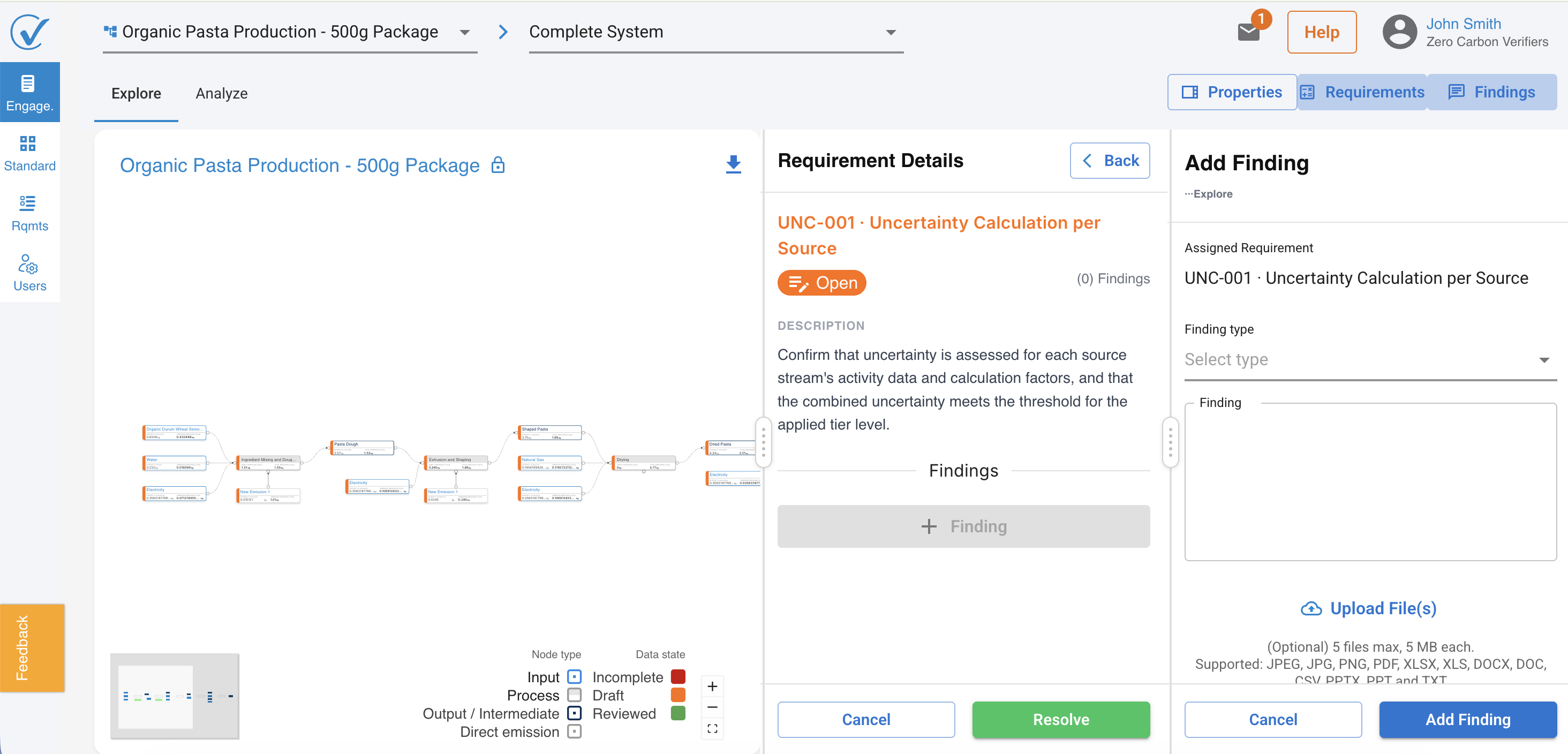
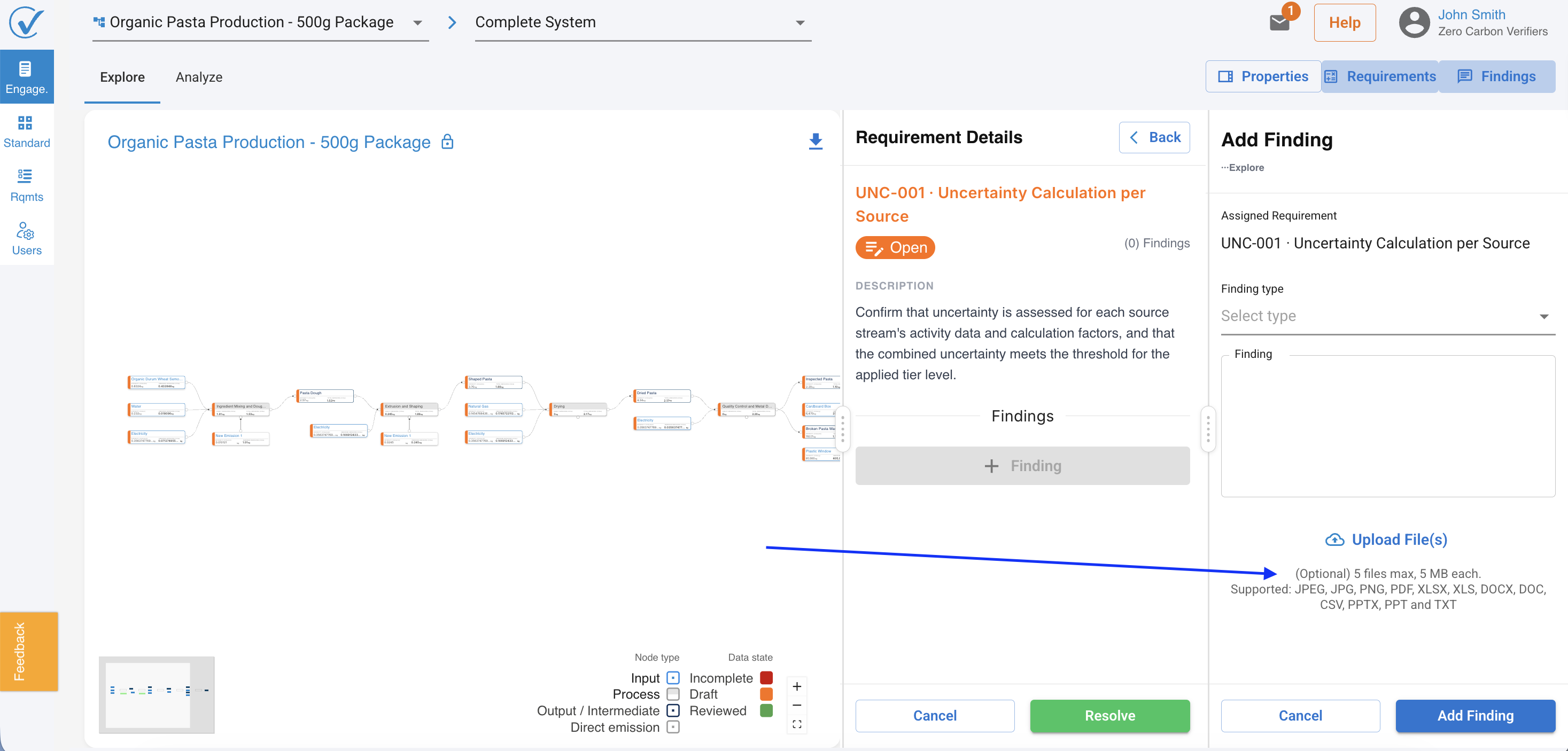
Together, these screens make the verifier's review traceable, structured, and ready to defend in front of an accreditation body.
Next release: Revision Request & Round-Based Verification Cycle - coming soon
Issue opinion
Once a review is complete, verifiers can issue a formal opinion directly from the engagement. The opinion form supports both single-product and multi-product scopes. When an opinion is submitted, the client's products update to Verified on CarbonSig status.
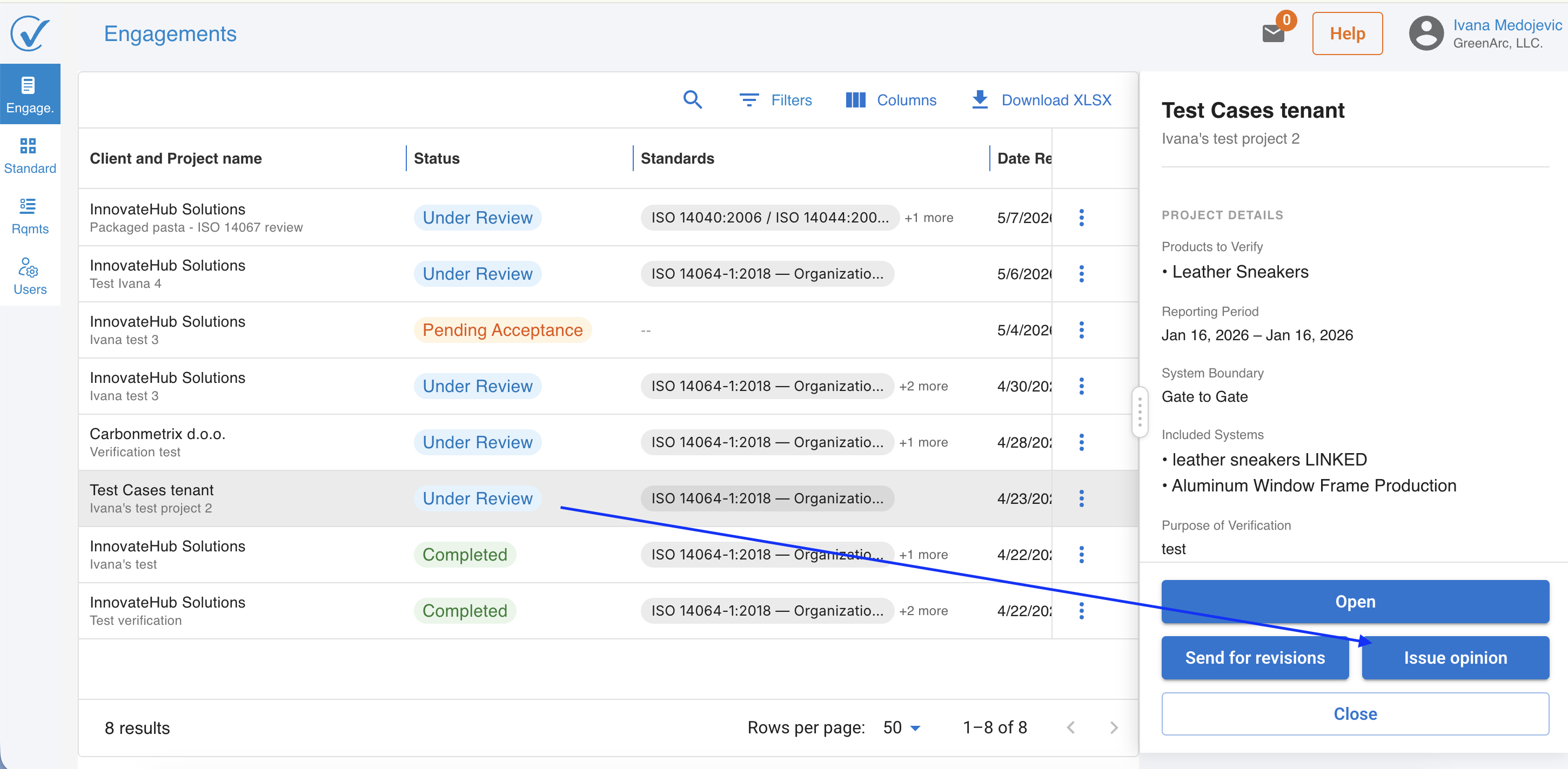
Learn how to issue a verification opinion
Protected emission factors and immutable engagement data
To preserve verification integrity, CarbonSig now enforces two important data-protection rules:
- Emission factors used in registered models are protected. Editing, archiving, or deleting an emission factor that is in use is blocked. When the action is attempted, a warning modal appears with direct links to every registered model affected, so the user can review the impact before making any change.
- Standards and Controls become immutable once used in an engagement. As soon as a control or standard is referenced inside an active verification engagement, its definition is locked. This guarantees that the verifier — and any future auditor — sees exactly the criteria that applied at the moment the engagement was opened.
Together, these rules give both clients and verifiers confidence that what was reviewed is exactly what was registered.
Related articles
Thank you for being part of the CarbonSig community. Together, we're making carbon accounting more intelligent, efficient, and accurate. For any additional questions, please contact our support team at support@carbonsig.com.
Last updated: May 2026