
Latest update April '26 - New Registered Flow
From Systems to System Models
As part of this update:
- Systems pages are now renamed to Models
- This reflects their role as structured, reusable representations of carbon data.
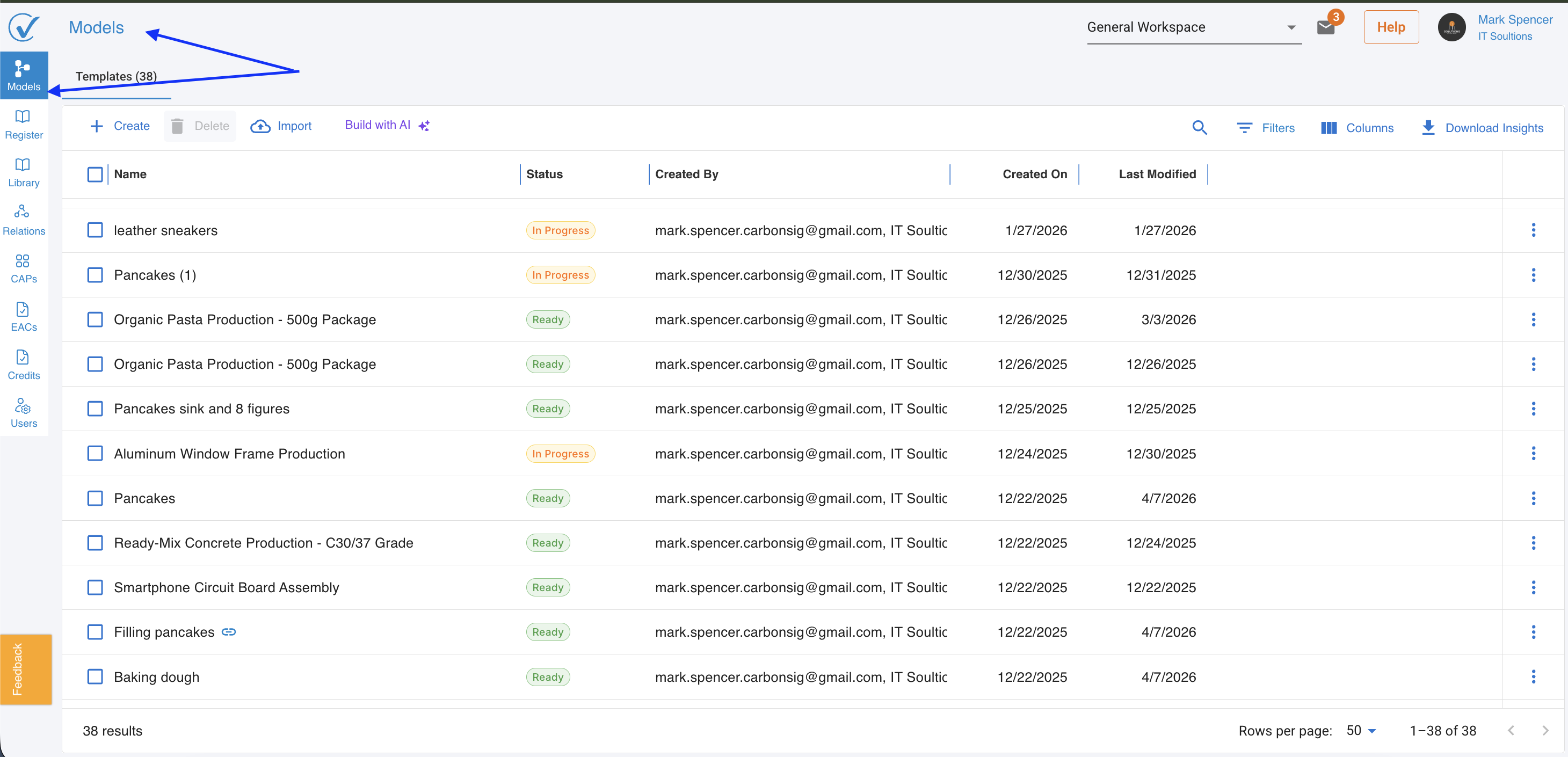
Registered Flow Benefits
Before this release, Models had a risk of change while being used for registration, reporting or verification.
Now:
A verifier cannot issue an opinion on a system whose inputs are still mutable.
The Registered flow solves this by:
- Locking data to initiate the verification and/or registration process
- Creating a clean, auditable snapshot
- Enabling reliable Carbon Receipt (CAP) issuance and Verification at a point time statement
Key Features Introduced
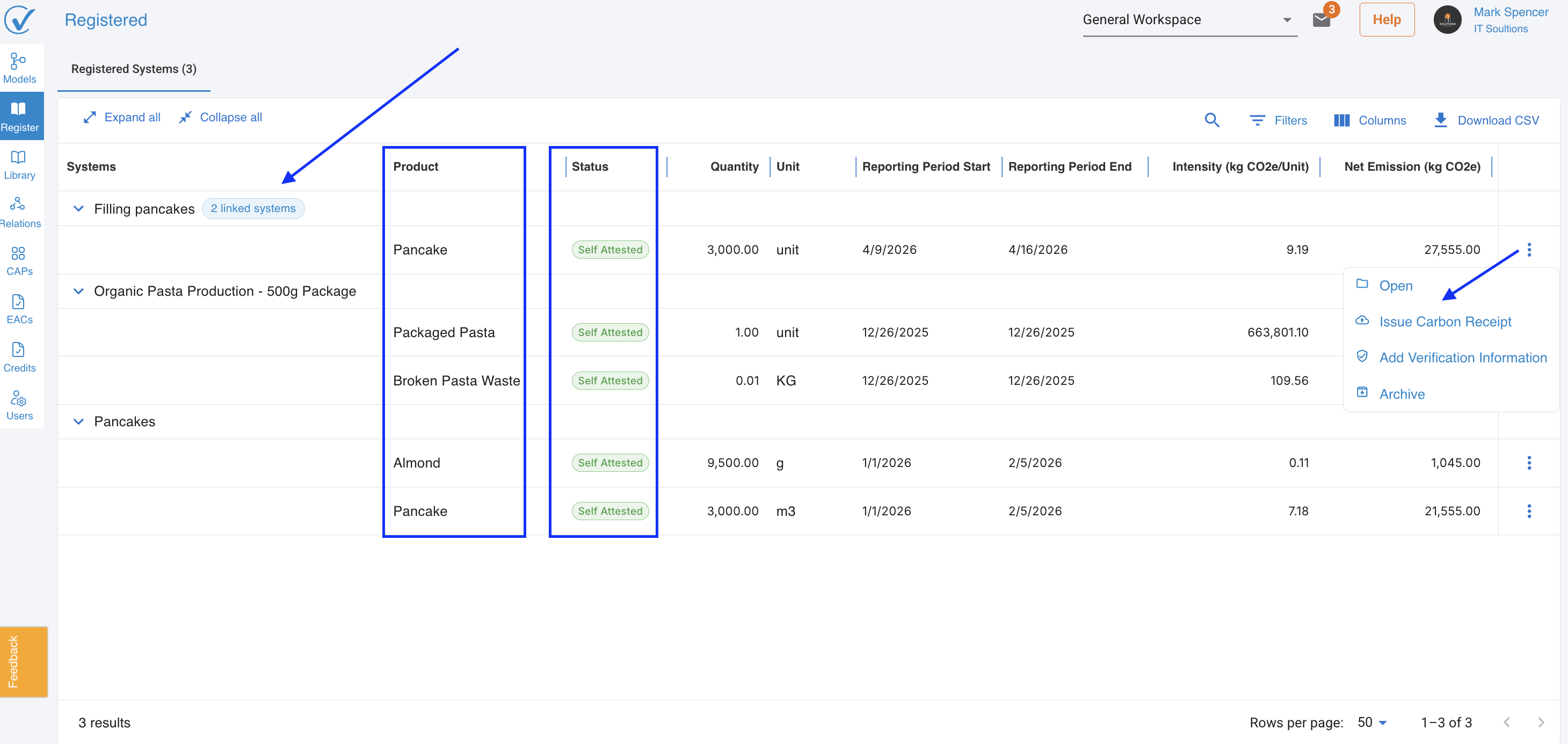
1. Registered Tab created
- A dedicated space where all registered models are stored
- Acts as a central hub for:
- Verification
- Carbon Receipts (CAPs)
- Status tracking
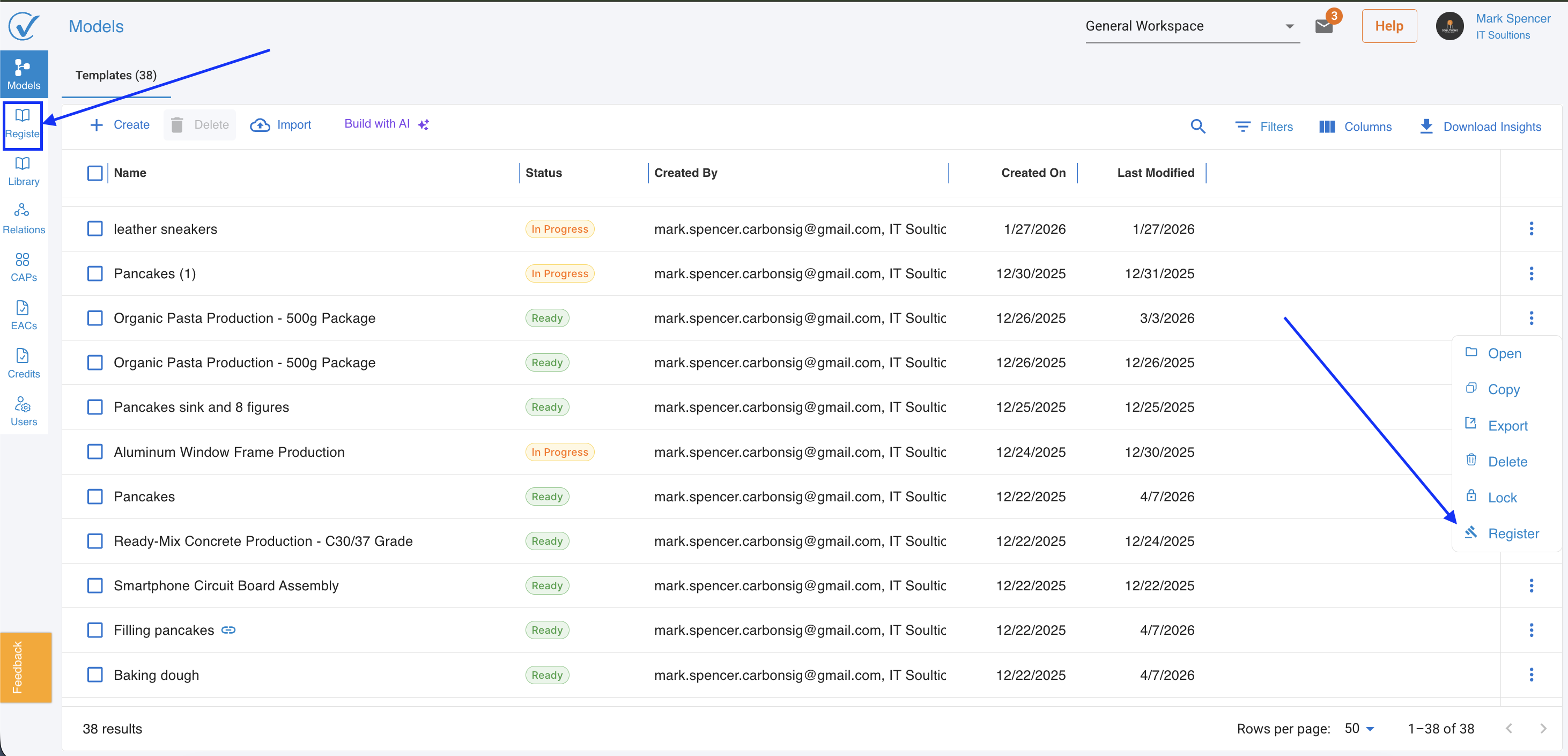
2. New Action: Register
Found in the three-dot menu on Models.
Conditions:
- Model must be in Ready status
- All Properties fields must be completed (even if not required for Ready)
To Register a Model
When a user clicks Register:
Model Behavior
- The Model is copied with new IDs
- Original model remains unchanged
- The Registered version becomes:
- Read-only (locked)
- Used for:
- Carbon Receipts
- Verification
Important Rules
- Comments are NOT copied
- There is no unlock option
- Exception: if status changes to Revisions Requested
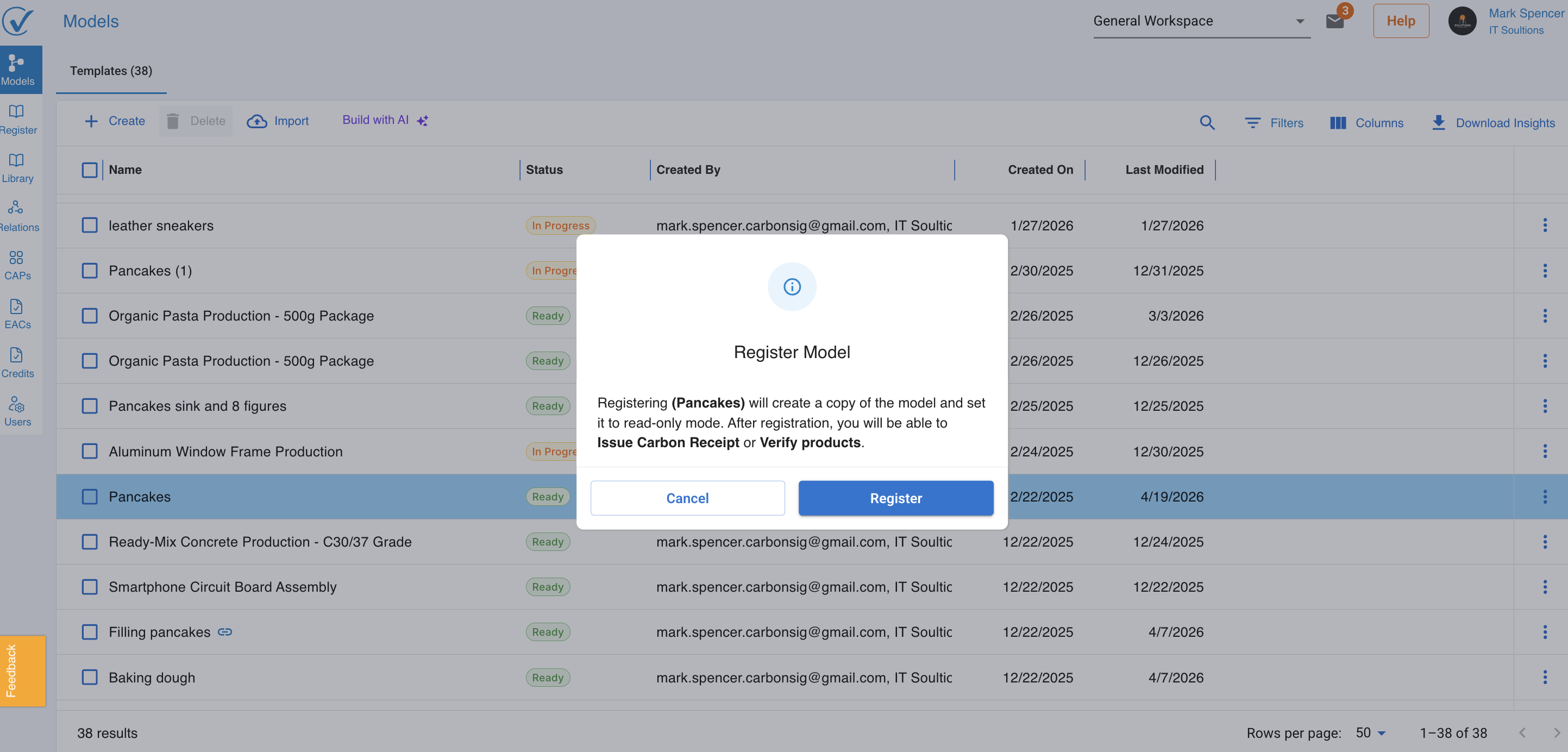
Handling Linked Systems
Without Subsystems
Simple confirmation modal:
- Explains model will be copied and locked
- Lists next steps (CAP + Verification)
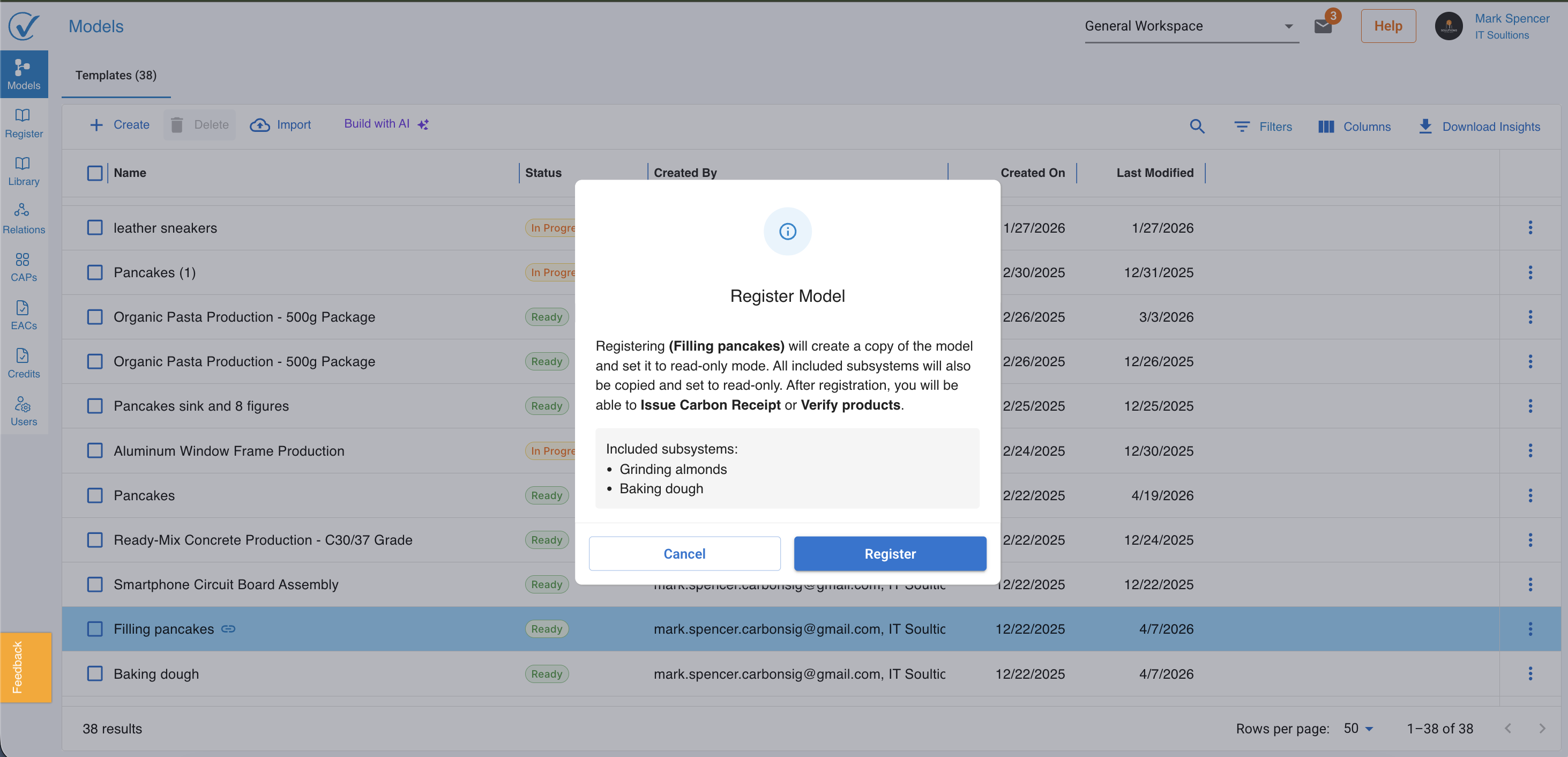
With Subsystems
Pop-up window displays:
- List of all linked systems
- All are:
- Copied
- Locked together
- Assigned new IDs
Status Flow & Available Actions
Each registered model follows a defined lifecycle:
| Status | Available Actions |
|---|---|
| Self Attested (default) | Open, Issue Carbon Receipt, Request Verification, Add Verification Info, Archive |
| Pending Verification | Open, Issue Carbon Receipt |
| Under Verification | Open, Issue Carbon Receipt |
| Revisions Requested | Open, Issue Carbon Receipt |
| Verified | Open, Issue Carbon Receipt, Request Verification |
| Verified on CarbonSig | Open, Issue Carbon Receipt |
Verification Flow Updates
Request for 3rd Party Verification
- Opens right sidebar
- Initiates verification process
Add Verification Information
- Opens right sidebar
- Uses fields previously in Systems/Output node:
- Verification tab (now deprecated)
Behavior Change
- Once verification info is added:
→ Status automatically becomes Verified
Cleanup & Deprecations
- Verification tab removed from Outputs
- All verification now centralized in Registered flow
What This Means for You
This update enables:
- ✅ Reliable verification workflows
- ✅ Immutable audit-ready data
- ✅ Clear separation between modeling and reporting
- ✅ Scalable foundation for verifier roles & engagement
In Short
Before:
Editable systems → unclear verification readiness
Now:
Editable Models → Registered (locked) → Verification → Certified outputs
Feedback & Support
We value your feedback as we continue to enhance CarbonSig. If you have questions or suggestions regarding these updates:
- Contact our support team at support@carbonsig.com
- Submit feature requests through the in-app feedback tool
Thank you for being part of the CarbonSig community. Together, we're building a more sustainable future.
Last updated: April 2026