
Latest update, September 2026: editable findings, faster user invites and updated view on product level
Edit and delete comments on findings and requirements
Verifiers can now edit or delete their own comments and replies inside the Requirements and Findings panels, as long as the comment belongs to the current round.
What changed:
- Every finding and reply now shows a kebab menu (three dots) next to its timestamp.
- Opening the menu shows which round the comment belongs to, for example "Round 1, current."
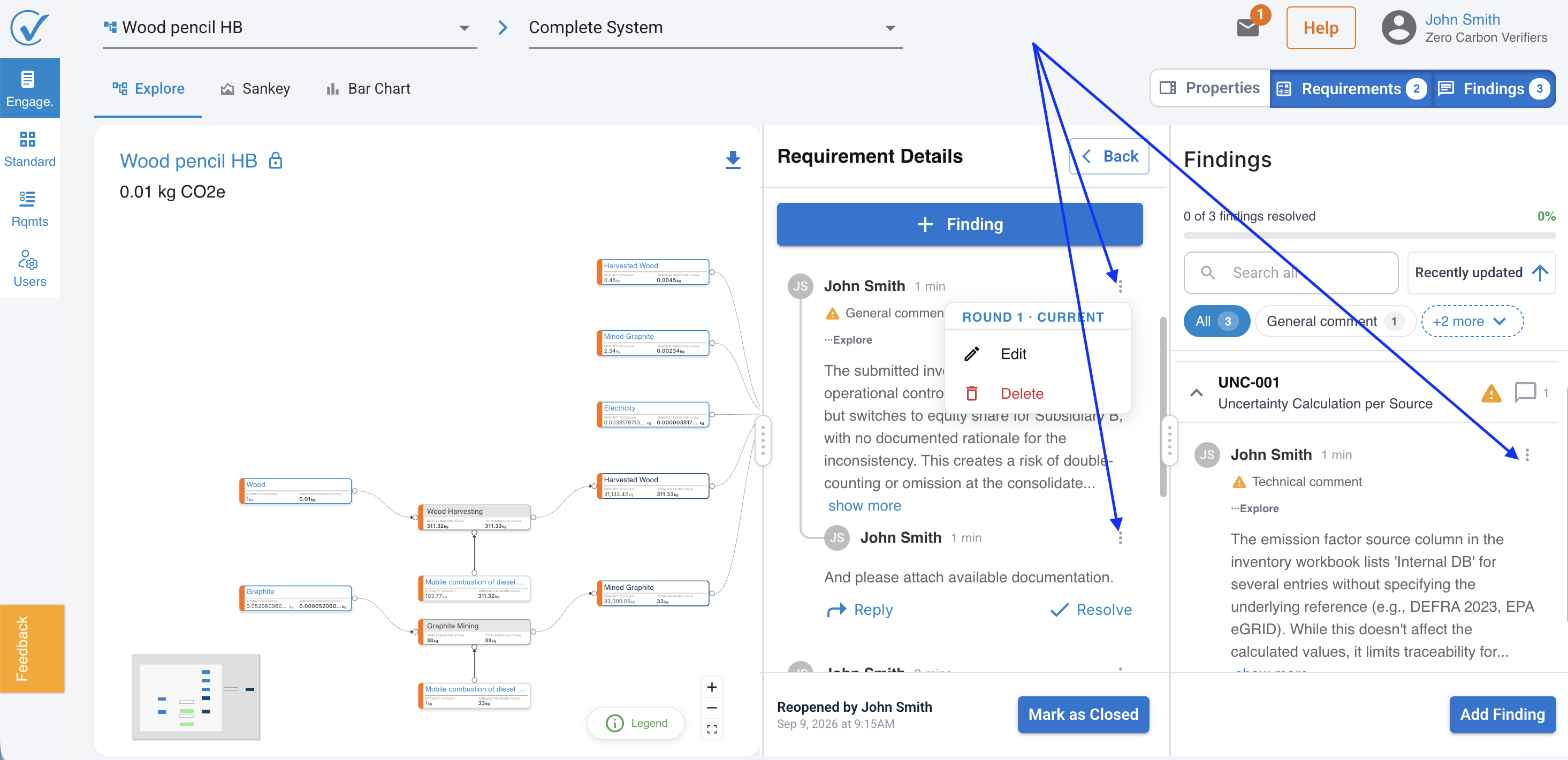
- Edit replaces the comment with an inline text box you can save or cancel.
- Delete removes the comment and shows a short "Comment deleted" confirmation.
- This works for both top level findings and nested replies. Any user on the verifier account can delete comments posted in the current round.
Comments from earlier rounds stay locked, so the review record for closed rounds cannot be changed.
Faster, clearer user invites
Adding a new user to your workspace no longer needs a manual search click. Enter an email address and CarbonSig looks it up automatically.
What changed:
- The manual search icon next to the email field is gone. Lookup starts automatically once you type a valid email.
- A short spinner shows while CarbonSig checks the address.
- Once the check finishes, you see one of two outcomes: a new user gets invited to set up an account, or an existing user gets added as an external user and keeps their current login.
- The button label and the footnote text below it update automatically to match the outcome, so you always know what happens before you click.
Leave a note when closing or reopening a requirement
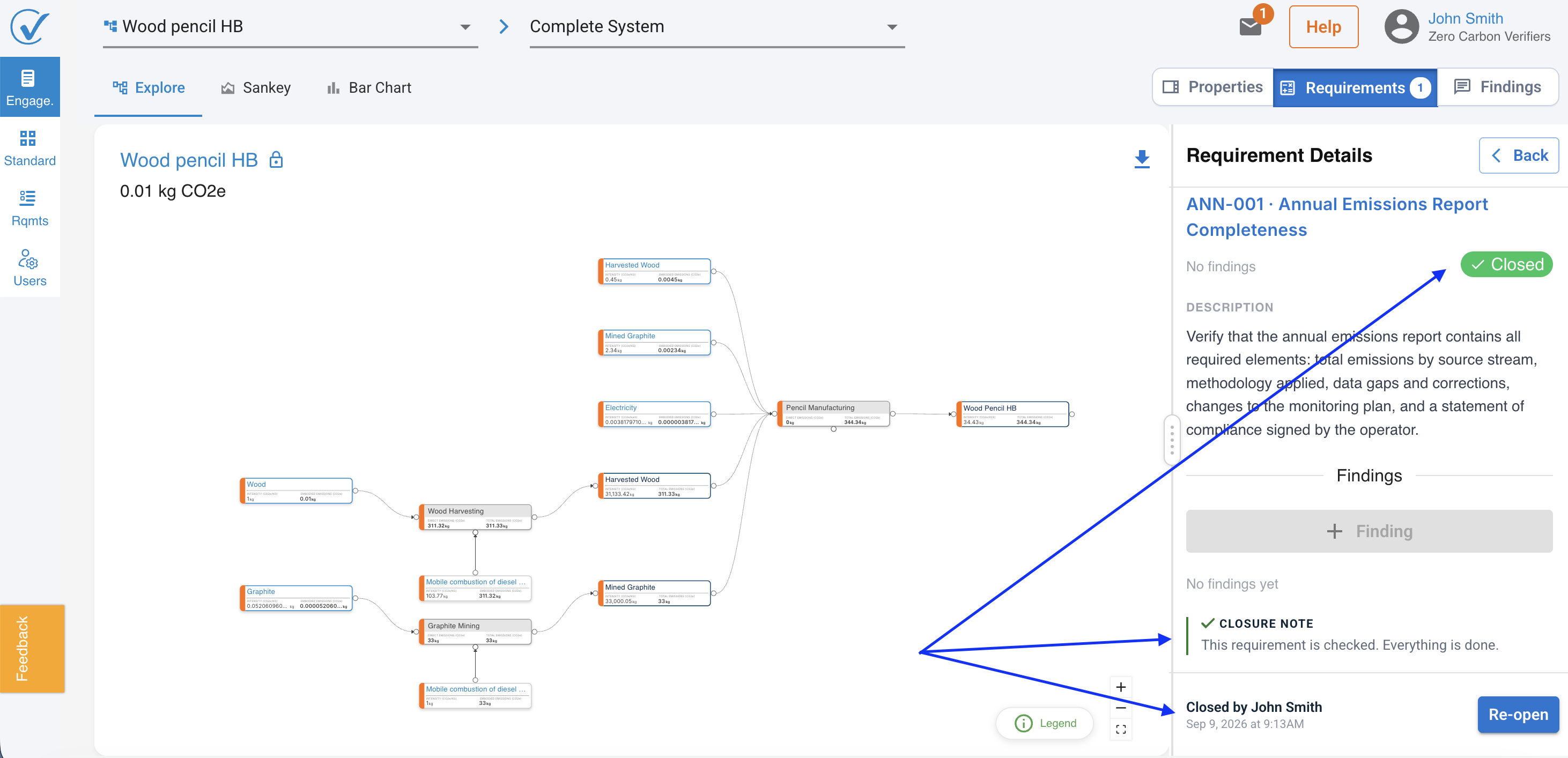
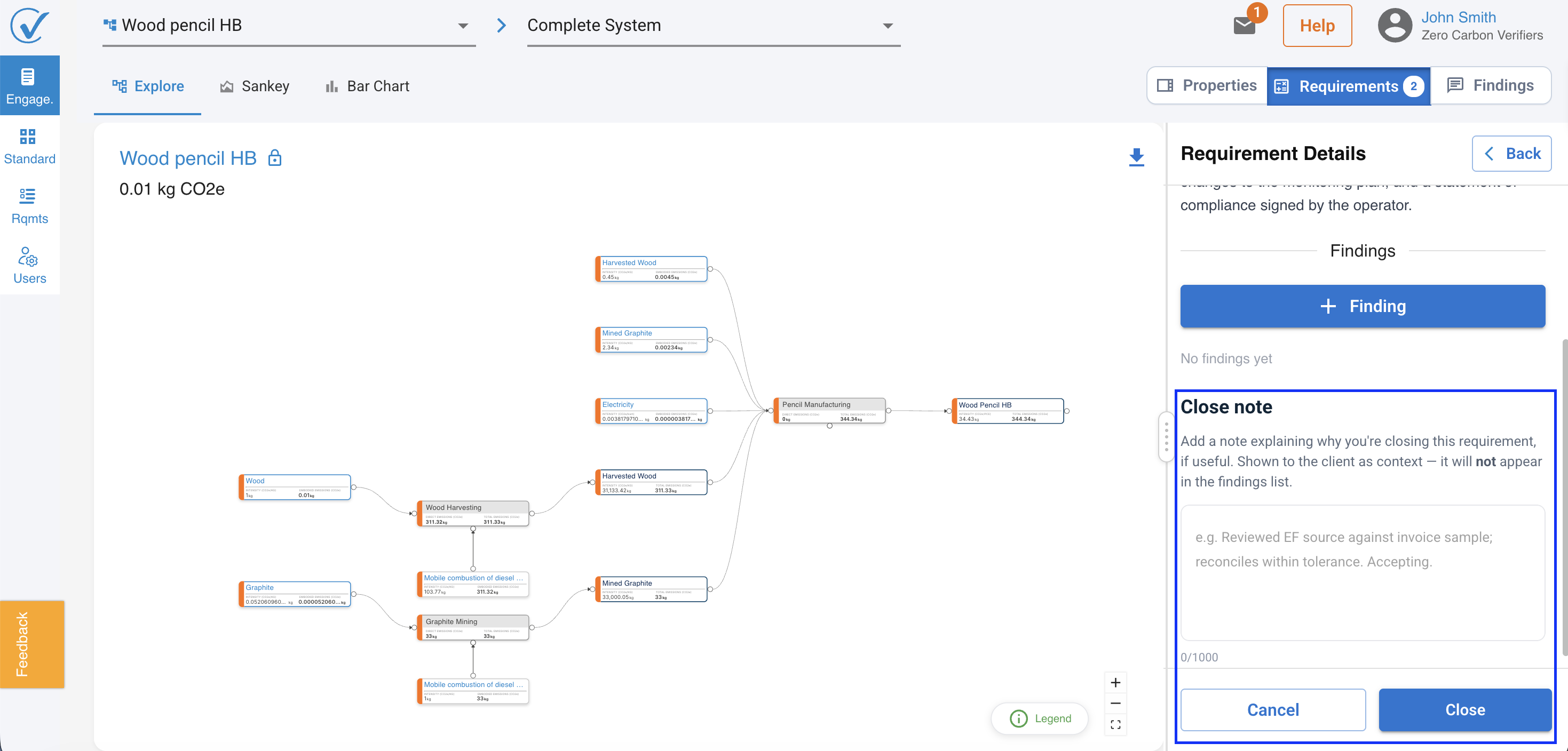
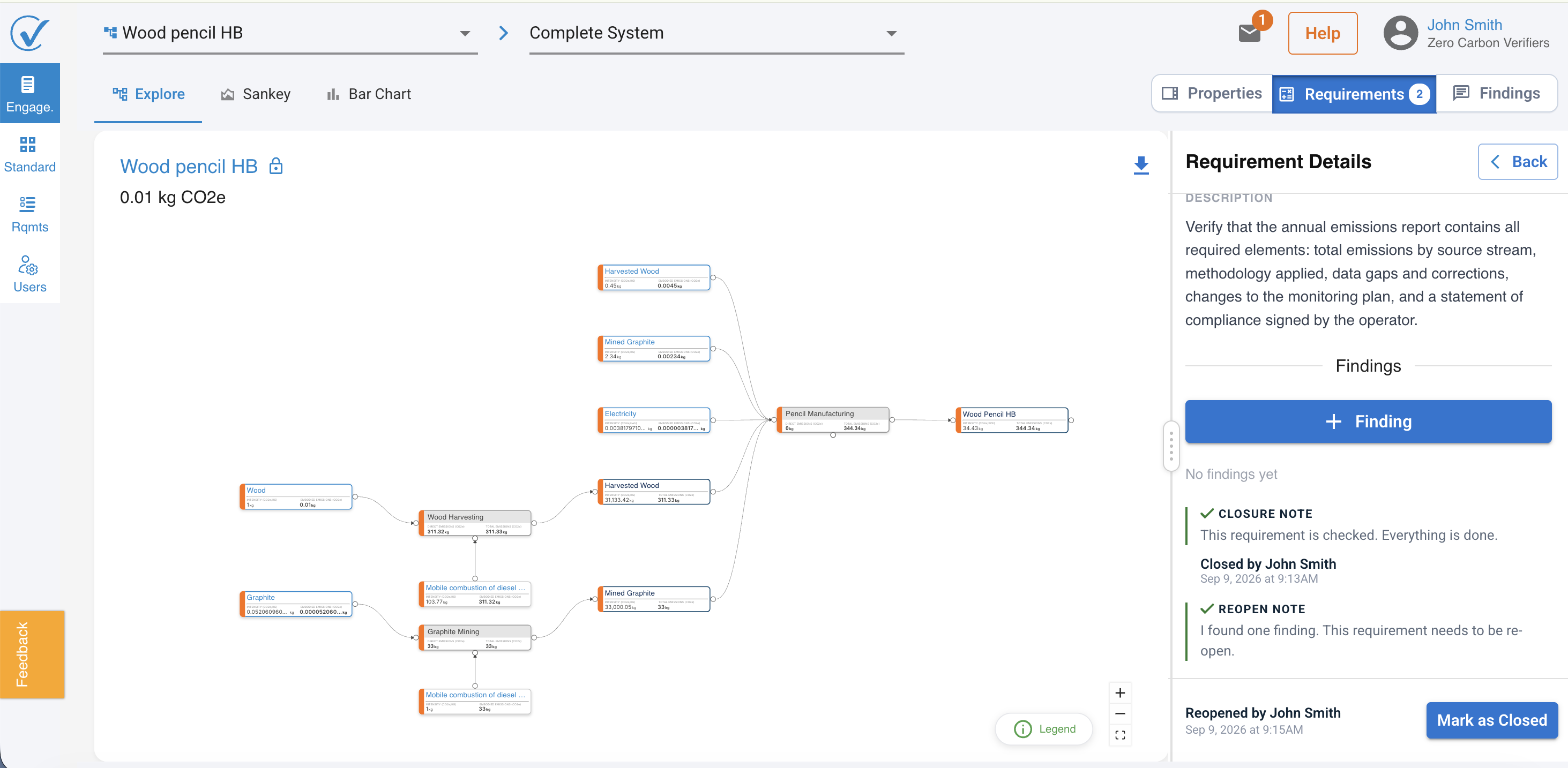
Verifiers can now add a short note explaining why a requirement is being closed or reopened. The note field appears automatically after clicking Mark as closed or Reopen, so the reasoning stays attached to the requirement's history.
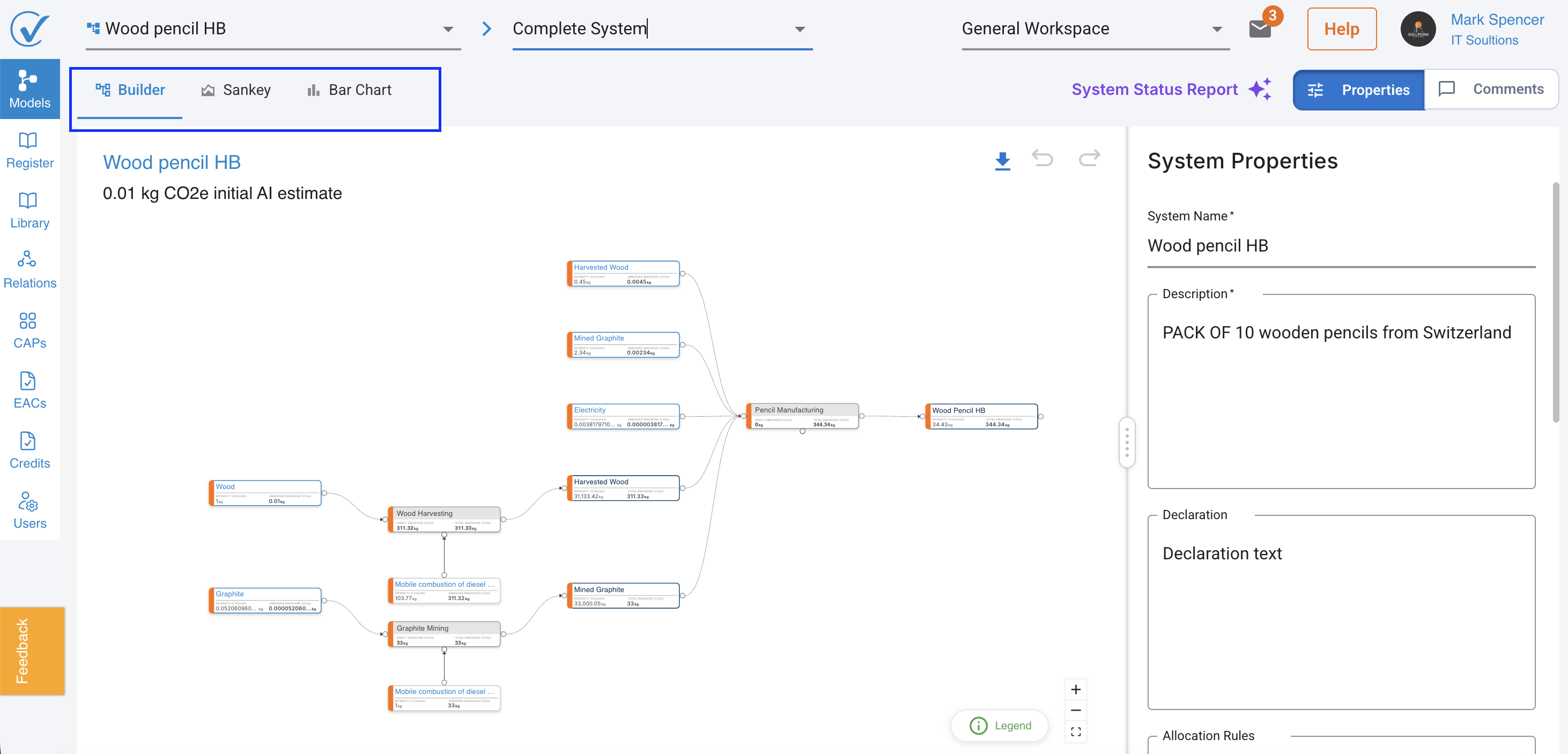
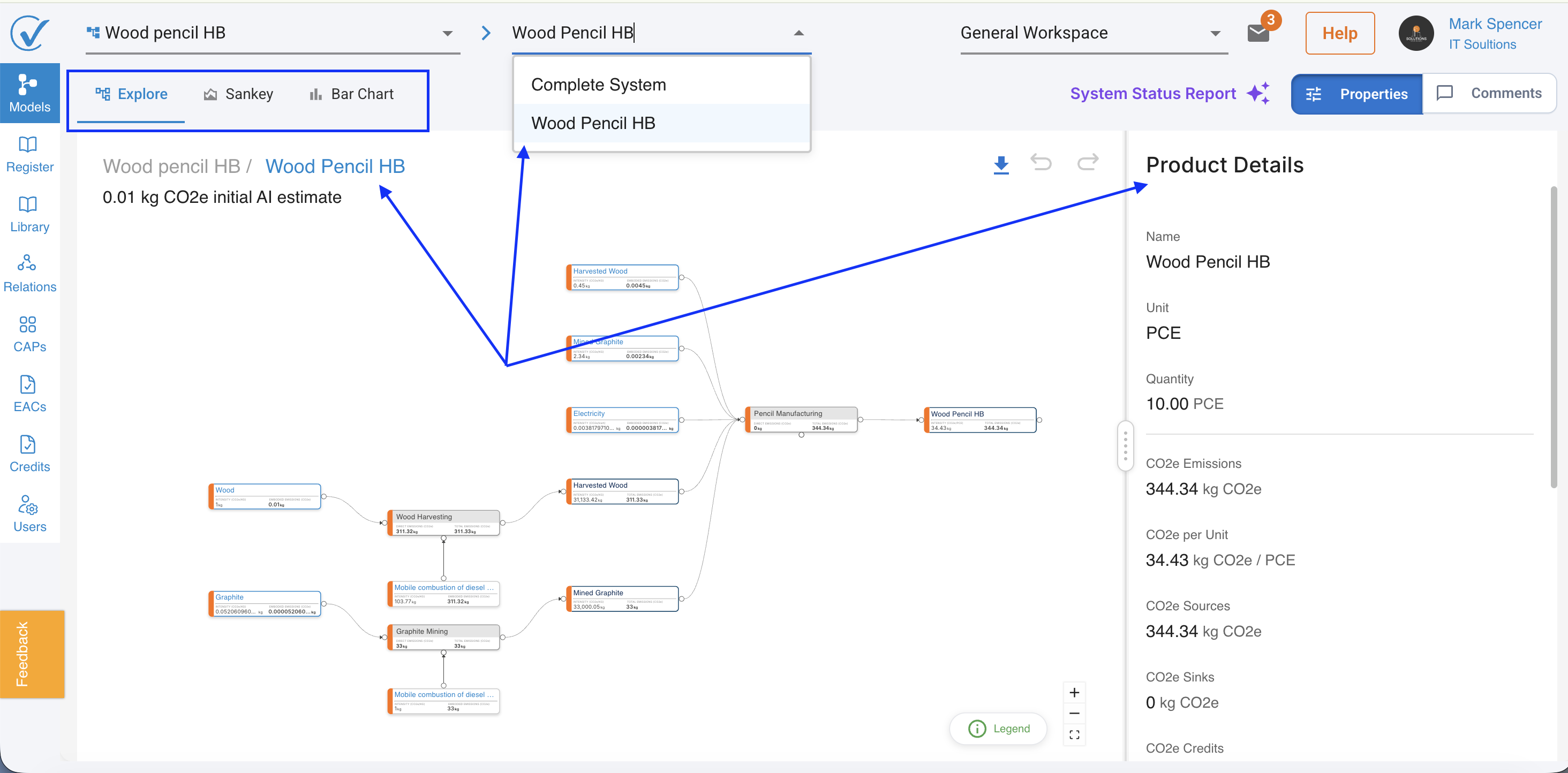
Analyze and Genealogy replaced by Builder at the product level
Analyze and Genealogy are retired at the product level and replaced by Builder. Builder, Sankey, and Bar Chart now stay visible as tabs for every level, whether you are viewing a full model or a single product.
What changed:
- Clicking into a product opens it in read-only mode, with Product Details shown in the sidebar by default.
- Builder, Sankey, and Bar Chart are always visible tabs at the product level.
- If a model is not complete, the Sankey and Bar Chart tabs are disabled until it is.
- This applies across Models, Registered, and Verifier.
Genealogy stays in place for CAPs and EACs for now.
Related articles
Thank you for being part of the CarbonSig community. For questions, contact our support team at support@carbonsig.com.