
Issuing a verification opinion
Prerequisites
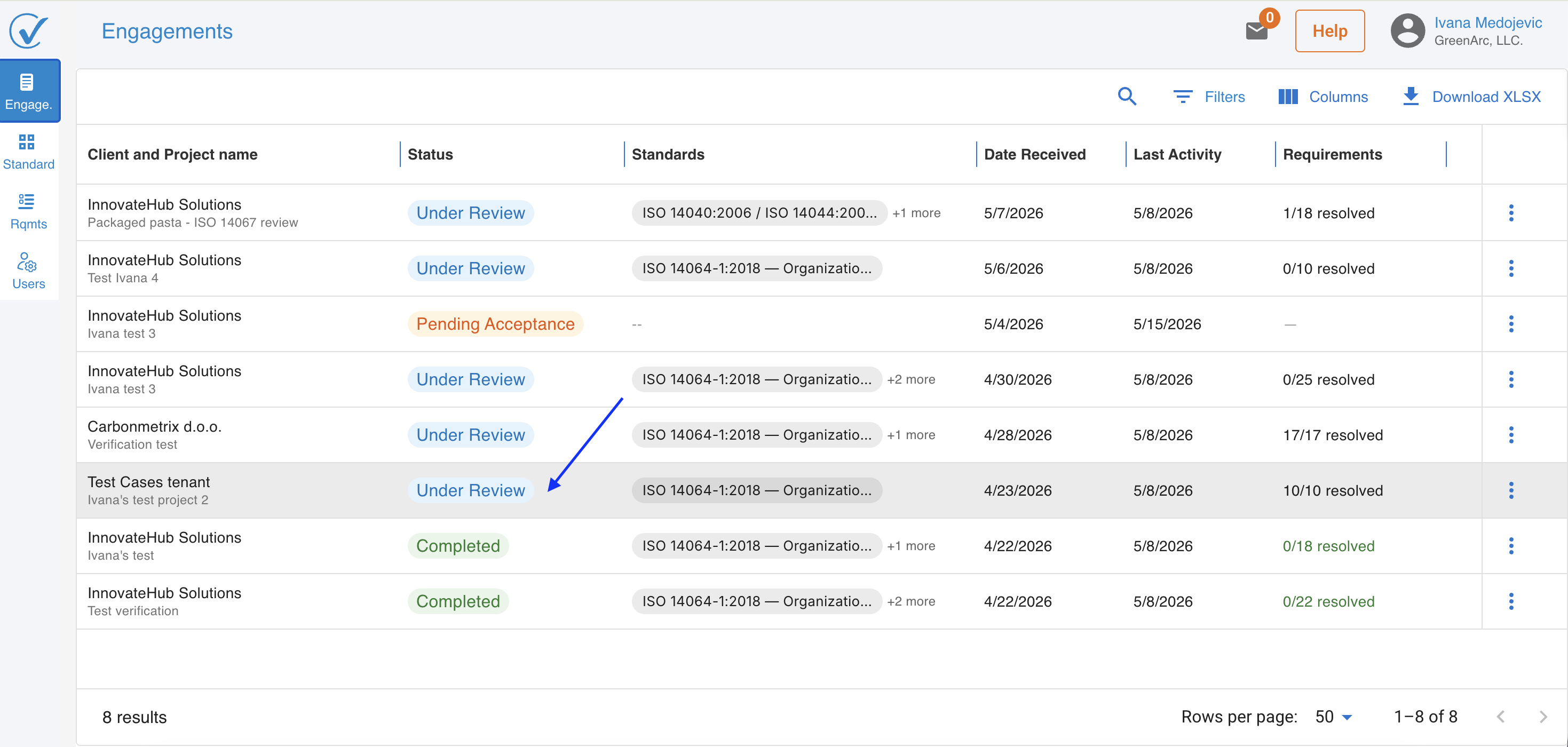
- The engagement status must be Under review.
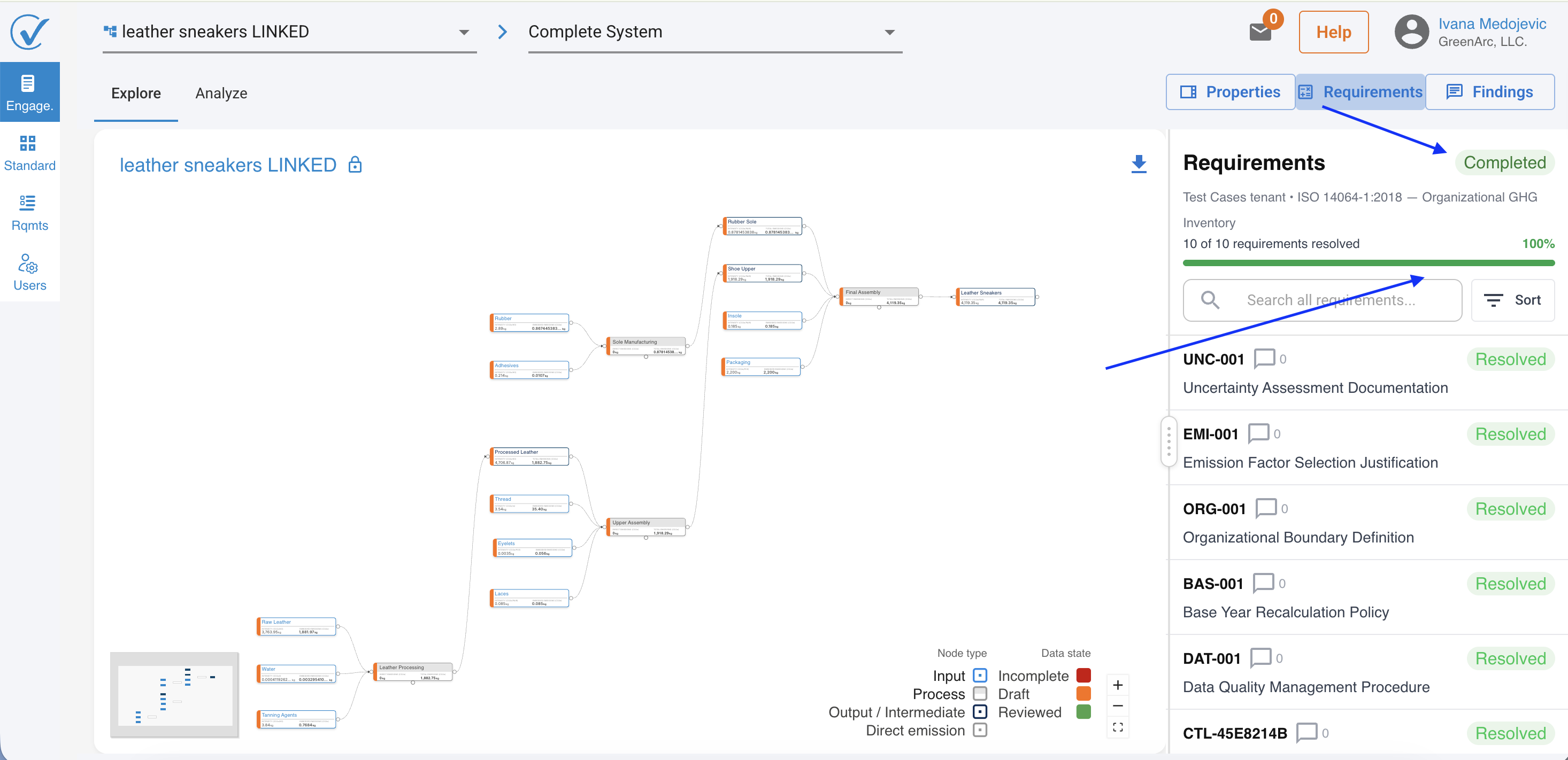
- The verifier must have completed the relevant standards and controls review.
How to issue an opinion
1. Go to the Engagements page and open the engagement.
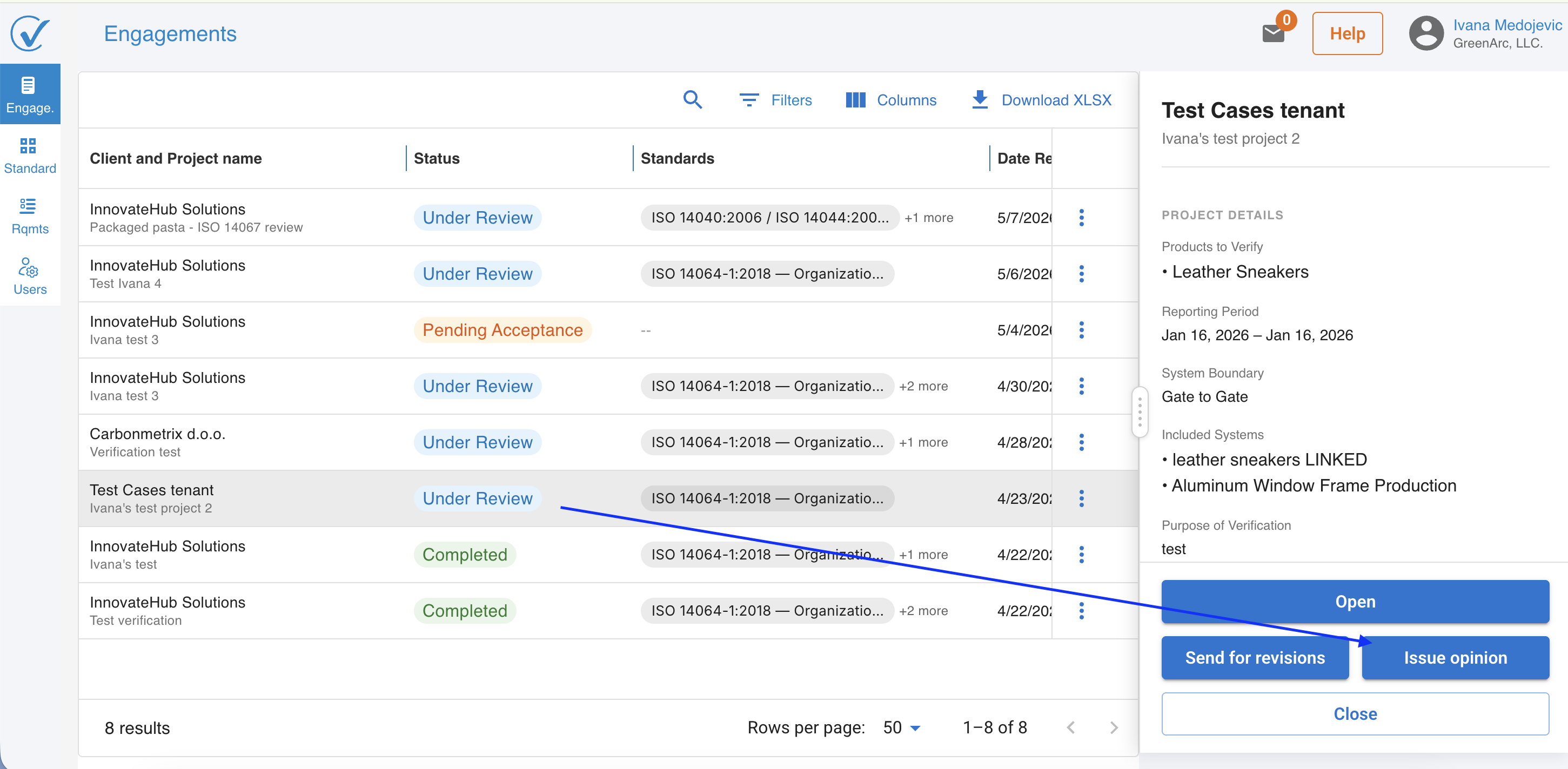
2. Click on the engagement to open the detail modal.
3. Click Issue opinion.
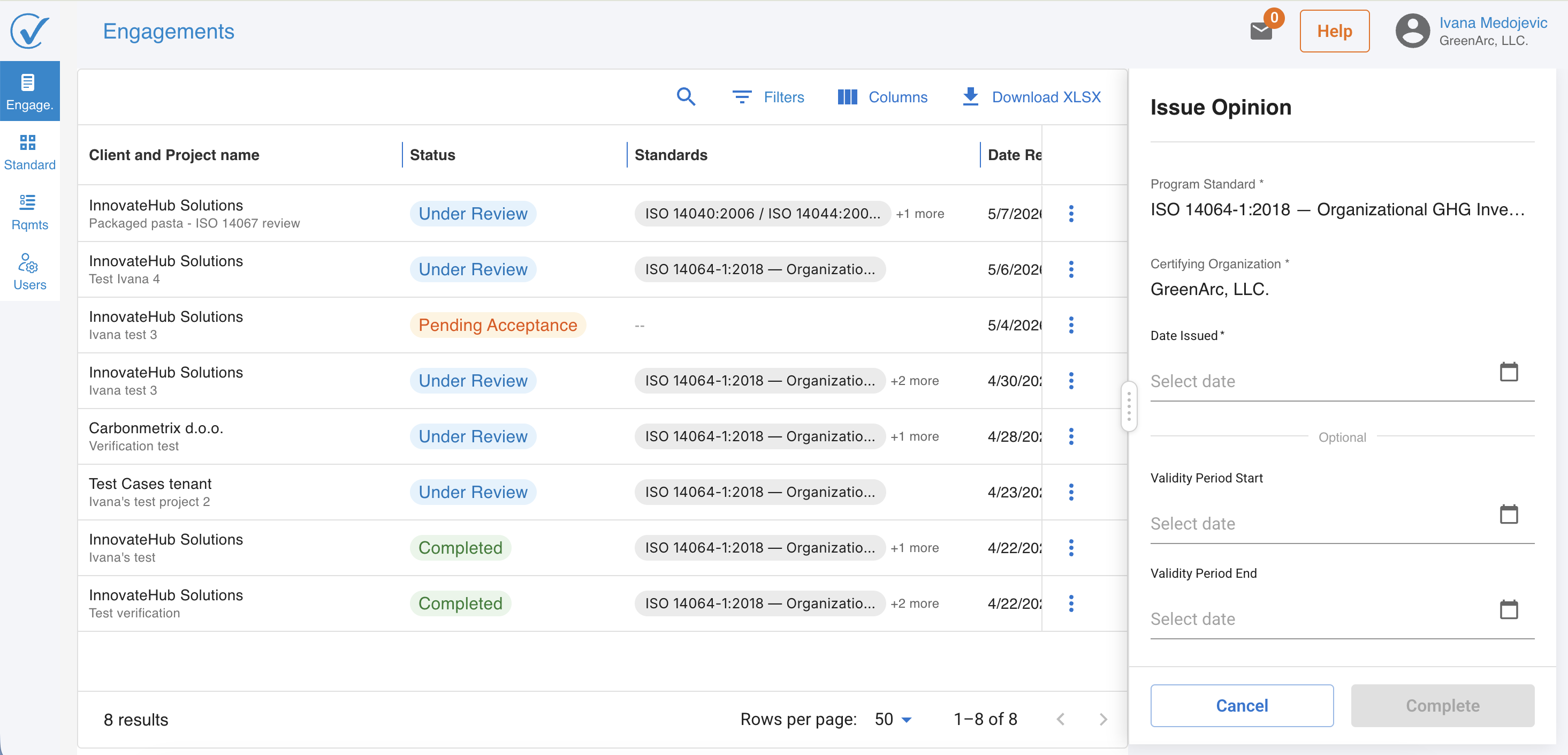
4. A form opens to enter the verification data.
Entering verification data
The form fields match those used for manual verification in CarbonSig. The layout adapts based on the number of products in scope:
- Single product: The form displays all fields in a single view.
- Multiple products: The form uses an accordion layout. Each product is a collapsible section; the first product is expanded by default. A green checkmark appears on each section when all required fields are complete.
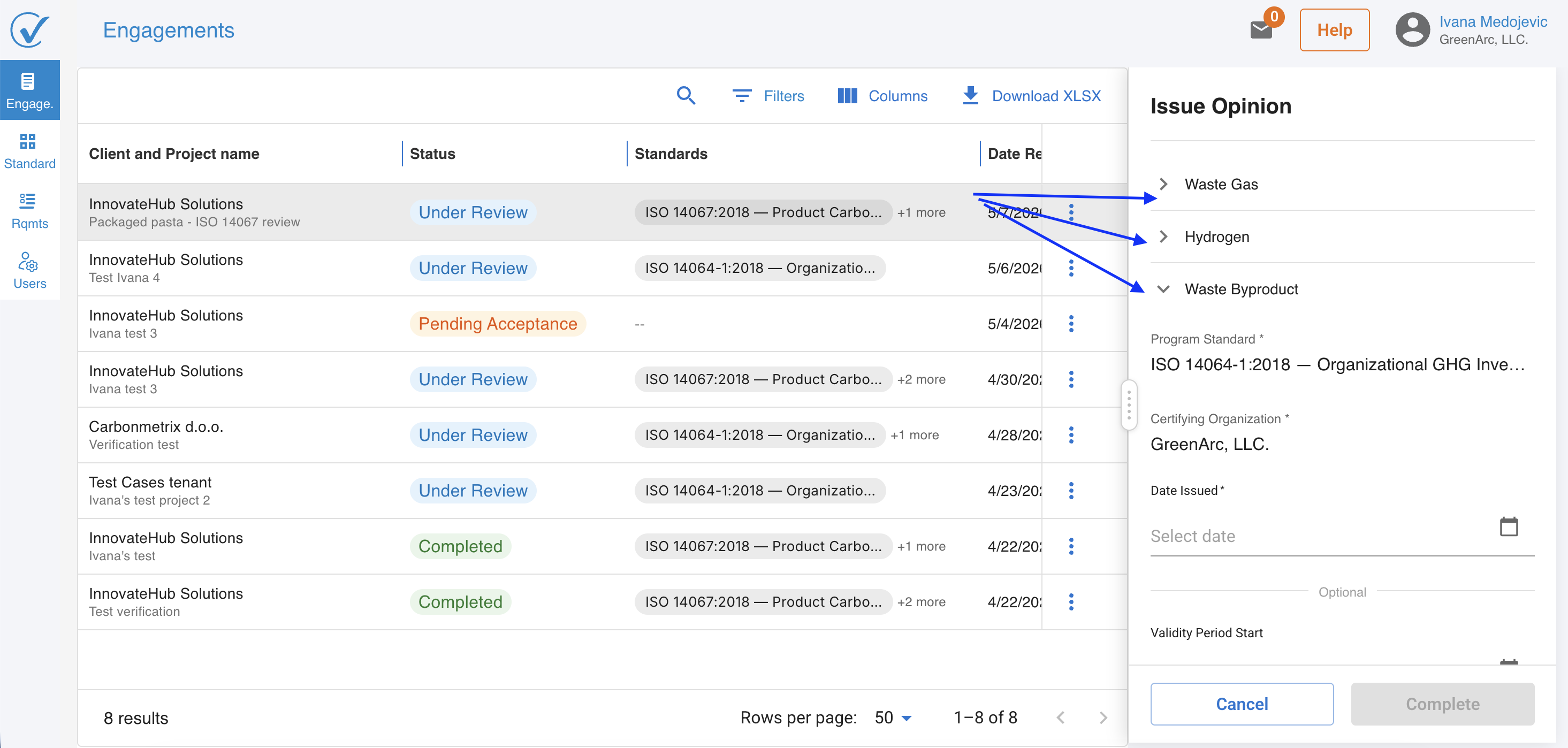
Fill in the required fields for each product. When all sections show a green checkmark, the form is ready to submit.
Submitting the opinion
Click Complete to issue the opinion. Once submitted:
- The engagement status changes to Completed
- The corresponding products in the client account update to Verified on CarbonSig.
- The registered model reflects the new verification status.
Related articles
- Setting up and reviewing requirements
Last updated: May 2026