
Latest updates August '26 - Verifier Hub and Registered page improvements
This release makes the Registered page and Verifier Hub easier to navigate, updates key terminology in the System Builder, and adds a new export option.
Verifier Hub and Registered page
- Sankey diagram and Bar chart are now clickable. Select a flow or bar to open its details in a sidebar panel.
Note: On the Registered page, this option is available only for the main complete system. In the Verified Hub, it is available for both the main system and product-level views.
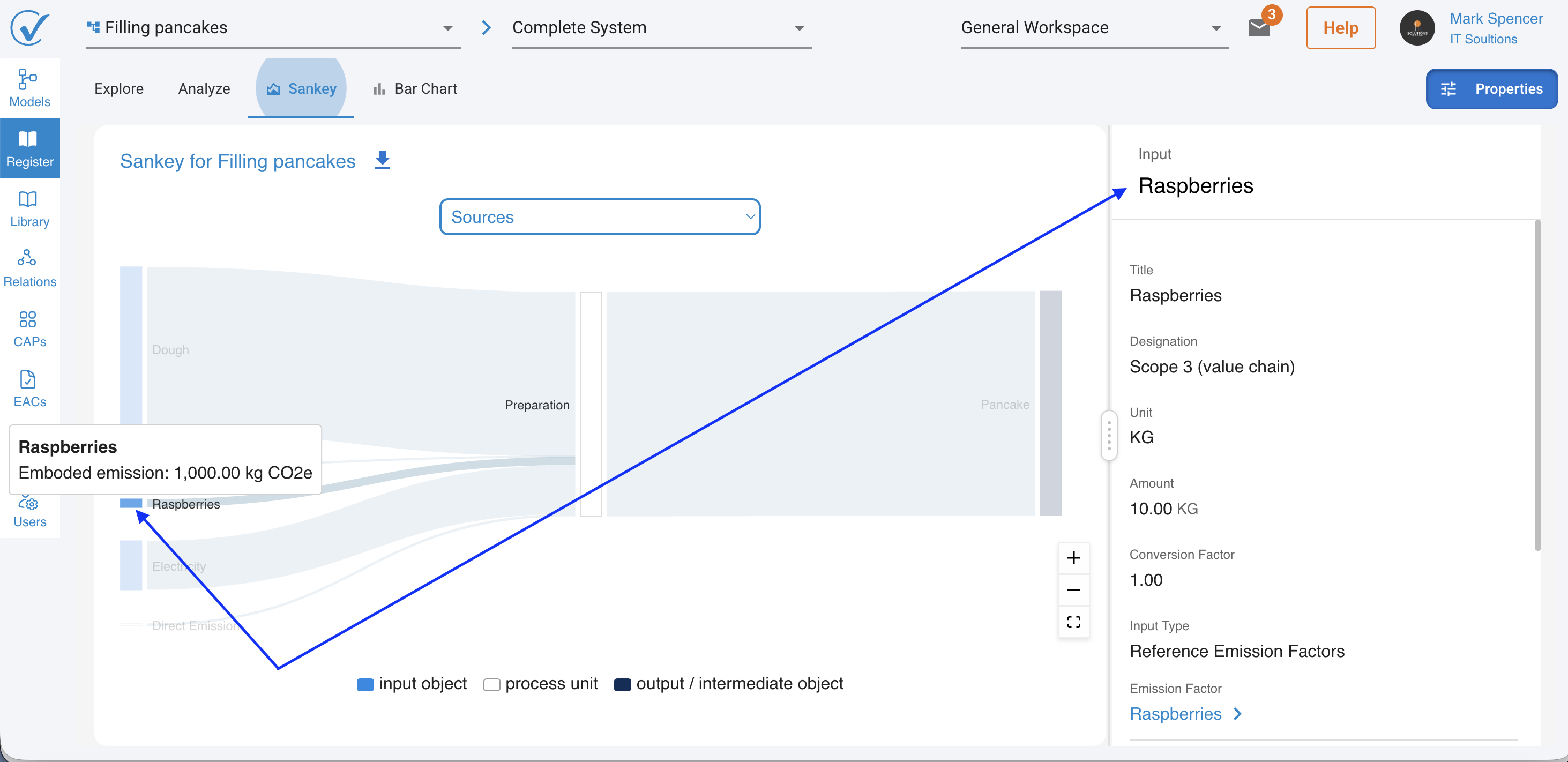
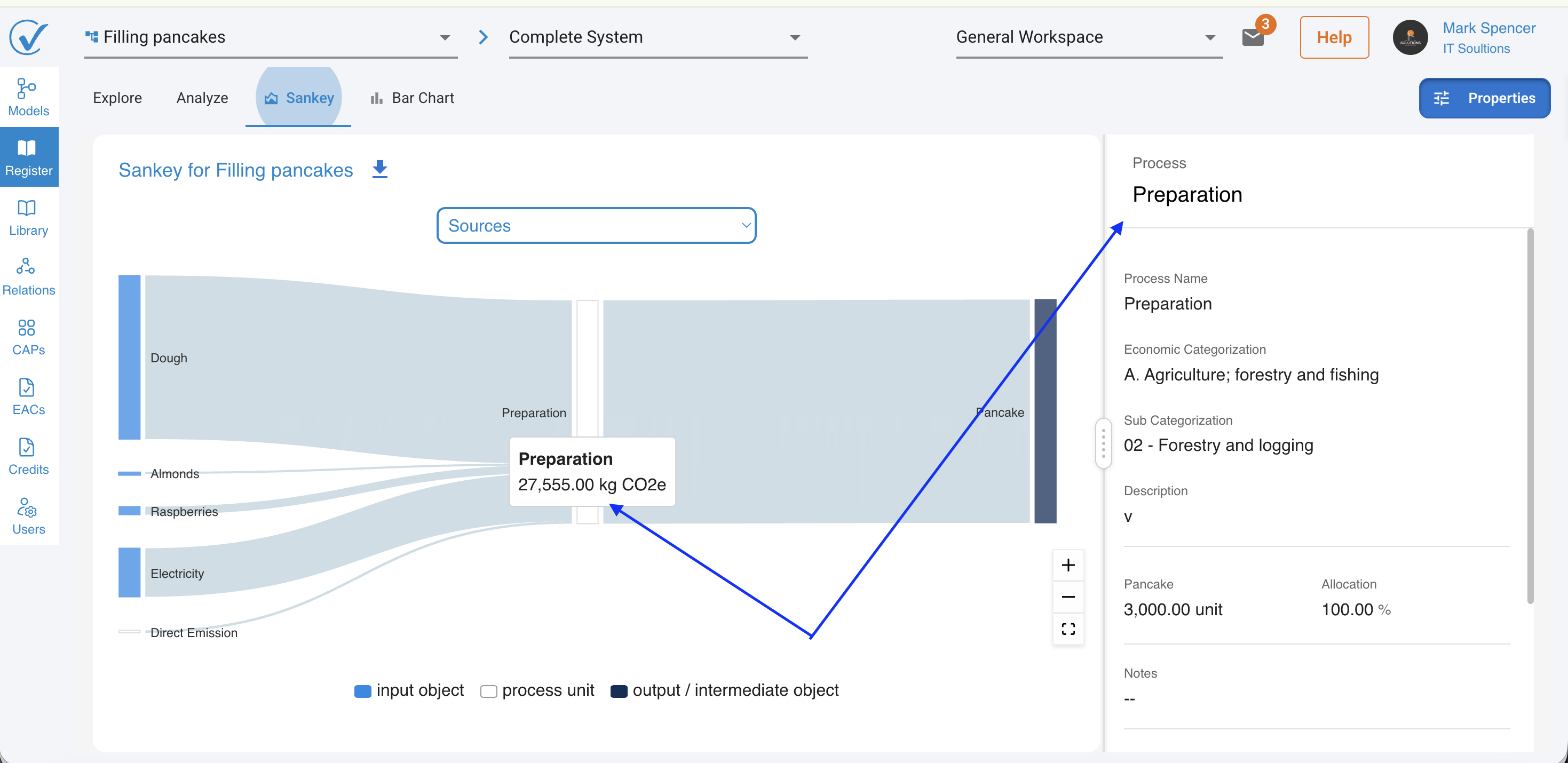
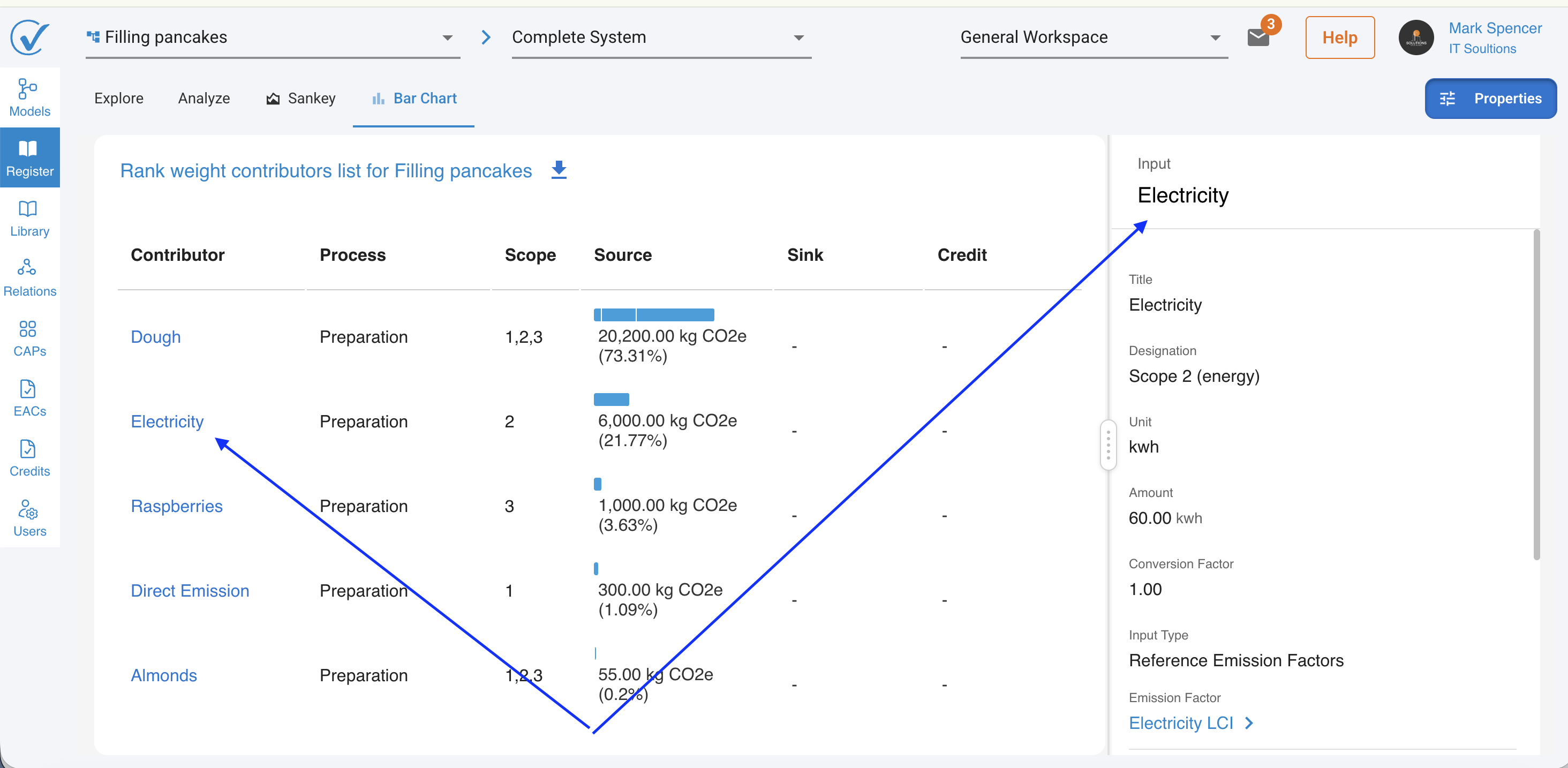
- Findings pane are now visible at every verification status on the Registered system Explore page, including Under Verification and Verified on CarbonSig, Not only during active review - Revision Requested.
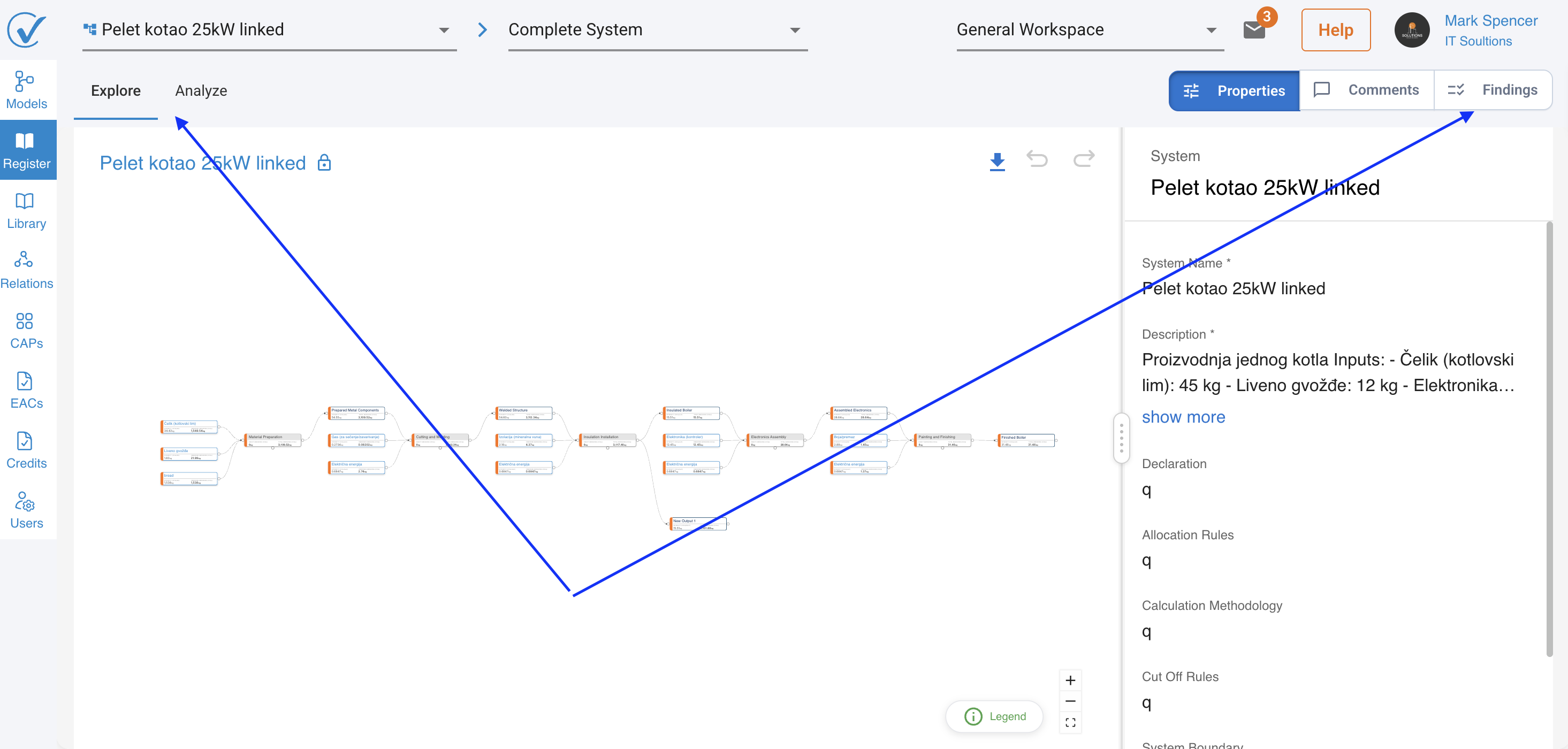
- Emission factor labels are now clickable. Select one to view details, with a tooltip showing the factor name. Available on Models, Registered, and Verifier pages.
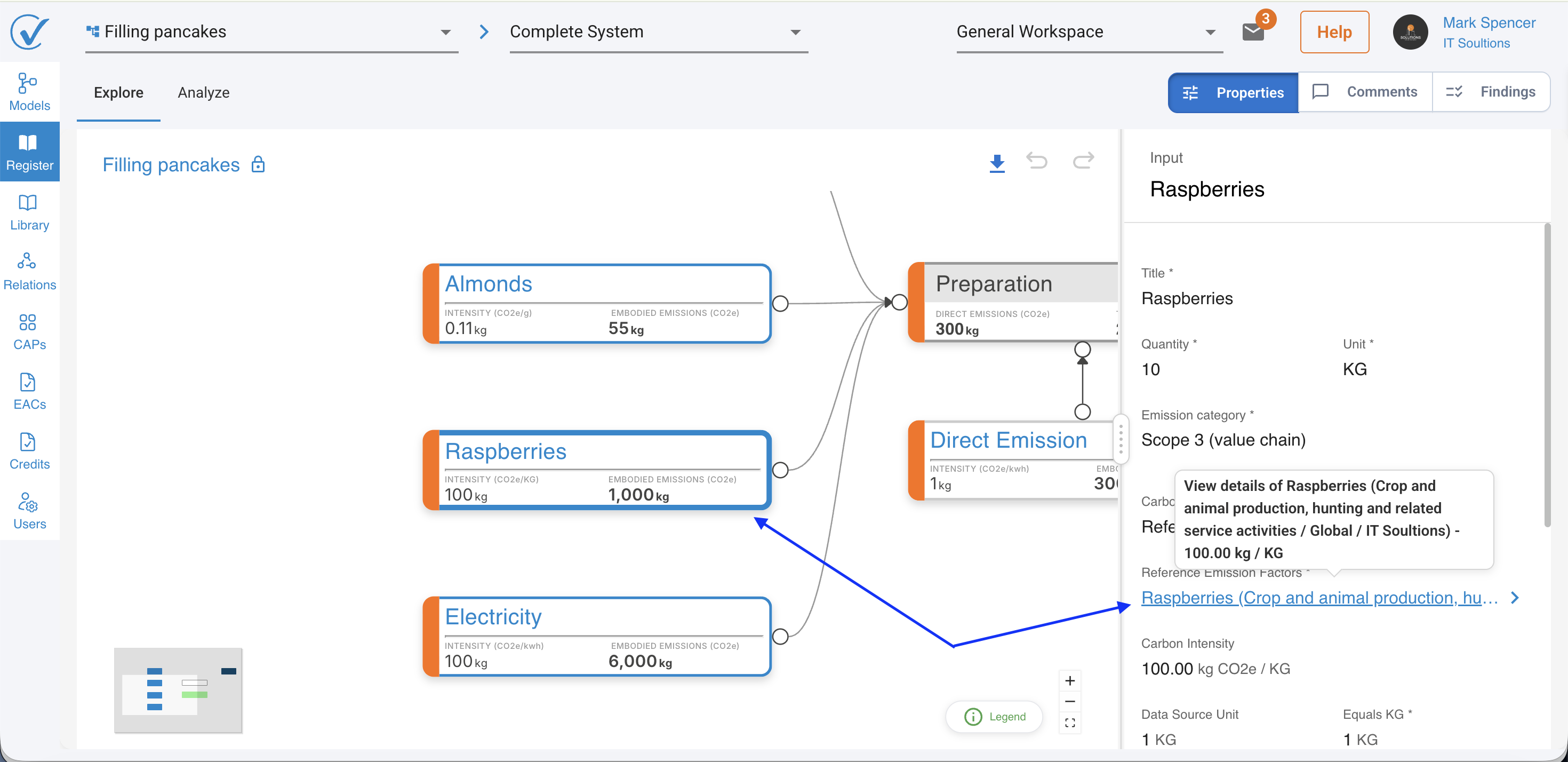
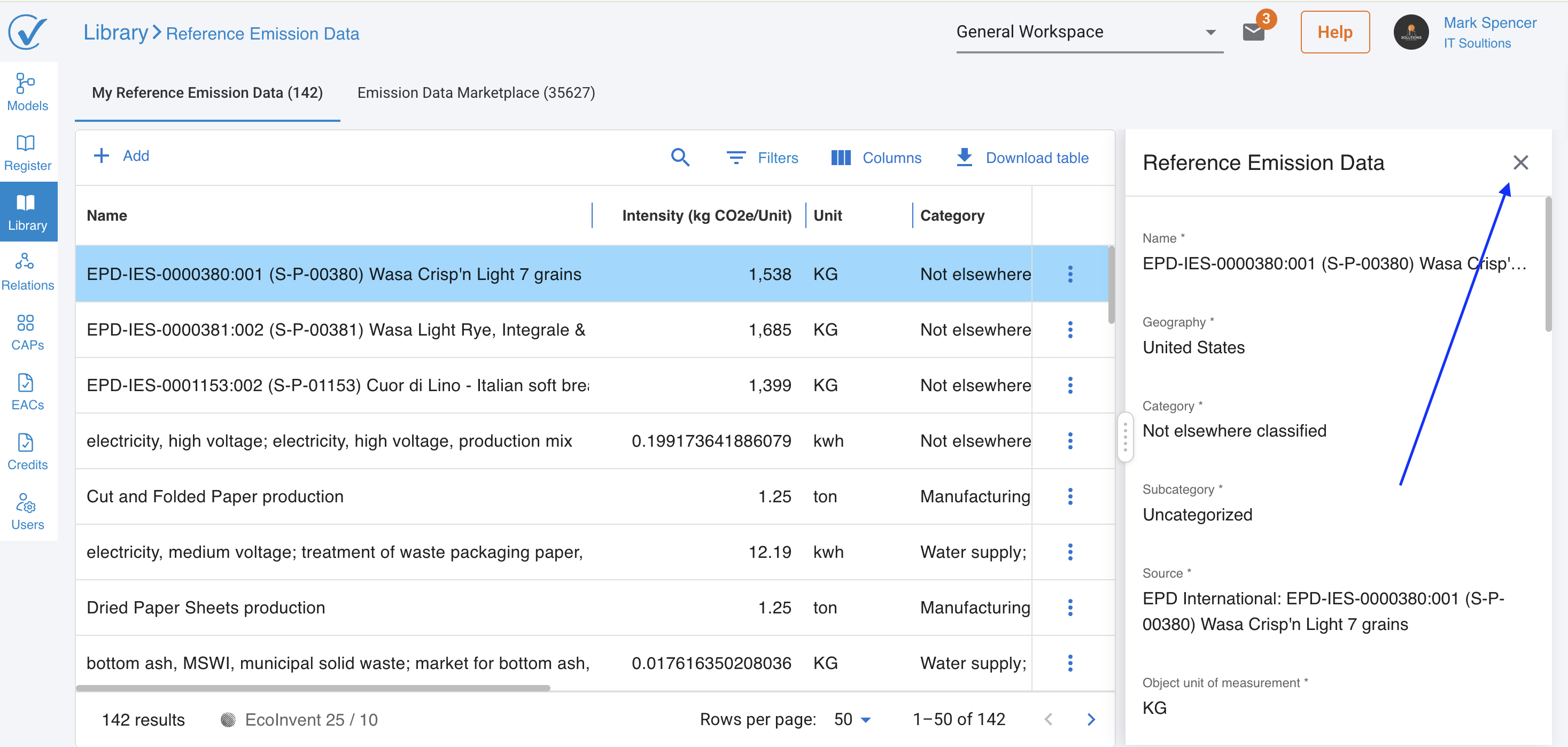
- Sidebar panels close with an X in the top right corner instead of a bottom Close link. Also side panels across the platform now use a consistent X to close, replacing the old "Cancel" button. If you've made changes and try to close a panel, you'll now get a clear confirmation prompt asking whether you want to keep editing or discard your changes — so you'll never lose work by accident. This applies across Registered, Relations, Library, Carbon Credits, User Management, and the Verifier side Engagements, Standards, and User Management panels.
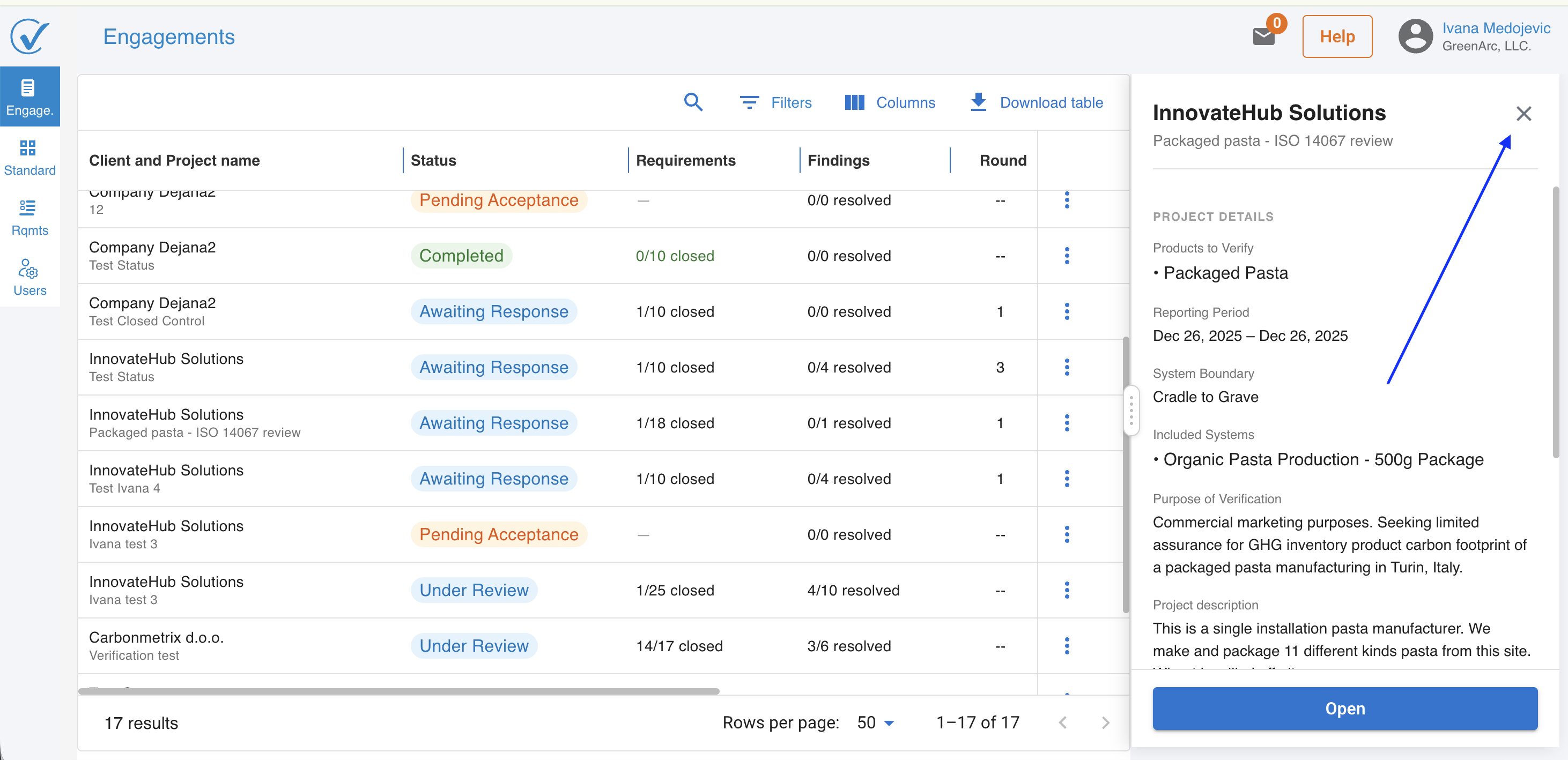
- Client and Verifier pane buttons use clearer colors, so it's easier to see the state of a pane at a glance.
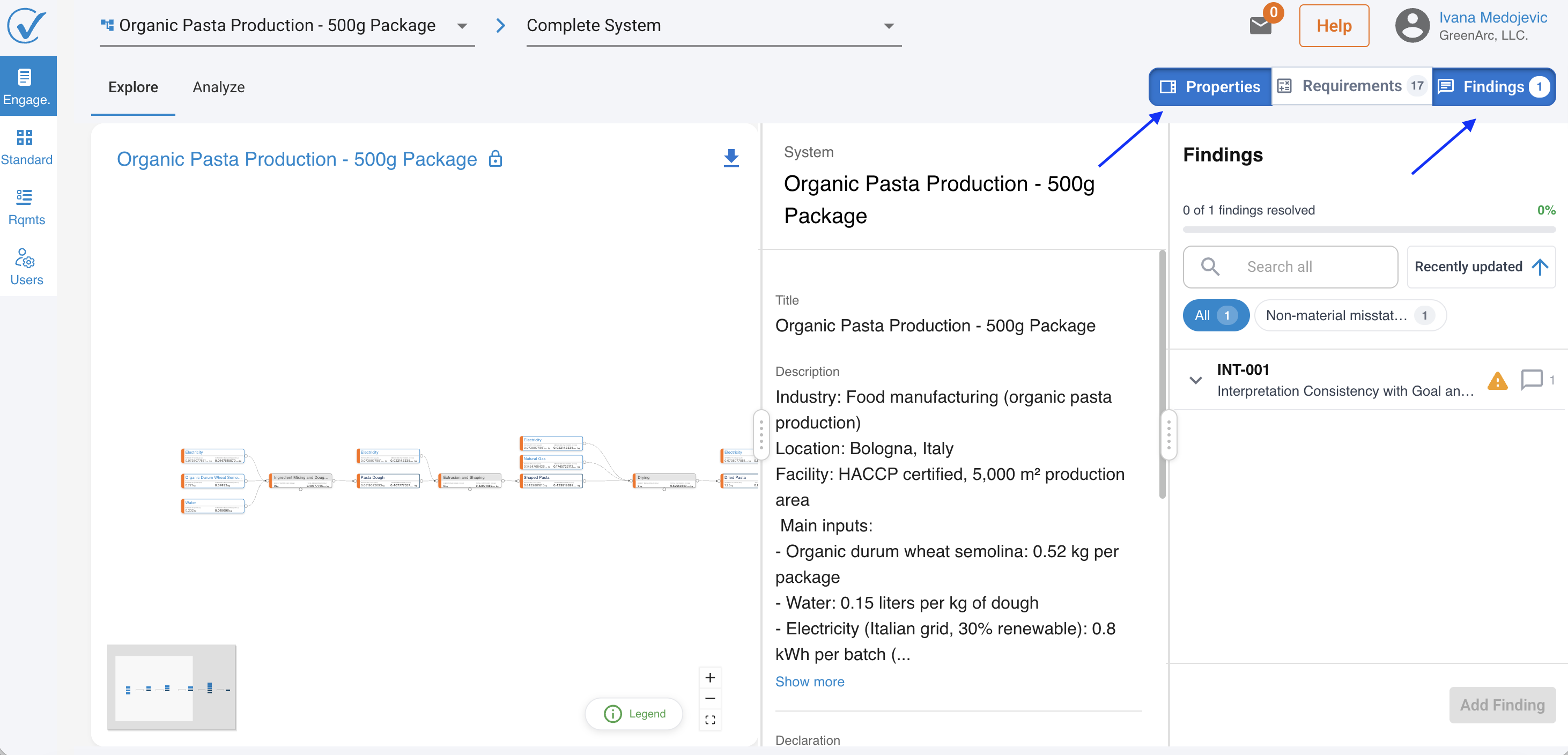
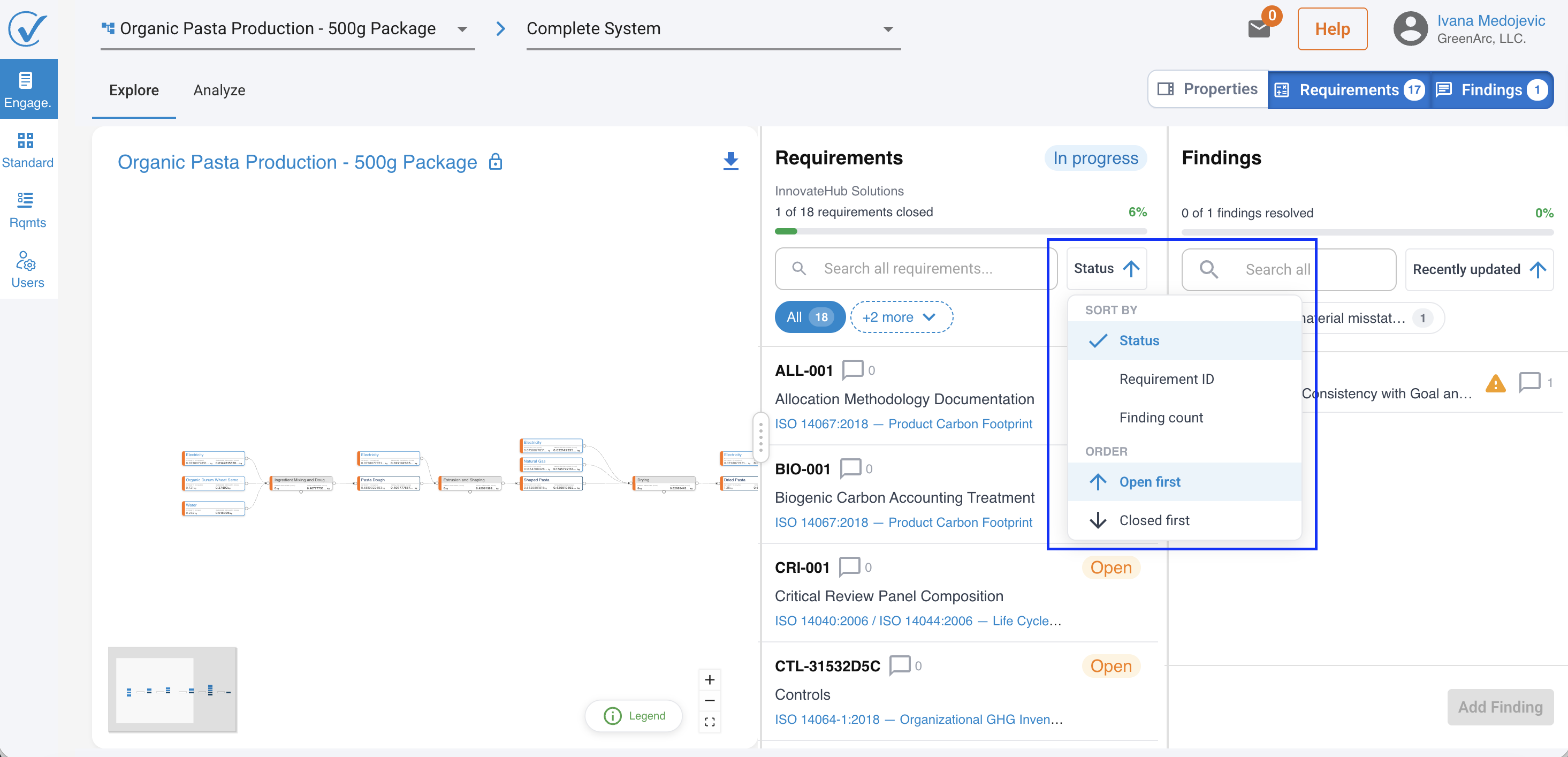
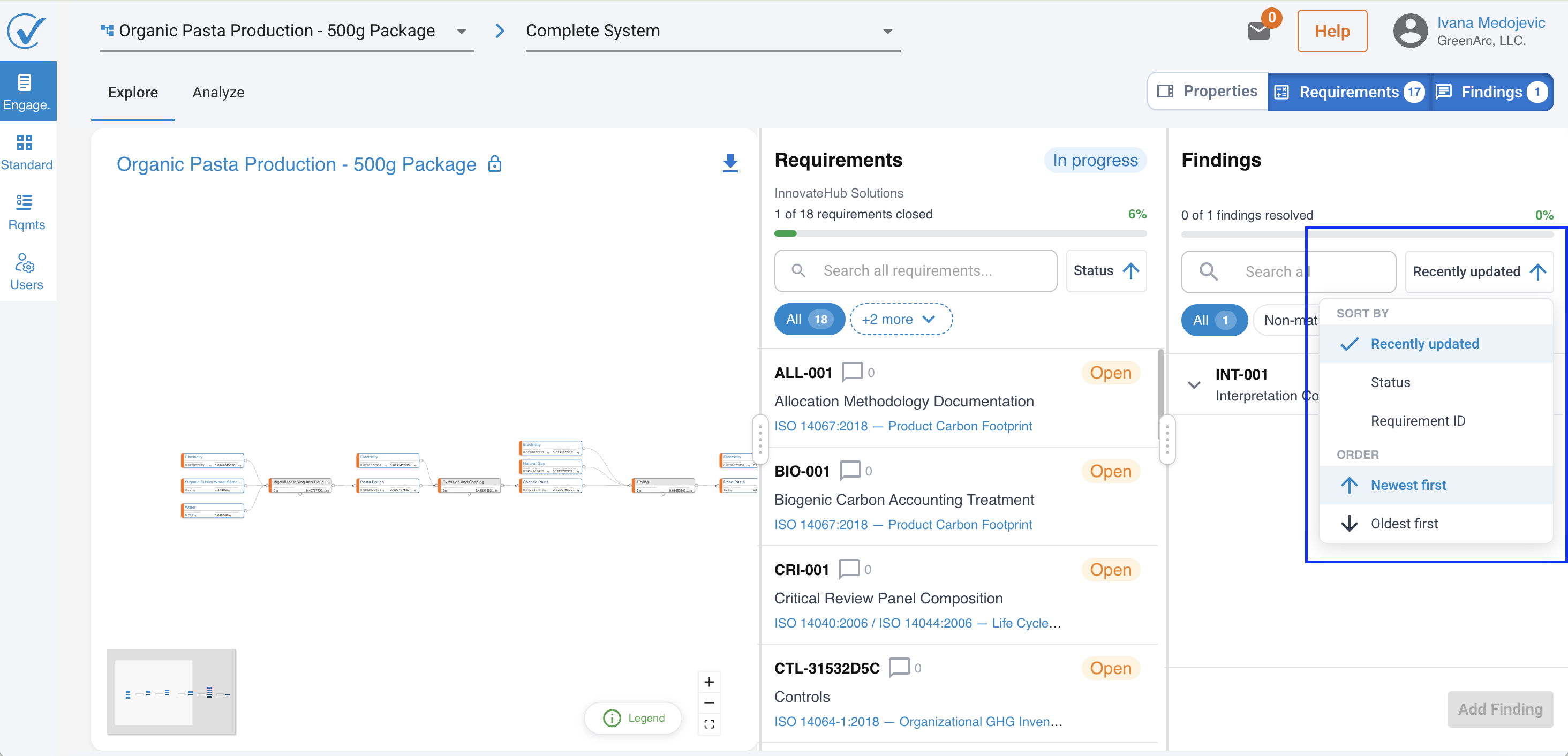
- Sorting Findings and Requirements is faster and easier to scan.
Terminology and Builder
- The canvas legend no longer stays fixed on screen, for a cleaner builder view. Hover on widget and legend will be shown.
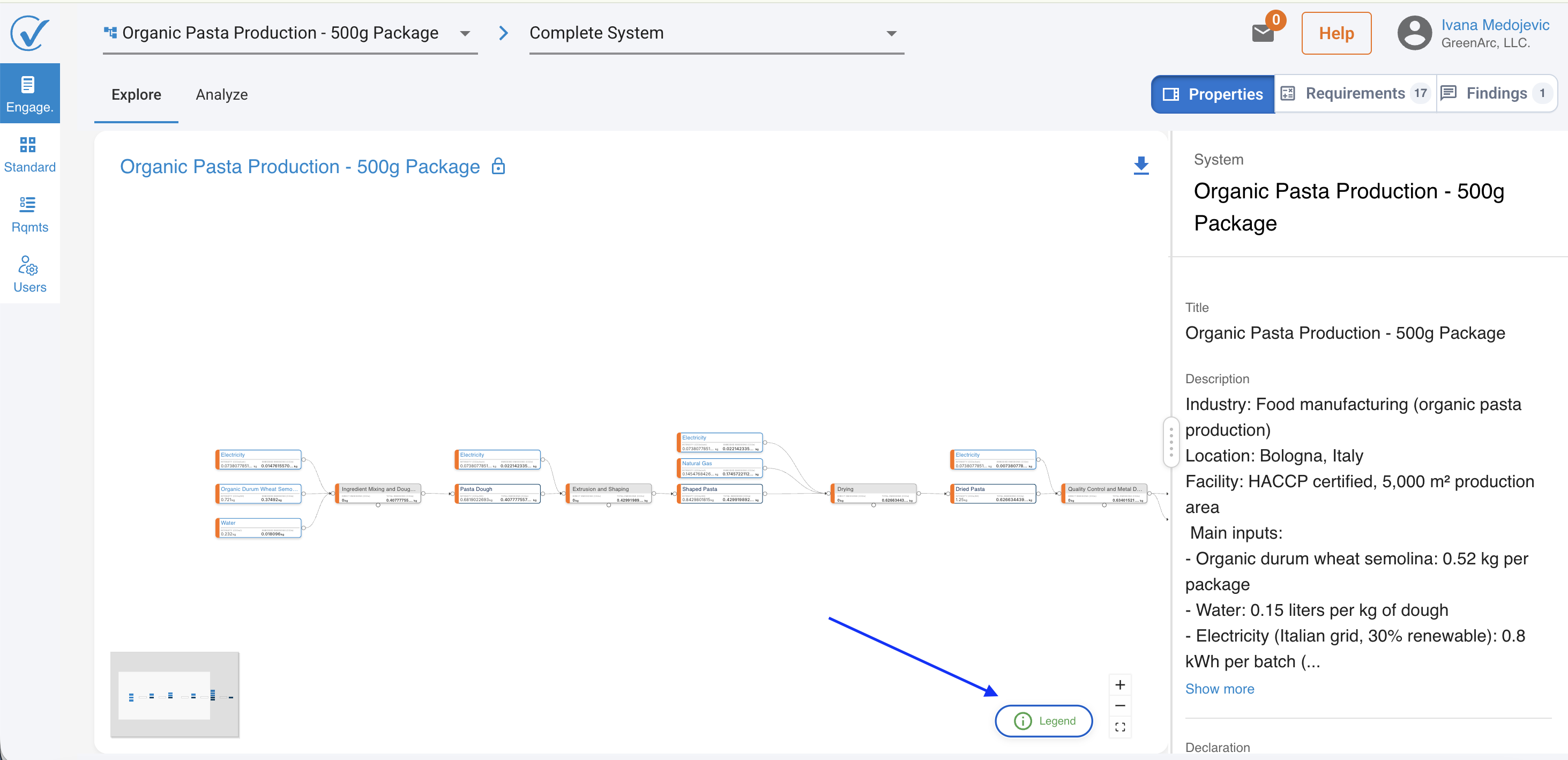
- The minimap is now shown only for large systems. If the entire system fits within the viewport, the minimap is hidden.
Standards
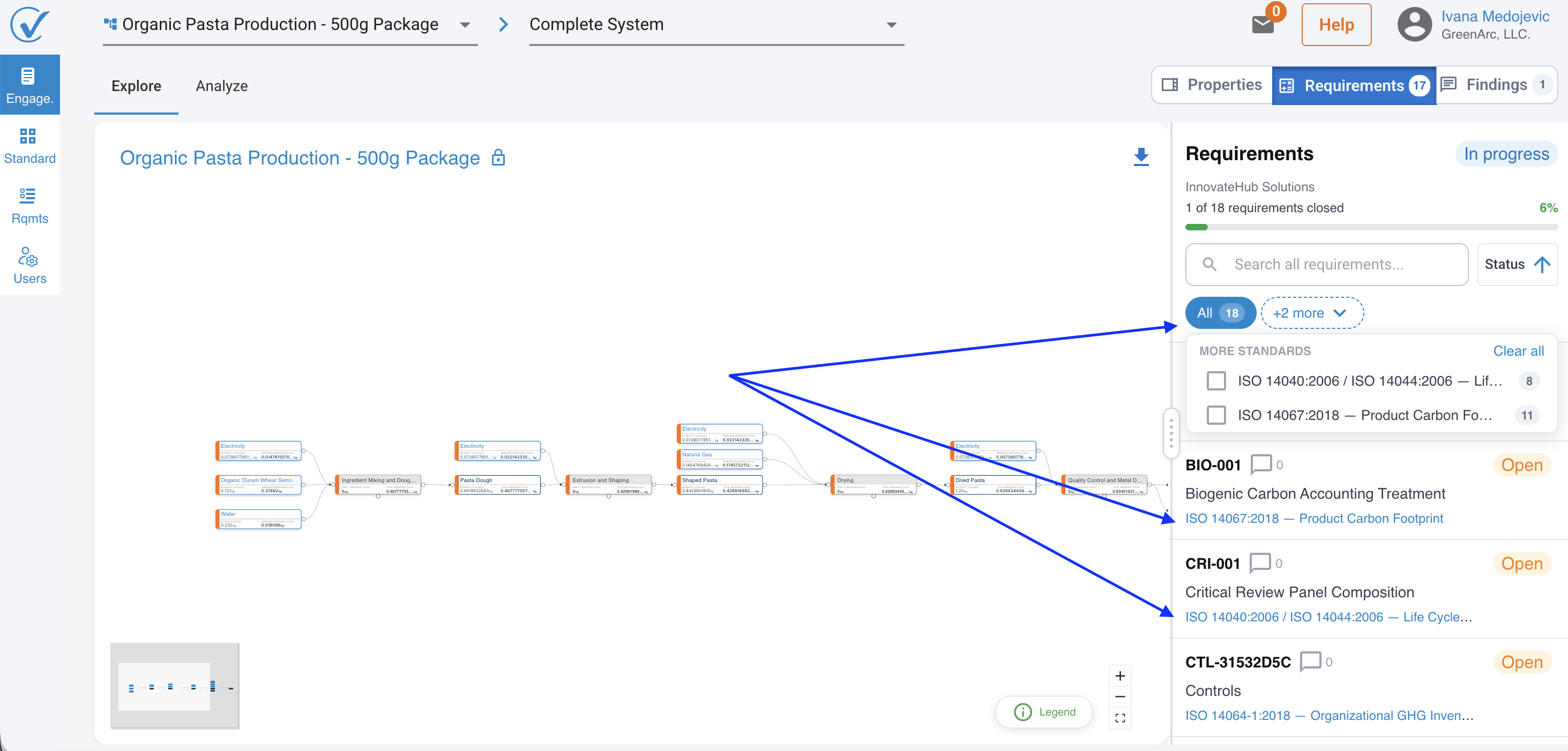
- ISO standards show their full title and version year everywhere they appear.
Smarter actions on the Models table
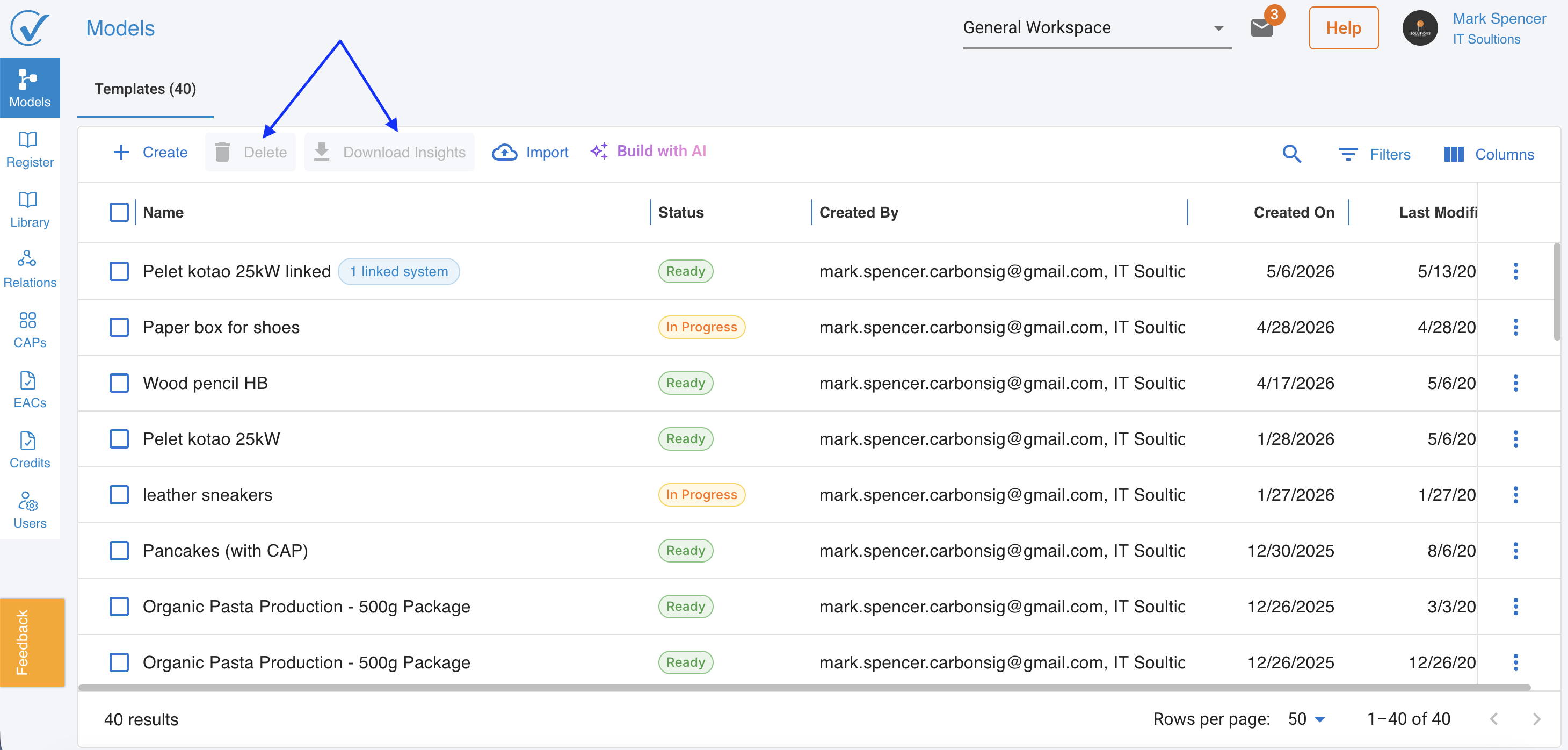
- Download Insights now correctly applies only to the systems you've selected, instead of the entire table.
- If you click Download Insights without selecting anything, you'll be asked to confirm whether you want to download all ready systems.
- Locked items now disable just the delete action, so you can still interact with other parts of the row as expected.

New: download registered systems and engagements as XLSX
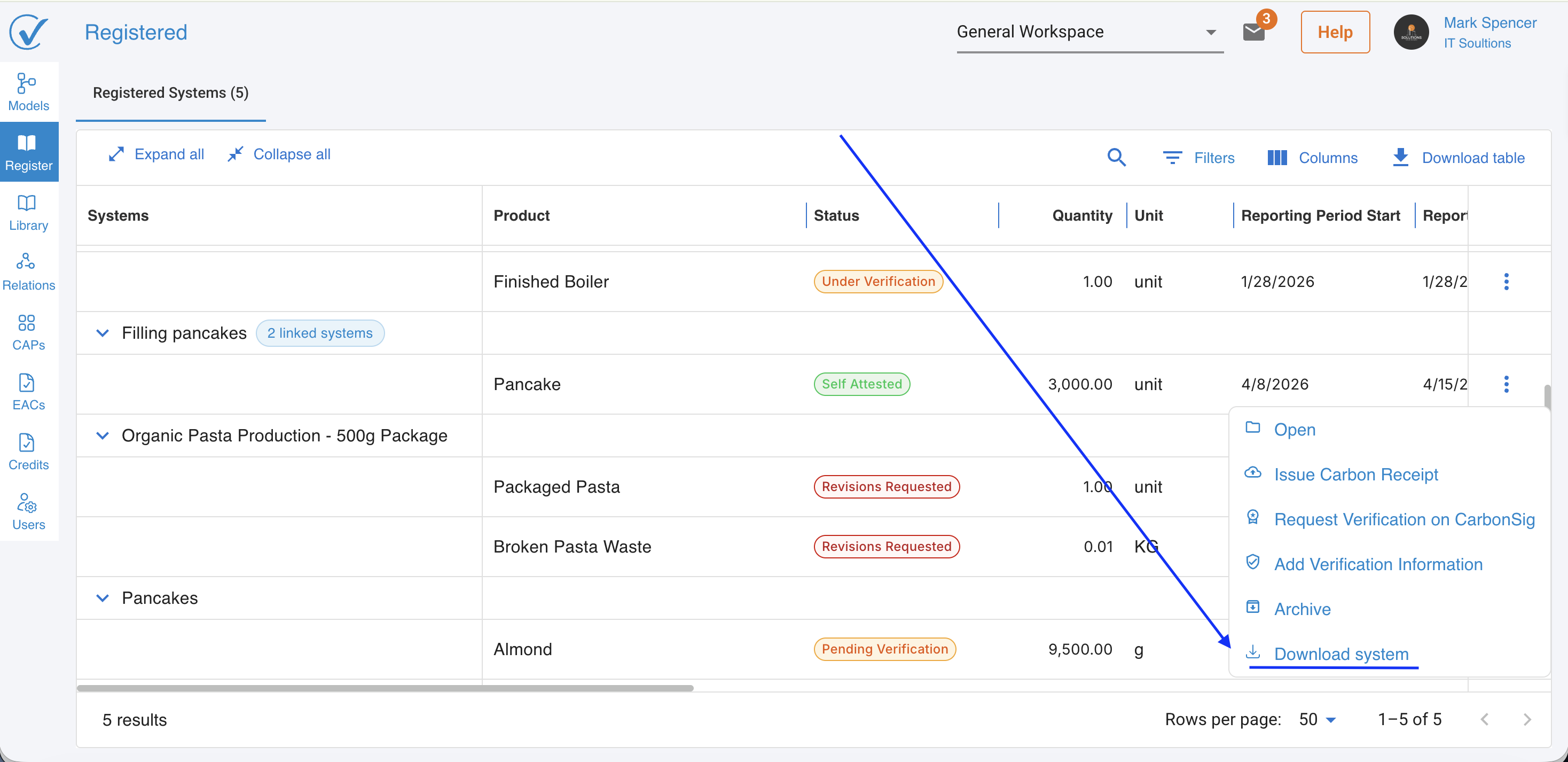
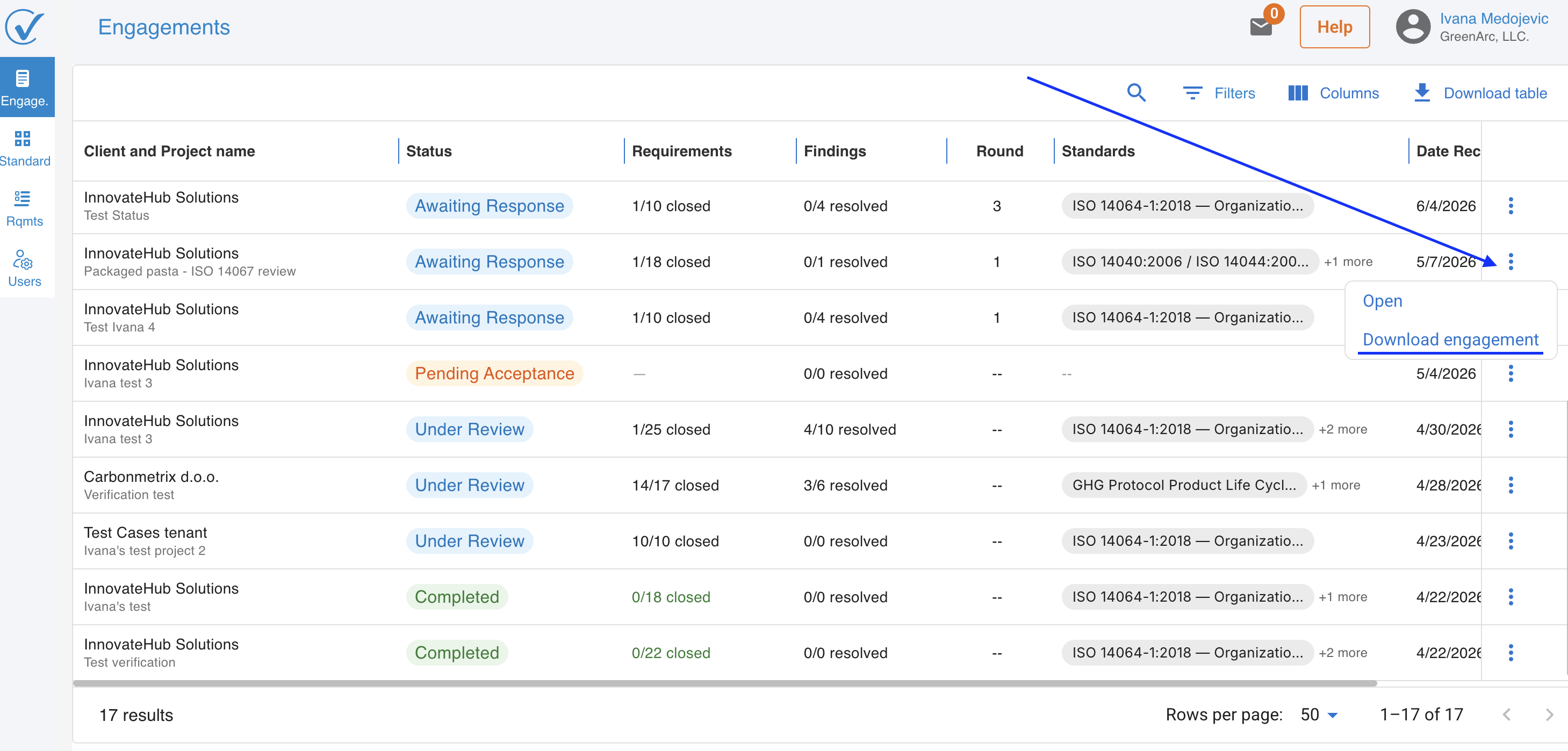
Download a registered system or engagement as an XLSX file for offline reporting or record keeping. On the Registered page, the Download button is available for all statuses except Revision Requested. On the Verified Hub, it is available for all statuses except Pending Acceptance.
Fixes
Autosave is faster and runs fewer unnecessary recalculations.
Behind the scenes
We've also made under-the-hood improvements to platform security and performance as part of our ongoing commitment to reliability — nothing you'll need to do differently, just a more robust CarbonSig.
Related articles
Thank you for being part of the CarbonSig community. For questions, contact our support team at support@carbonsig.com.
Last updated: August 2026
Last updated: 8/20/26, 9:04 AM