
System Status Report
Time to complete: 1-2 minutes to generate, 5-10 minutes to review
Get instant visibility into your system's completeness and verification readiness.
What is a System Status Report?
The System Status Report is an AI-powered analysis tool that scans your entire system and identifies:
- Missing or incomplete data
- Gaps in system boundaries
- Missing emission factors or quantities
- Incomplete documentation or notes
- Methodological inconsistencies
- Data quality issues in your emission factor inputs
You immediately see what's missing, why it matters, and what to do next.
Why Use System Status Reports?
Before Verification
✓ Identify gaps before submitting for third-party review
✓ Reduce verification cycles and costs
✓ Address issues proactively
During Development
✓ Track system completeness in real-time
✓ Prioritize data collection efforts
✓ Ensure methodological consistency
For Quality Assurance
✓ Validate data quality across all processes
✓ Check documentation completeness
✓ Verify calculation accuracy
How to Generate a System Status Report
Step 1: Go to the System page
Step 2: Click on any system template
Available in:
- Design Mode
- Entry Mode
- Analyze Mode
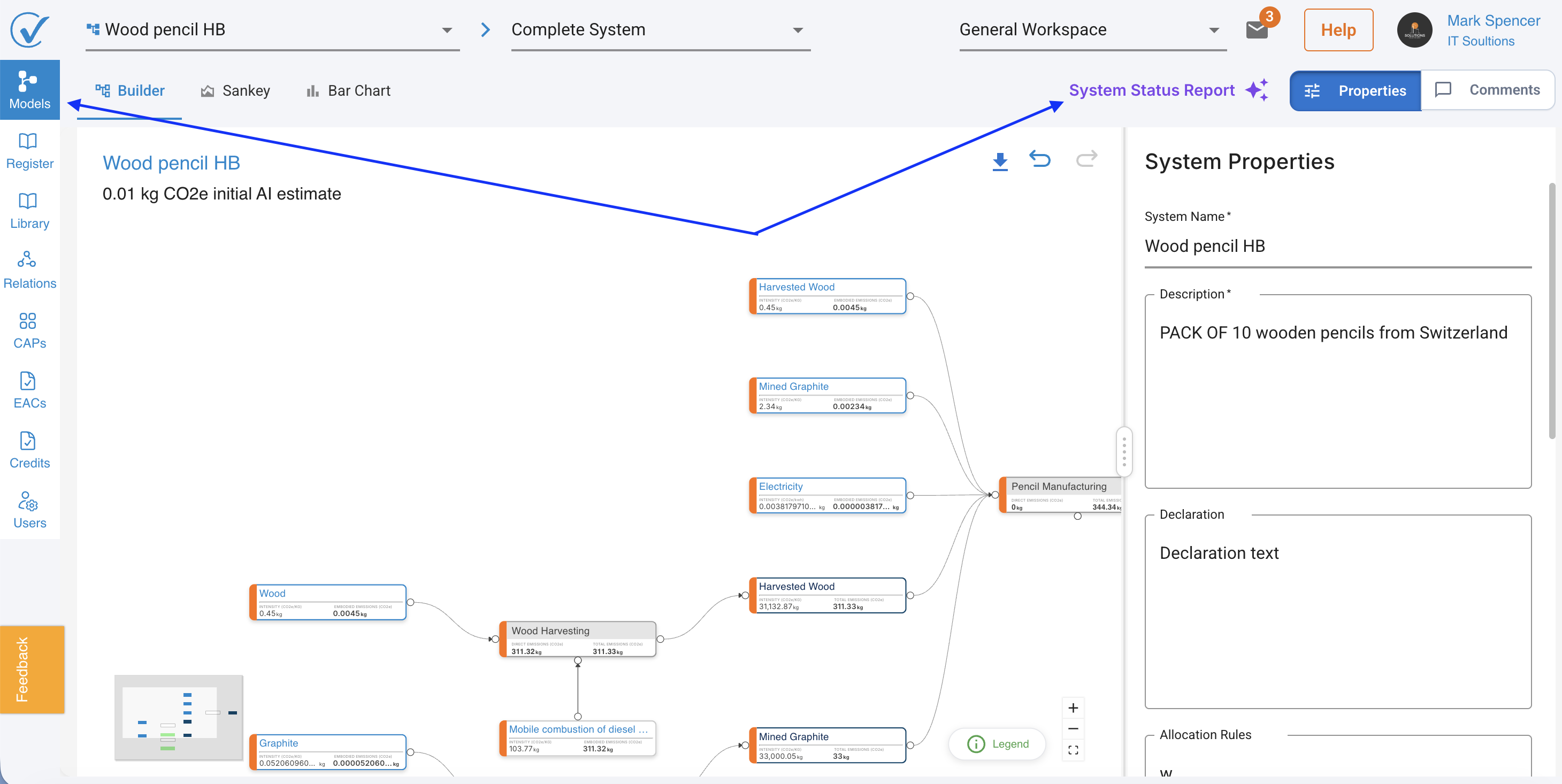
Step 2: Click "Create New System Status Report"
Look for the System Status Report button in your system interface.
Step 3: Wait for Generation
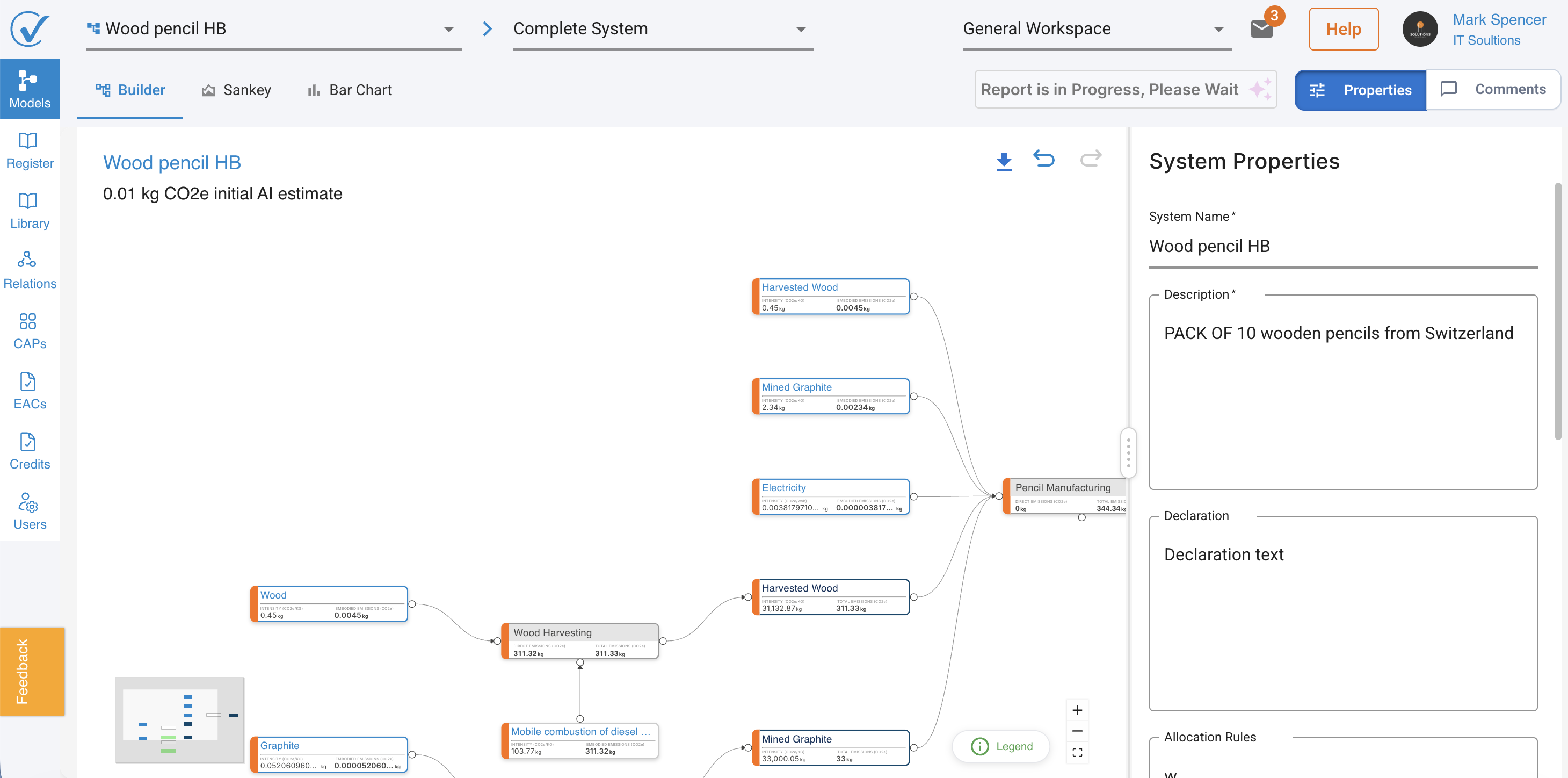
The AI analyzes your system (typically ~1 minute):
Processing time: 30-90 seconds depending on system complexity
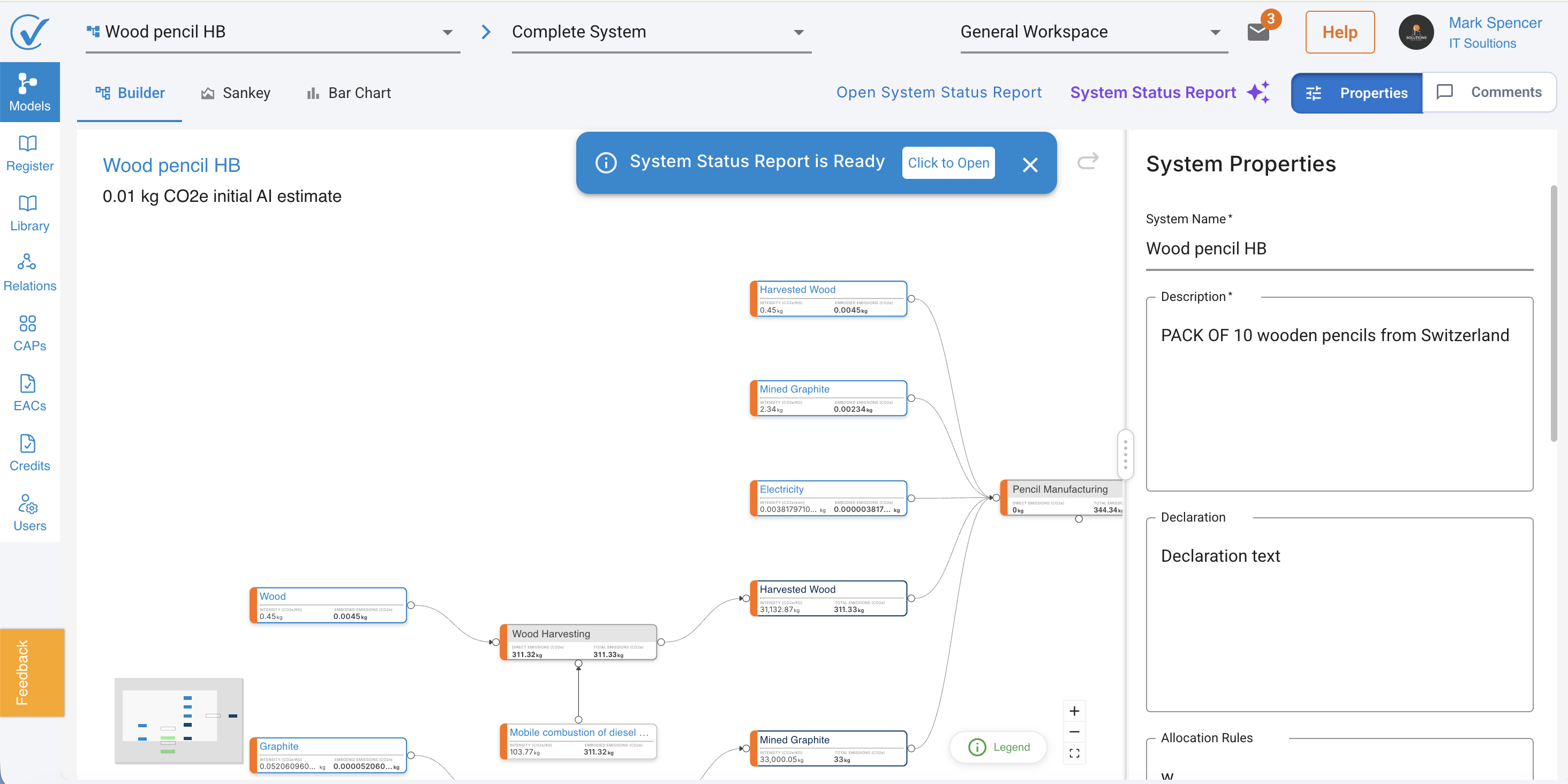
Step 4: Review Your Report
Report opens in a new browser tab in HTML format.
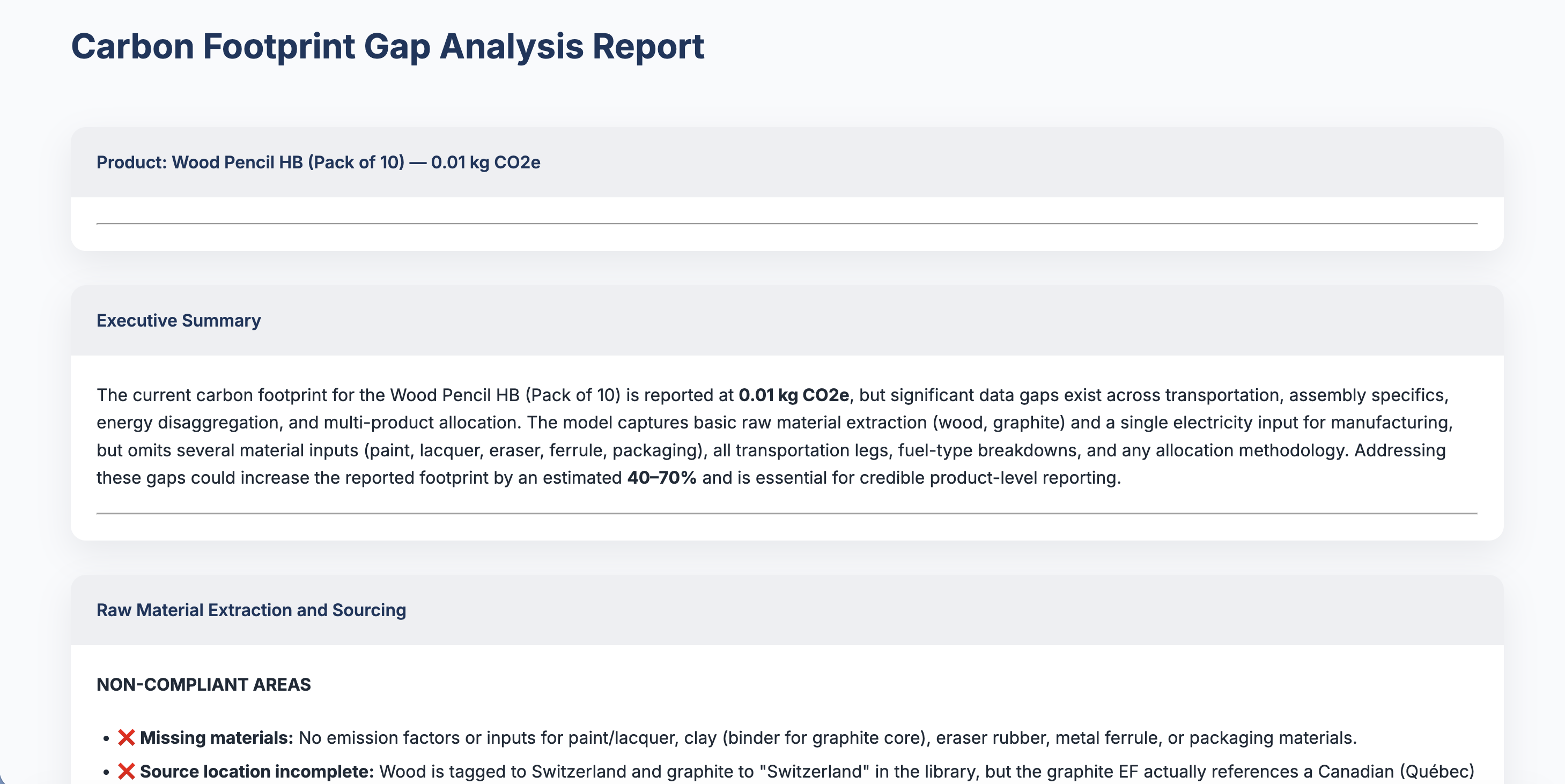
What you see:
- Clean, professional HTML layout
- Organized by system component
- Color-coded severity indicators
- Actionable recommendations
Understanding Your Report
Report Structure
The System Status Report includes:
1. Executive Summary
- Overall system health score
- Critical issues requiring immediate attention
- Quick statistics (% complete, missing data count)
2. Process-by-Process Review
- Data quality assessment
3. Red Flags and Improvement Opportunities
- High-priority issues highlighted
- Recommendations for data quality improvements
- Missing calculation elements
4. Missing Emission Data
- List of inputs without emission factors
- Suggestions for appropriate data sources
- Data quality gaps
5. Recommended Next Steps
- Prioritized action list
- Specific guidance for each issue
- Estimated impact of addressing each gap
Working with Your Report
Save and Share
Download Options:
- Save HTML file to your computer or go to Print PDF option from the browser
- Print report for team review
- Share with stakeholders or verifiers
Use Cases:
- Pre-verification checklist
- Team review meetings
- Quality assurance audits
- Progress tracking over time
Generate Multiple Reports
Create reports at different stages:
During Development:
- Weekly progress checks
- Before major milestones
- After significant data updates
Before Submission:
- Final quality check
- Pre-verification review
- Stakeholder presentation
Best Practices
When to Generate Reports
✓ After initial system creation → Identify missing components early
✓ Before data collection → Prioritize data gathering efforts
✓ After major updates → Verify changes didn't create new gaps
✓ Before verification → Final quality check
✓ Regular intervals → Monthly or quarterly quality reviews
Troubleshooting
Report Won't Generate
Possible causes:
- System is empty or has minimal data
- Browser blocking pop-ups
- Network connectivity issues
Solutions:
- Ensure system has at least one complete process
- Allow pop-ups for CarbonSig domain
- Check internet connection
- Try different browser
- Contact support if issue persists
Report Shows Unexpected Issues
Possible causes:
- Recent system changes not yet saved
- Cached data from previous version
- Calculation updates in progress
Solutions:
- Save system before generating report
- Refresh page and regenerate
- Wait for calculations to complete
Can't Find Report After Generation
Solutions:
- Check pop-up blocker settings
- Look for new browser tabs
- Regenerate report if needed
Frequently Asked Questions
Q: How often should I generate System Status Reports?
A: Generate reports whenever you make significant changes, and always before verification. For active systems, monthly reports help maintain quality.
Q: Does generating a report affect my system data?
A: No, reports are read-only analysis. They don't modify your system in any way.
Q: Can I share reports with external verifiers?
A: Yes, reports are designed to be shareable. Download the HTML file or use Print PDF option from the browser and send to verifiers or stakeholders.
Q: What happens to old reports when I generate a new one?
A: Each report is independent. Save previous reports if you want to track progress over time.
Q: Can I generate reports for systems with "In Progress" status?
A: Yes, reports work for systems at any stage. They're especially useful for incomplete systems to guide data collection.
Related Articles
System Creation and Management:
Data Quality and AI:
System Status and Analysis:
Need Help?
Questions about System Status Reports:
- Visit our Help Center
- Email support@carbonsig.com
- Use in-app Feedback tool
Ensure your systems are verification-ready with AI-powered gap analysis! 📊
Last updated: September 2026