
Accepting a verification request
How to accept a request
1. Log in to the verifier account.
2. Go to the Engagements page.
3. Locate the incoming request. New requests have a status of Pending.
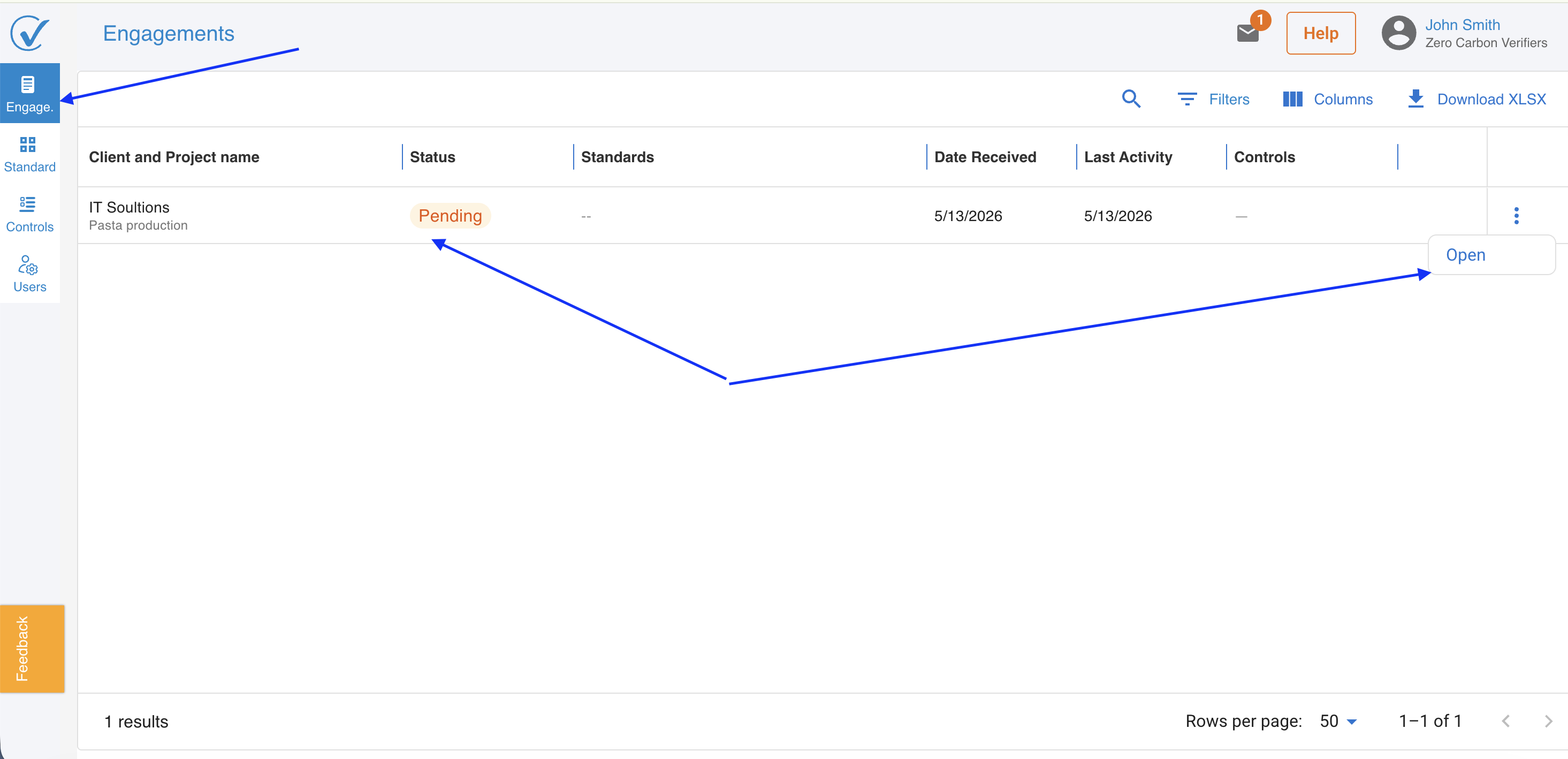
4. Open the request to review the details, including the client organization, included products, and any attached information.
5. Select Standards anad Findings types for that project
6. Click Accept and Assigne to confirm the engagement.
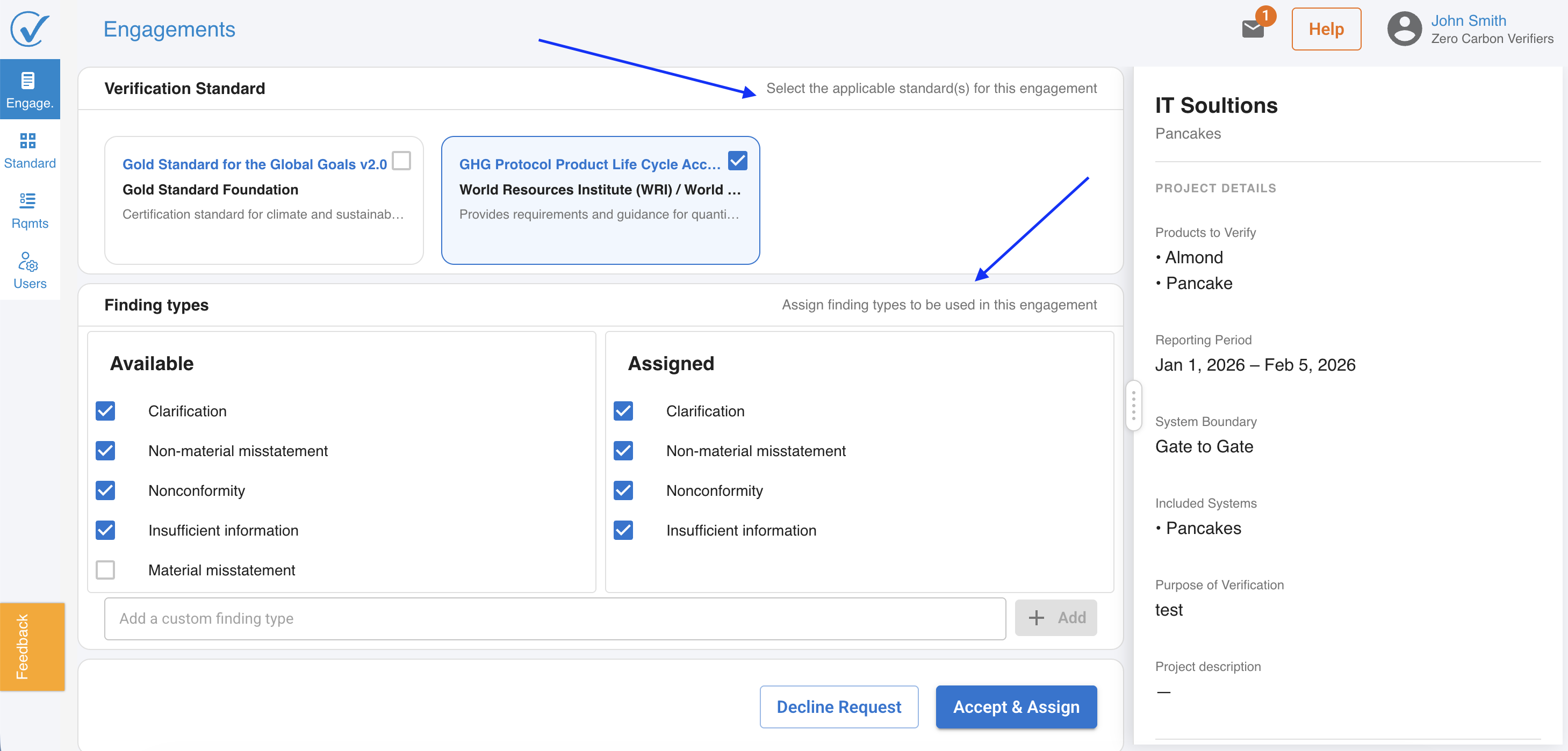
Once accepted, the engagement status moves to Under review in the verifier account, and the corresponding products in the client account update to Under verification.
Declining a request
If the verifier cannot accept the engagement, they can decline from the same view. Declining removes the request from the active engagements list. The client's products return to their previous status.
Related articles
- Issuing a verification opinion
- Requesting third-party verification (client guide)
Last updated: May 2026