
Requesting third-party verification (client guide)
Prerequisites
Before sending a verification request:
- The model must be registered (a locked copy exists in the Registered tab), see Register flow.
- The registered model must have a status of Self attested.
How to send a verification request
1. Go to the Register page.
2. Locate the registered system to verify.
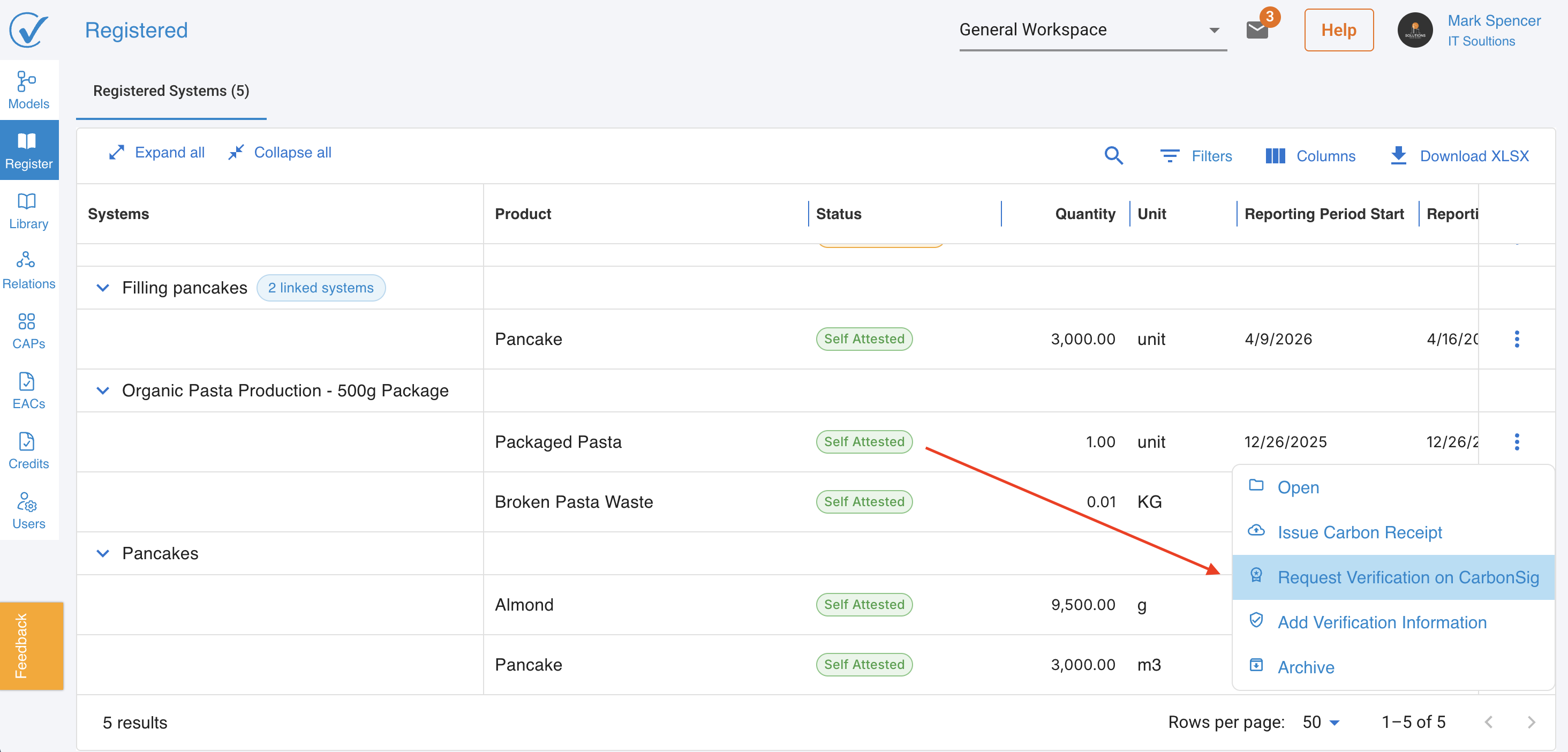
3. Open the three-dot menu and select Request verification on CarbonSig.
4. A right-side panel opens with the following fields:
- Included systems: The primary model and all linked subsystems are listed automatically.
- Products to verify: All products are selected by default.
- Verifier: Select a verifier organization from the list.
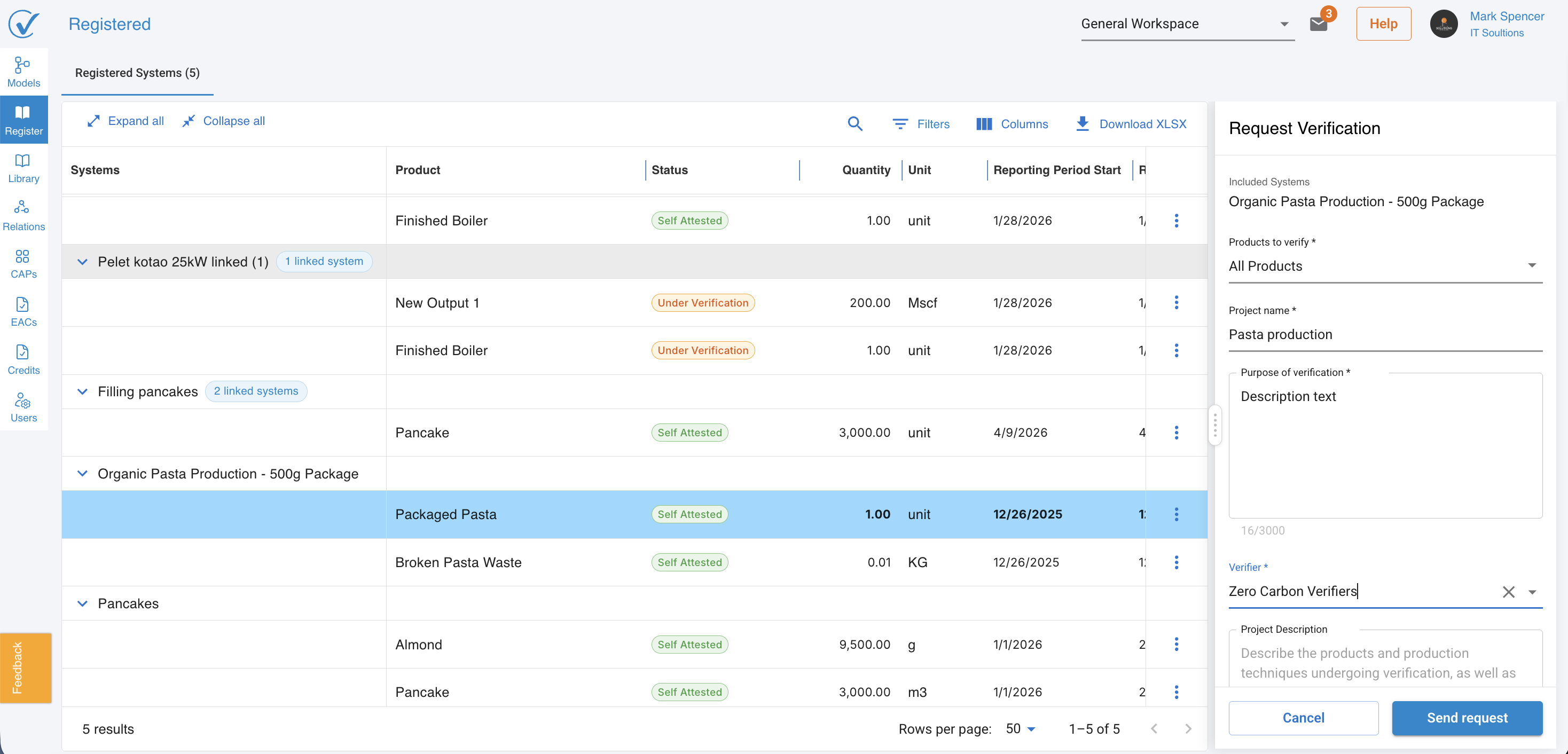
5. Click Send request.
All included products switch to Pending Verification status once the request is submitted.
After the request is sent
The request is now visible to the selected verifier. Status changes are tracked through the status column on the Registered tab.
Status | Meaning |
Pending verification | Request has been sent; verifier has not yet accepted |
Under verification | Verifier has accepted the engagement |
Revisions requested | Verifier has requested changes to the model |
Verified on CarbonSig | Verifier has issued an opinion |
Latest updated: May 2026